ENGLISH
Chapter 4: Using the DVR
DVR User’s Manual
47
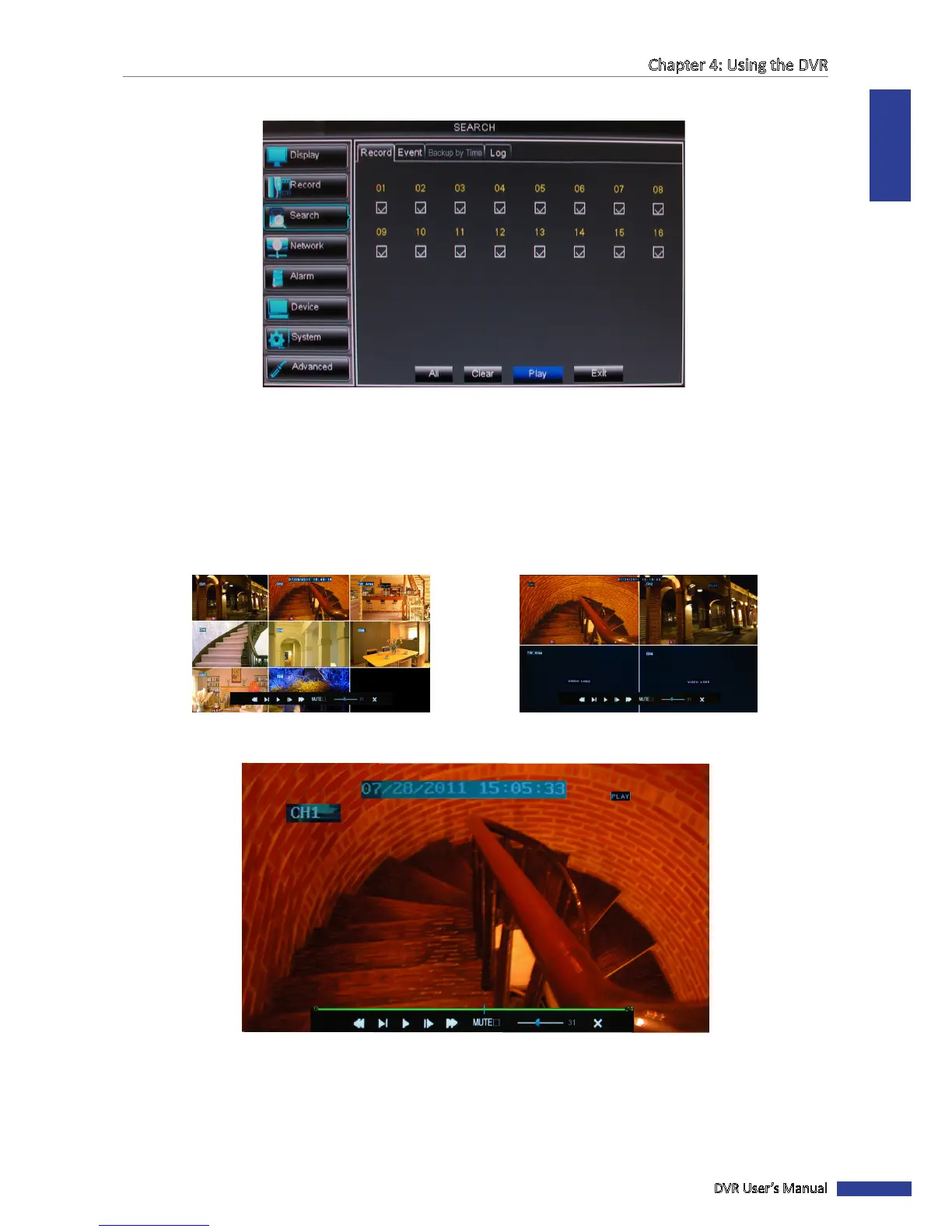
7 Select the channel(s) to play simultaneously.
« TIP »
• To select all channels, click All.
• To deselect all channels, click Clear.
8 Click Play to start playback.
The playback screen varies depending on the number of channels you selected for simultaneous playback.
Examples below:
Simultaneous Playback of 8 Channels Simultaneous Playback of 4 Channels
9 To play in full screen, click a channel.
10 Click the respecve buon to pause, rewind, fast forward, or mute the sound. Drag the volume bar to adjust the
volume level.
11 To stop the video playback, click X.



 To Next Page