ENGLISH
Chapter 6: Mobile Device Access
DVR User’s Manual
107
6.2.2 KViewHD on iPad
®
Note:
To ensure opmum performance, download and use KViewHD on iPad iOS 4.2.1 or above.
1 Make sure your iPad is connected to the Internet (either by mobile data connecon or Wi-Fi).
2 Open the App Store applicaon.
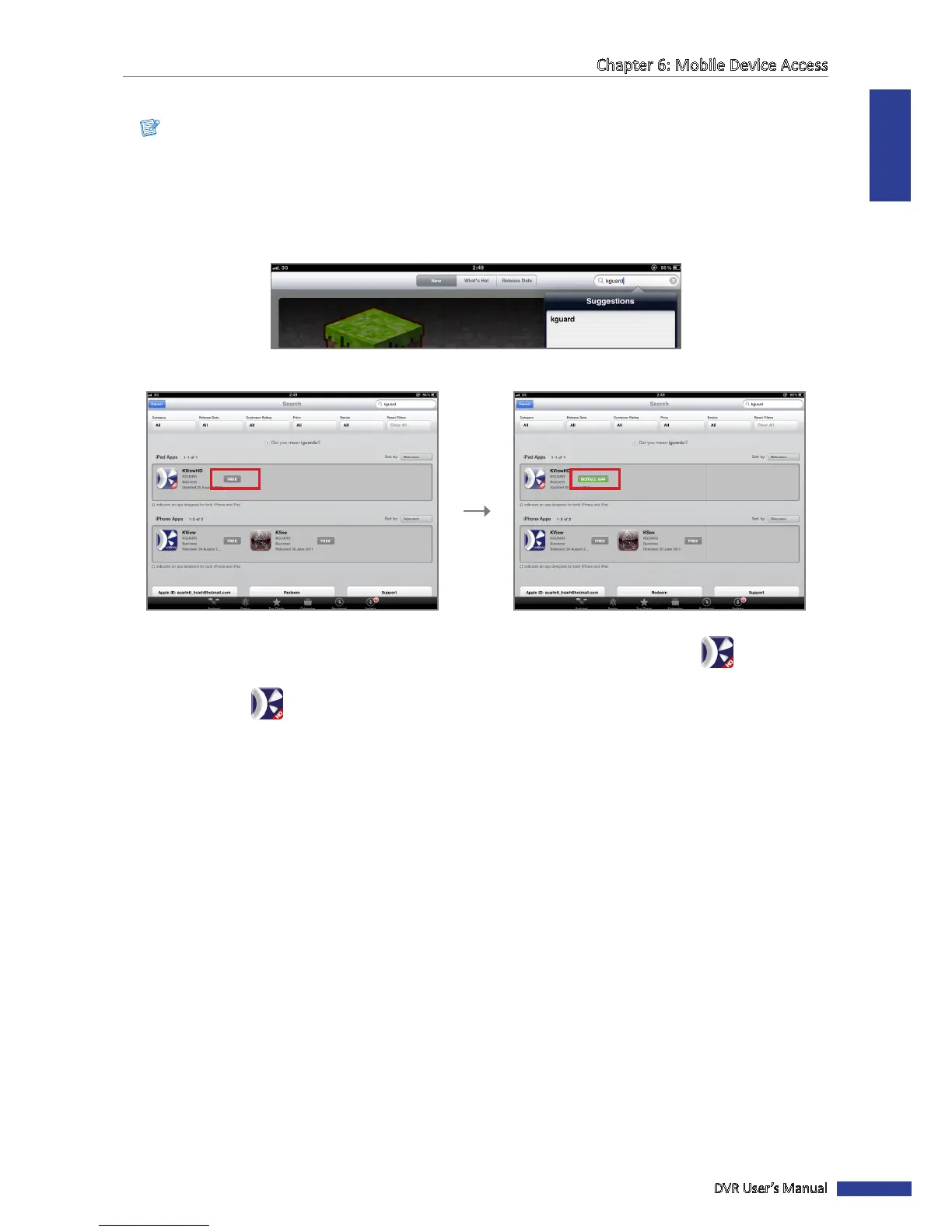
3 On the search bar, enter the keyword “kguard” to search for KViewHD.
4 Select and download KViewHD.
Click FREE. Click INSTALL APP.
You may be asked to login with your iTunes account to connue. Aer download, the KViewHD icon is
displayed on the applicaon screen.
5 Click the KViewHD icon to open the applicaon.



 To Next Page