ENGLISH
Chapter 5: KGUARD Web Client
DVR User’s Manual
81
5.5.2 Privacy Zone Sengs
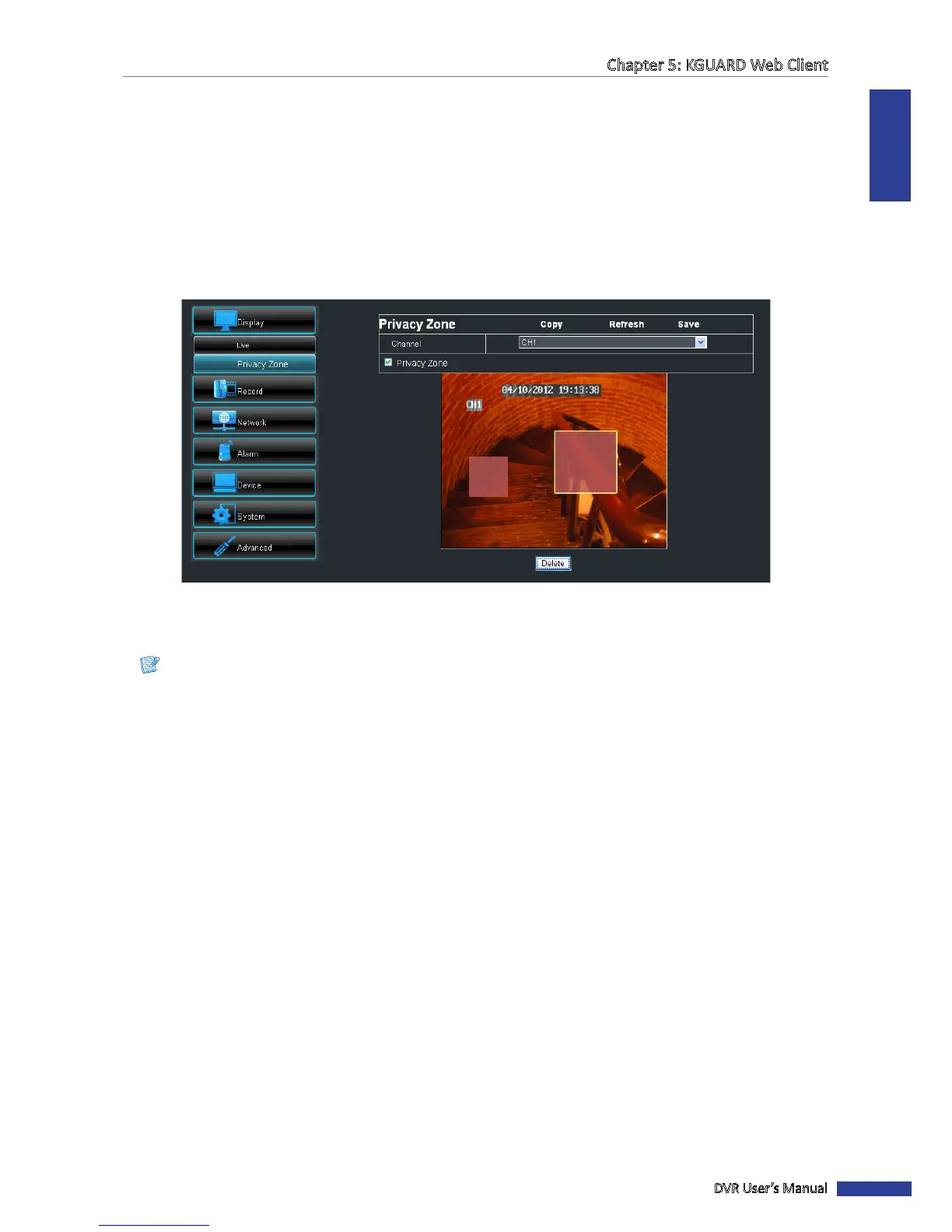
You can mask up to 4 areas to hide it from being viewed on the screen.
1 On the Main Menu, click Remote Seng.
2 On the le panel, click Display > Privacy Zone.
3 Select the channel.
4 Check the Privacy Zone box to enable the funcon.
5 Click and drag the mouse to box an area on the screen to mask.
6 To mask more areas, repeat step 5. You can mask up to 4 areas.
Note:
• The above illustraon is an example of two marked areas.
• Once the mouse buon is released, you cannot resize the box anymore. To modify the masked area, click the
box (yellow highlight), then click Delete to delete the masked area and then redo step 5 to create another
mask.
7 When done, click Save.
« TIP »
• To apply the same sengs to other channels, click Copy. See “Copying Sengs To Other Channels” on page
80.
• To cancel any modicaons and retain the exisng sengs, click Refresh.



 To Next Page