ENGLISH
Chapter 5: KGUARD Web Client
90
DVR User’s Manual
Mobile Devices Setup
The DVR provides remote access using your mobile phone or a tablet PC. See the “DVR SHA / NS series Support
Manual” in the enclosed CD for the list of supported mobile devices.
Before using this feature, make sure the DVR is connected to the Internet.
To congure mobile device setup, do the following:
1 On the Main Menu, click Remote Seng.
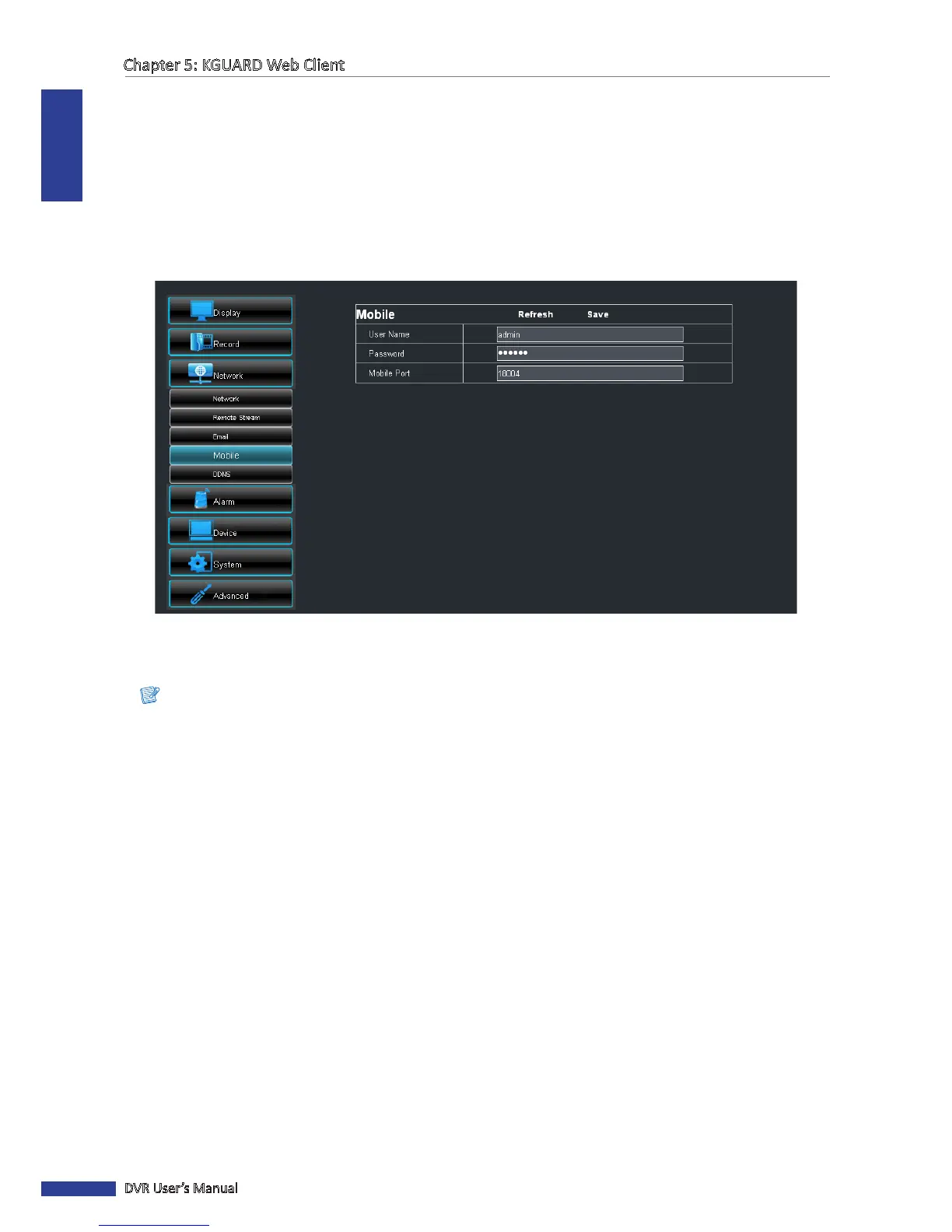
2 On the le panel, click Network > Mobile. The Mobile screen appears.
3 Enter the User Name and Password you use to login to the DVR.
4 On Mobile Port, enter the monitoring port of your mobile device. The port range is between 1024 to 65535.
Note:
The Mobile Port specied here must be the same port on your mobile device.
5 Aer all sengs are complete, click Save.
« TIP »
To cancel any modicaons and retain the exisng sengs, click Refresh.
Aer performing the above procedures, install the Kguard mobile device ulity on your mobile device.
See “Chapter 6: Using KView Series Soware” on page 103 for further details.



 To Next Page