ENGLISH
Chapter 3: Geng Started
36
DVR User’s Manual
3.5 Using PTZ Controls
If you are using a PTZ speed dome camera, you can congure the PTZ control sengs.
1 In the preview mode, right-click on the mouse to display the Pop-up menu.
2 Select PTZ.
Note:
This opon is not available if the PTZ camera is in Cruise mode. See “4.6.2 PTZ Setup” on page 60.
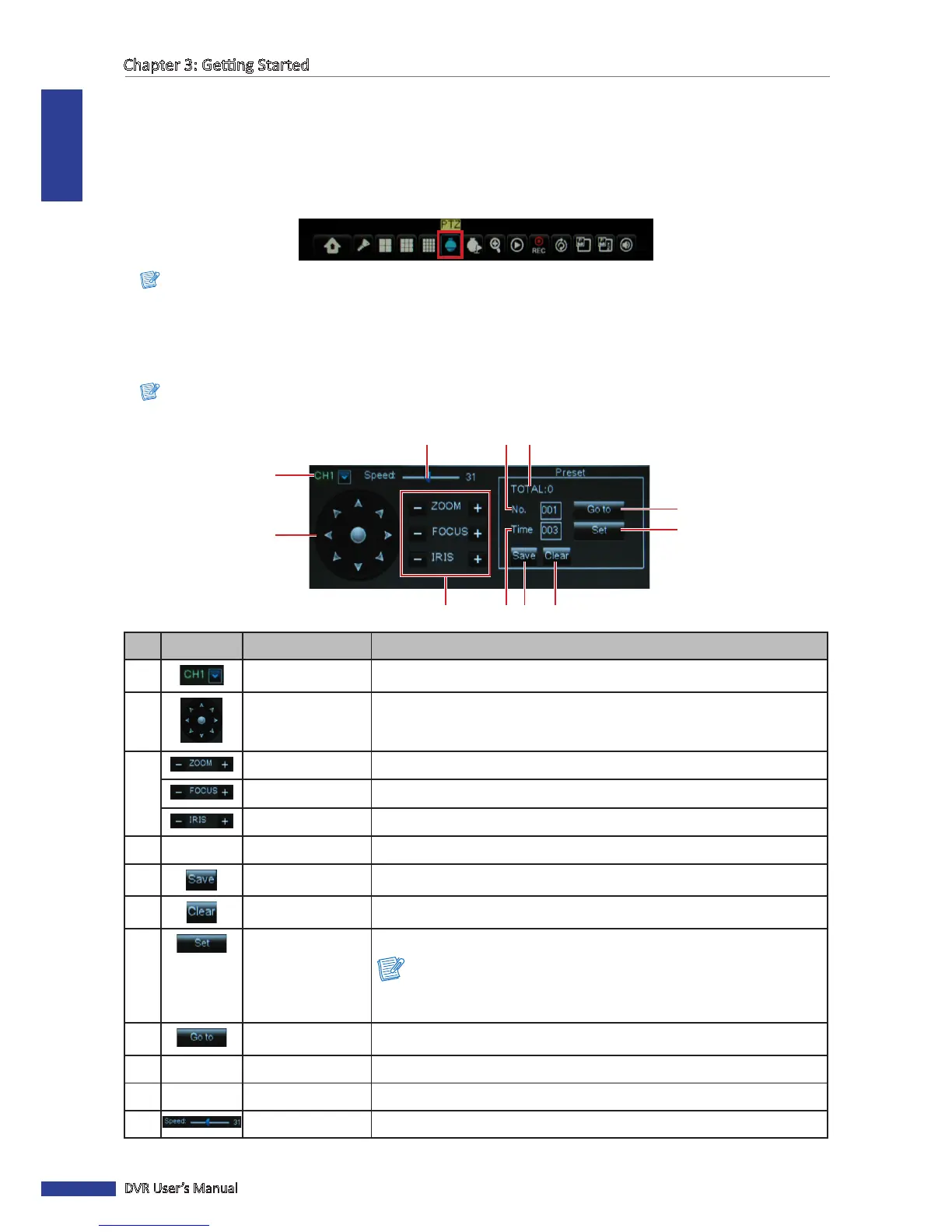
3 The PTZ control panel appears on the screen.
Note:
To change the PTZ sengs, see “4.6.2 PTZ Setup” on page 60.
1
2
3 4 5 6
7
8
1011 9
No. Icon Item Funcon
1
Channel Select Click to select the channel of the PTZ camera.
2
Pointer pan Click the direcon arrow to select the direcon of the PTZ camera.
Click the middle icon to switch to auto pan mode.
3
Zoom Click to zoom in/out.
Focus Click to adjust the focus.
Iris Click to adjust the iris seng.
4
-
Time Set a preset me.
5
Save Click to save the sengs and preset points.
6
Clear Click to delete the selected preset.
7
Set Preset Point Click to set a specic preset point on a PTZ camera.
Note:
You can set up to 255 preset bits for the DVR. However, the actual preset
quanty varies depending on the PTZ camera performance.
8
Go to Preset Point Click to go to a specic preset point.
9
- Total
Display the total of preset bit.
10
- No.
Set a preset point.
11
Speed Click to adjust the speed.



 To Next Page