Playing and editing Programs
34
4. PresstheMultisamplepopupbuttonfor
multisample1.
ThisbringsupalistofMultisamples,organizedby
category.Usethetabsontheleftofthedisplayto
browsethroughthedifferentcategories.
5. SelectaMultisamplebytouching itsnameinthe
list.YoucanalsouseFindtosearchfora
Multisample.
6. PresstheOKbuttontoconfirmyourselection.
7. Performthesamestepsformultisample2,
selectinga
differentMultisamplethanfor
multisample1.
Nowthatyou’veassignedMultisamplesto
multisample1andmultisample2,let’ssetupthe
velocityrangesandcrossfades.
Multisampleshavenowbeenassignedtomultisample
1and2.
8. Specifythevelocityrangeandcrossfaderange.
PresstheVelocitytabtoaccesstheOSC1Velocitypage.
Setthemultisample2“ThresholdVelocity”to001,and
turn“Crossfade”Off.
9. Setthemultisample1“ThresholdVelocity”to80.
Youcanalsoset“ThresholdVelocity”bydraggingthe
bottomedgeofthelinegraph.
Withthesesettings,Multisample2willsoundfornotes
play
edwithavelocityof79orless,andMultisample1
willsoundfornotesplayedwithavelocityof80or
greater.
TheVelocitySplitmetershowstheoscillator’seight
multisamplesandthevelocityzonesofeachoscillator.
Themeterontheleftshowsthenote‐onvelocity.This
letsyouseewhichmultisampleandoscillatorwill
soundforthatspecific velo
city.
10. Setthemultisample1“Crossfade”to20,andits
“Curve”toLinear.
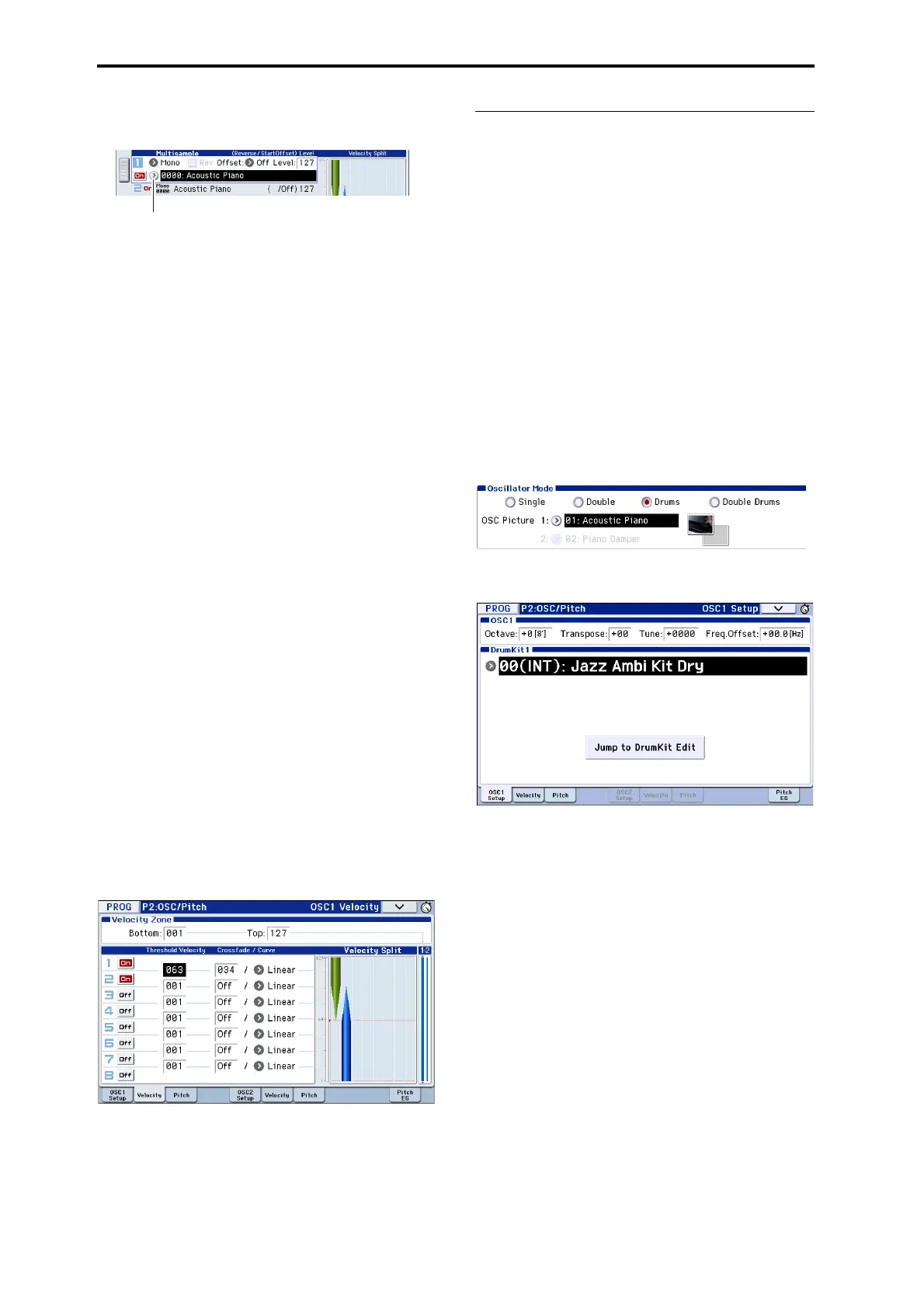
Thestateofthissplitisshownvisuallyinthescreen.
Thetwomultisampleswillfadeacrosstherangefrom
80to100,withmultisample2fading‐outwhile
multisample1fades‐in.Thisproducesasmooth
changewithoutanysuddenswitch.
11. Asnece
ssary,usetheProgP2:OSC/Pitch–OSC1
Setuppagetoadjustthe“Level”ofthetwo
multisamples.
Assigning a drum kit
What is a drum kit?
DrumkitsarecreatedoreditedinGlobalmode.For
eachnoteofthekeyboard,youcanassignuptoeight
druminstrumentsamples,anduselayering,
crossfading,orvelocityswitchingtoswitchbetween
them.Then,inProgrammode,youcanadjustfilter
andampsettings,andspecifyeffectsandroutingtoth
e
audiooutputjacks.(Seepage 105)
Touseadrumkitina
Program,setOscillatorModeto
DrumsorDoubleDrums,andchooseoneofthe48
userdrumkitsorthenineGM2drumkits.
Selecting a drum kit
1. AccesstheProgP1:Basic/Controllers–Program
Basicpage.
2. Set“OscillatorMode”toDrumsorDouble
Drums.
3. SelectadrumkitintheProgP2:OSC/Pitch–OSC1
Setuppage.
4. Specifythebasicpitchoftheoscillator.Foradrum
kit,set“Octave”to+0[8ʹ].



 To Next Page