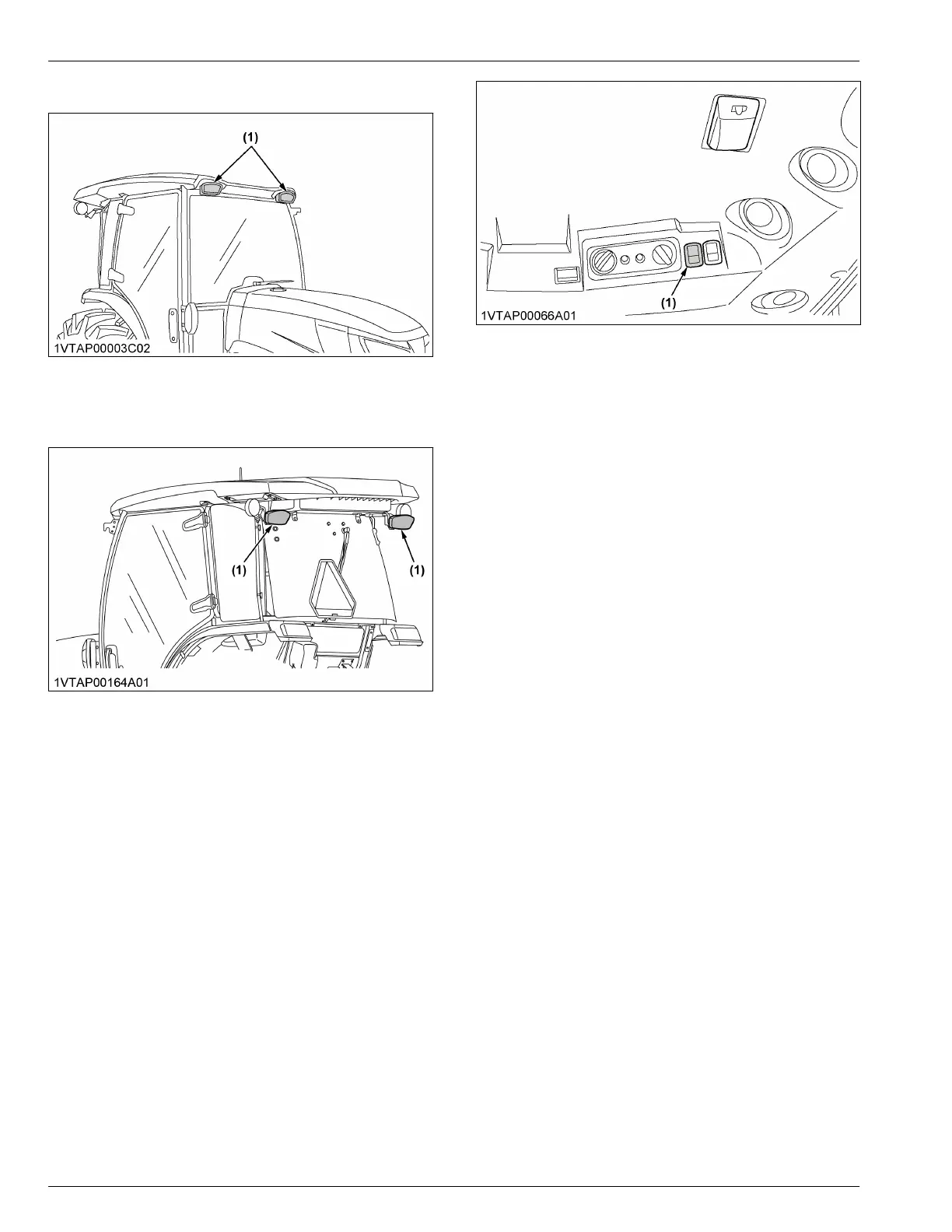
2. Front work light
(1) Front work light
3. Rear work light (if equipped)
(1) Rear work light
WIPER
1. Front wiper / washer switch
• Top half of the front wiper / washer switch
1. Turn on the key switch and press the top half of
the front wiper / washer switch to the first step.
The wiper is activated.
2. When the top half of the front wiper / washer
switch is pressed further to the second step,
washer liquid jets out.
The jetting continues while the front wiper /
washer switch is pressed and the wiper is
activated continuously.
• Bottom half of the front wiper / washer switch
1. Turn on the key switch and press the bottom
half of the front wiper / washer switch to the first
step.
The wiper is activated at regular intervals.
2. When the bottom half of the front wiper /
washer switch is pressed further to the second
step, washer liquid jets out and the wiper is
activated at regular intervals.
(1) Front wiper / washer switch
IMPORTANT :
• Do not activate the wipers when the windows
are dry. Windows may be scratched.
Be sure to jet the washer liquid first and then
activate the wipers.
2. Rear wiper / washer switch (if
equipped)
• Top half of the rear wiper / washer switch
1. Turn on the key switch and press the top half of
the rear wiper / washer switch to the first step.
The wiper is activated.
2. When the top half of the rear wiper / washer
switch is pressed further to the second step,
washer liquid jets out.
The jetting continues while the rear wiper /
washer switch is pressed and the wiper is
activated continuously.
• Bottom half of the rear wiper / washer switch
1. Turn on the key switch and press the bottom
half of the rear wiper / washer switch to the first
step. The wiper is activated at regular intervals.
2. When the bottom half of the rear wiper / washer
switch is pressed further to the second step,
washer liquid jets out and the wiper is activated
at regular intervals.
CAB OPERATION WORK LIGHT



 To Next Page