With position control
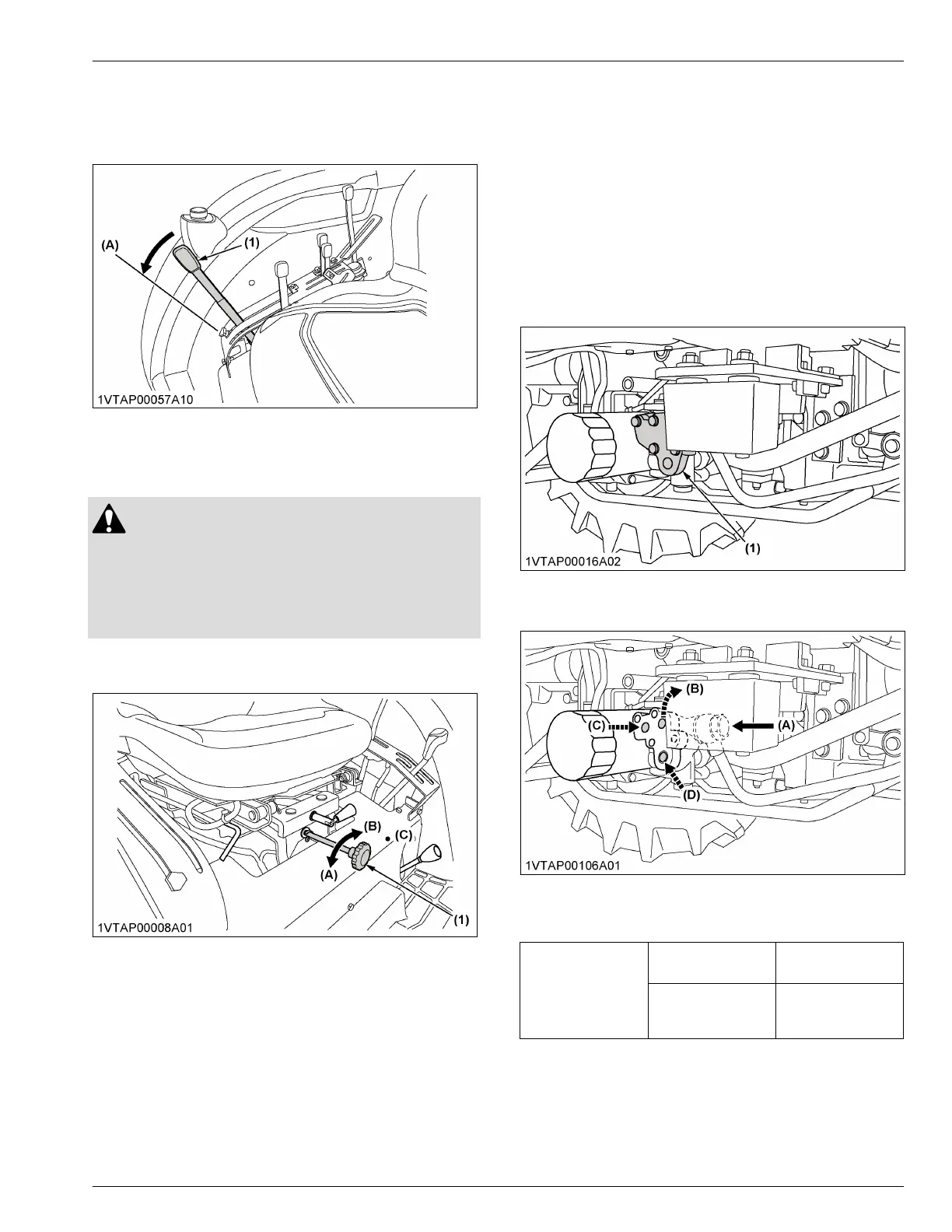
Place the position-control-lever in the float position to
move the lower links freely along with the ground
conditions.
(1) Position control lever (A) Float
5. 3-point hitch lowering speed
WARNING
To avoid personal injury or death:
• Fast lowering speed may cause damage or
injury. You should adjust the lowering speed of
3-point hitch mounted implement to 2 or more
seconds.
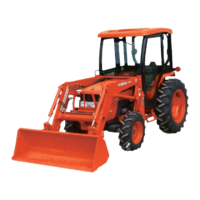
You can control the lowering speed of the 3-point hitch
by adjusting the 3-point hitch lowering speed knob.
(1) 3-point hitch lowering speed
knob
(A) Fast
(B) Slow
(C) Lock
AUXILIARY HYDRAULICS
1. How to use the hydraulic block
type outlet when the hydraulically
operated implement is attached
Hydraulic-block-type-outlet is useful when adding
hydraulically operated implement such as front-end-
loader, front blade, and so on.
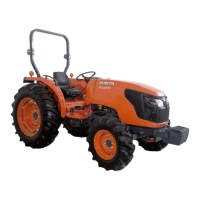
1. Remove the block cover.
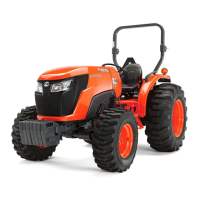
2. Route the implement inlet, outlet, and return hoses
as shown in the illustration.
(1) Block cover
Block cover (1) removed
(A) From gear pump
(B) To implement
(C) From implement (outlet)
(D) From implement (tank port)
To implement (B)
Max flow
35.8 L/min
(9.5 gals./min)
Max pressure
17.7 MPa
(180 kgf/cm
2
)
[2560 psi]
3-POINT HITCH CONTROL SYSTEM HYDRAULIC UNIT



 To Next Page