26 Flowmaster User’s and Service Manual | LBL-000990 [B] Chapter 3
▪ Enter patient information and click on the OK button.
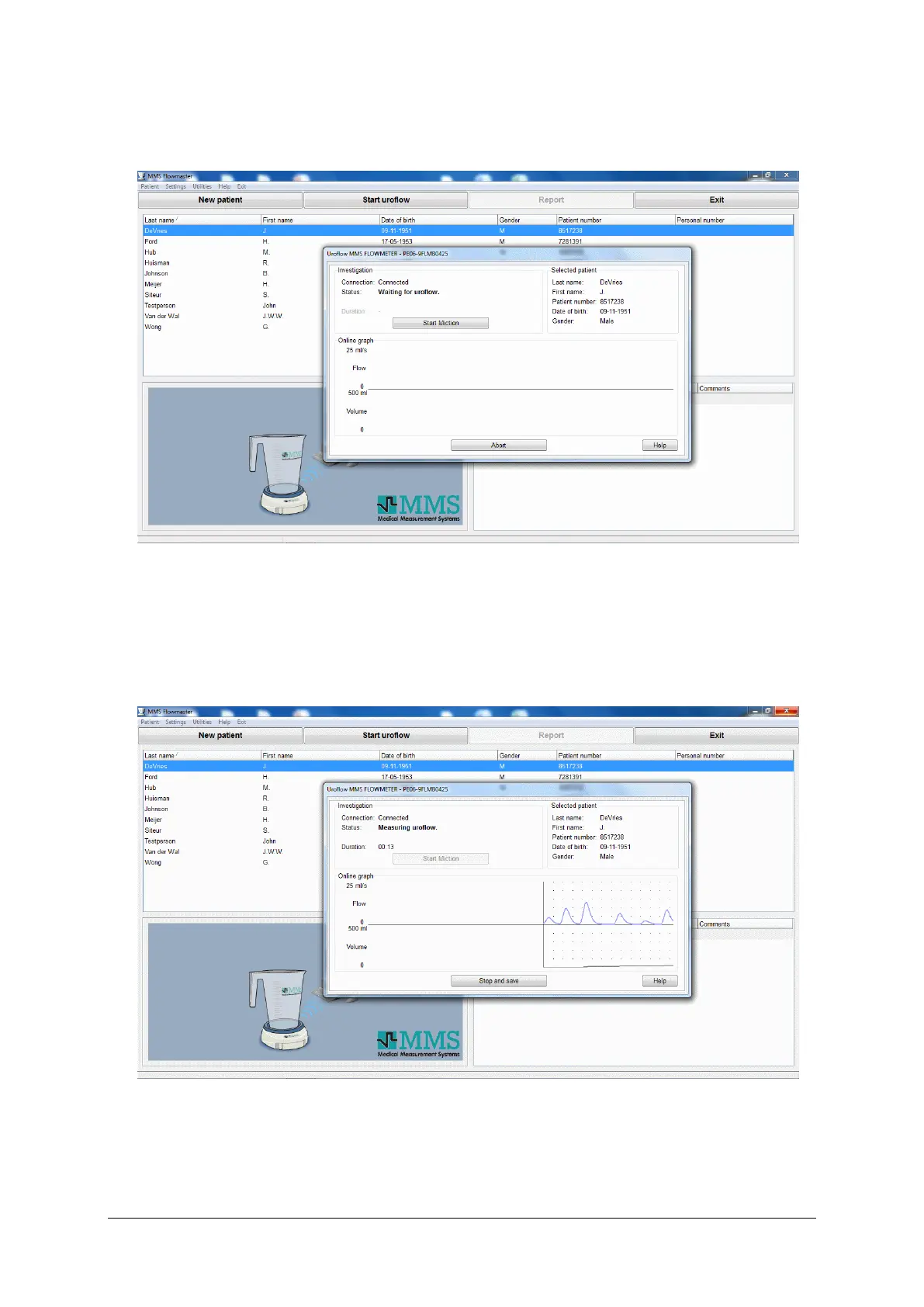
▪ Click on the Start uroflow button.
Figure 3.6 Wait for uroflow
▪ Ask the patient to void. The moment the flowmeter detects urine, recording
starts as displayed below. To start recording immediately you must click on
the Start Miction button.
Figure 3.7 Uroflow recording



 To Next Page