General Maintenance 61
6 b. Open the panel mid-way.
6 c. Secure the panel with a sling or cable.
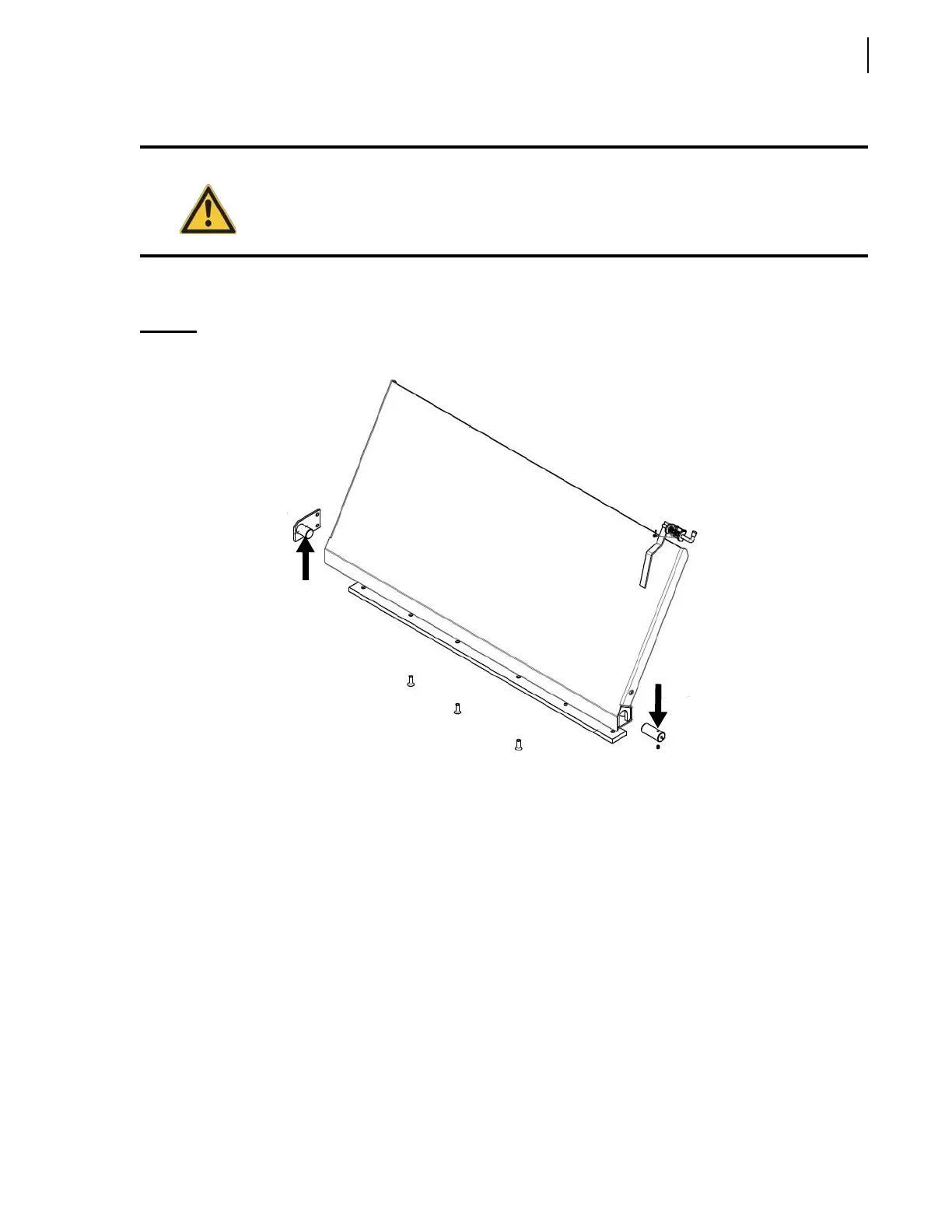
6 d. Remove the 2 pivots at the base of the floating panel (see Figure 3-55).
Figure 3-55
Pivots
6 e. Lift the floating panel out of the hopper using an appropriate lifting device.
7. Remove the retaining screws holding the lower wear pad in place (see Figure 3-56).
Warning!
Keep hands and fingers away from the pinch point of the floating panel.



 To Next Page