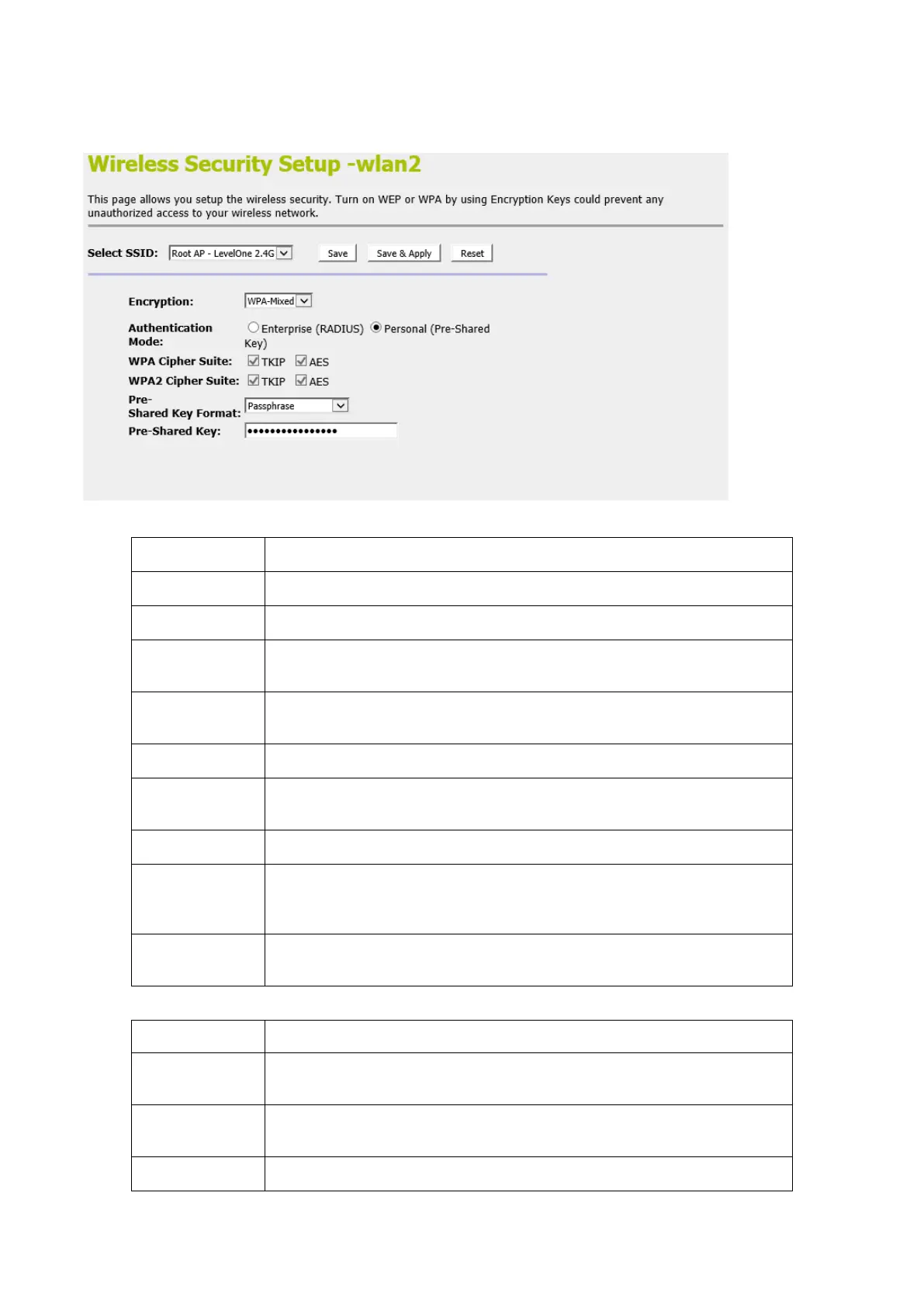
2. From the left-hand menu, click on Security. The following
page is displayed:
Configure the Encryption to Disable, WEP, WPA , WPA2 or WPA-Mixed
Use 802.1x
Authentication
Use 802.1x Authentication by WEP 64bits or WEP 128bits
Configure the Authentication Mode to Open System, Shared Key or
Auto
Select the Key Length 64-bit or 128-bit
Select the Key Format ASCII (5 characters), Hex (10 characters), ASCII
(13 characters) or Hex (26 characters)
Configure the WPA Authentication Mode to Enterprise (RADIUS) or
Personal (Pre-Shared Key)
Configure the WPA Cipher Suite to AES
Configure the WPA2 Cipher Suite to AES
Configure the Pre-Shared Key Format to Passphrase or HEX (64
characters)















 To Next Page