Diagnosing Problem using IP Utilities
ping
Ping is a command you can use to check whether your PC can
recognize other computers on your network and the Internet. A
ping command sends a message to the computer you specify. If
the computer receives the message, it sends messages in reply.
To use it, you must know the IP address of the computer with
which you are trying to communicate.
On Windows-based computers, you can execute a ping
command from the Start menu. Click the Start button, and then
click Run. In the Open text box, type a statement such as the
following:
ping 192.168.1.1
Click OK. You can substitute any private IP address on your
LAN or a public IP address for an Internet site, if known.
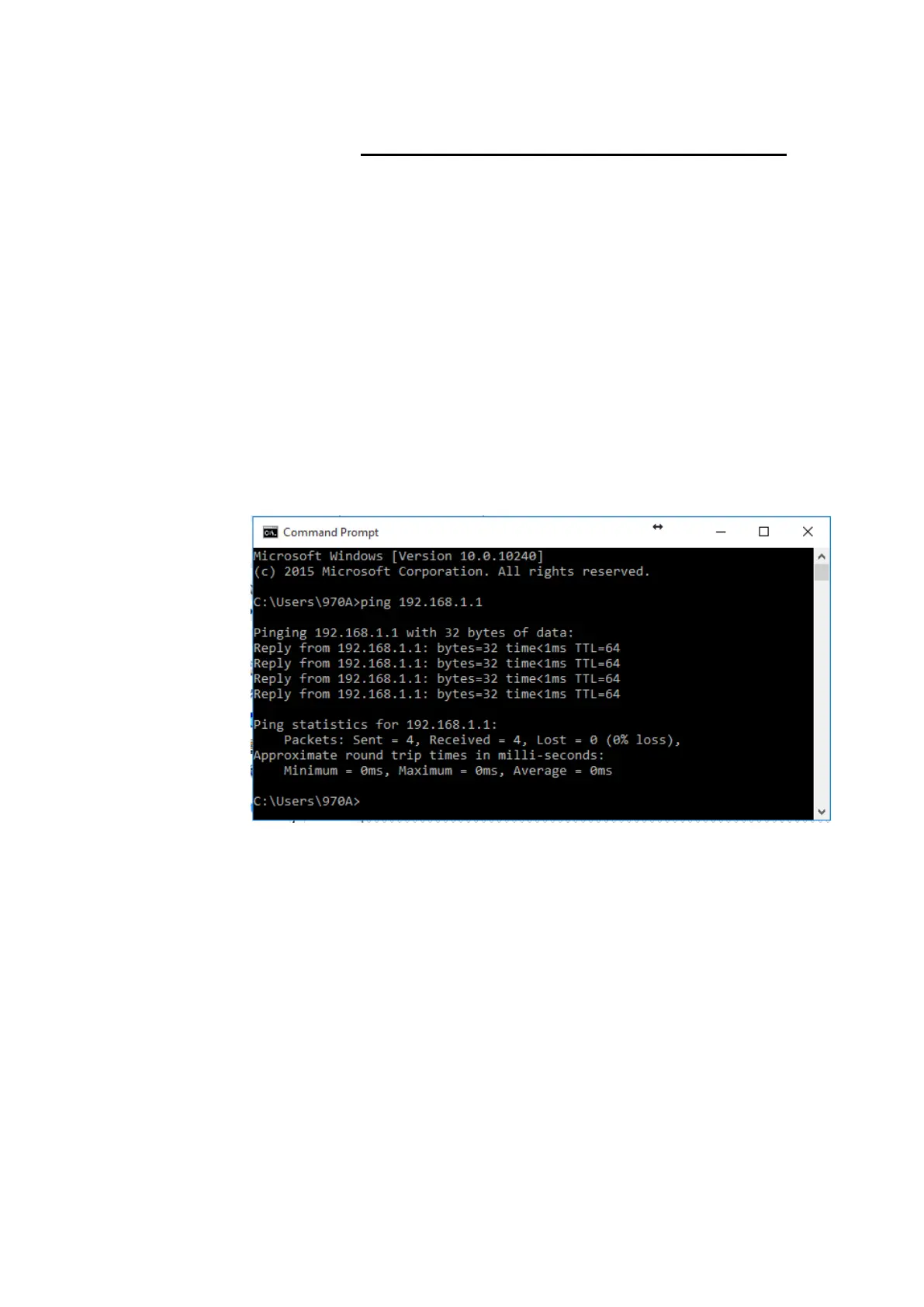
If the target computer receives the message, a Command
Prompt window is displayed:
Figure 17: Using the ping Utility
If the target computer cannot be located, you will receive the
message Request timed out.
Using the ping command, you can test whether the path to the
Wireless Gateway is working (using the preconfigured default
LAN IP address 192.168.1.1) or another address you assigned.
You can also test whether access to the Internet is working by
typing an external address, such as that for www.yahoo.com
(216.115.108.243). If you do not know the IP address of a
particular Internet location, you can use the nslookup command,
as explained in the following section.
From most other IP-enabled operating systems, you can
execute the same command at a command prompt or through a
system administration utility.
nslookup
You can use the nslookup command to determine the IP
address associated with an Internet site name. You specify the















 To Next Page