Enable Pre-
Authentication
According to some of the preferred embodiments, a method for
proactively establishing a security association between a mobile node
in a visiting network and an authentication agent in another network to
which the mobile node can move includes: negotiating pre-
authentication using a flag in a message header that indicates whether
the communication is for establishing a pre-authentication security
association; and one of the mobile node and the authentication agent
initiating pre-authentication by transmitting a message with the flag set
in its message header, and the other of the mobile node and the
authentication agent responding with the flag set in its message header
only if it supports the pre-authentication. Enable/disable pre-
authentication support. Default: disable.
Authentication
RADIUS Server
Port: Type the port number of RADIUS Server
IP address: Type the IP address of RADIUS Server
Password: Type the Password of RADIUS Server
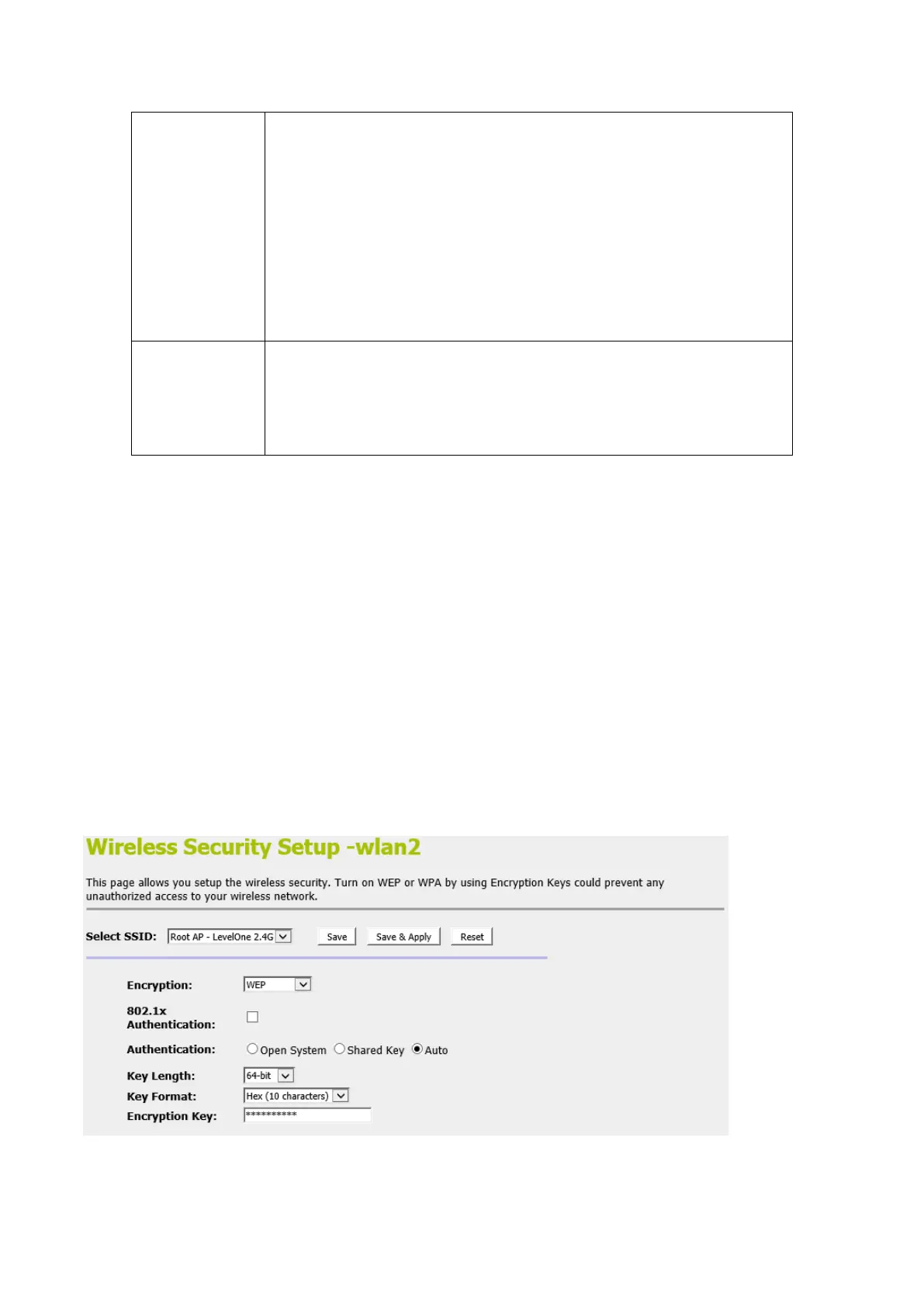
WEP + Encryption Key
WEP aims to provide security by encrypting data over radio
waves so that it is protected as it is transmitted from one end
point to another. However, it has been found that WEP is not as
secure as once believed.
1. From the Encryption drop-down list, select WEP setting.
2. From the Key Length drop-down list, select 64-bit or 128-bit
setting.
3. From the Key Format drop-down list, select ASCII (5
characters), Hex (10 characters), ASCII (13 characters) or
Hex (26 characters) setting.
4. Enter the Encryption Key value depending on selected
ASCII or Hexadecimal.
5. Click Save & Apply button.
6. Click OK button.















 To Next Page