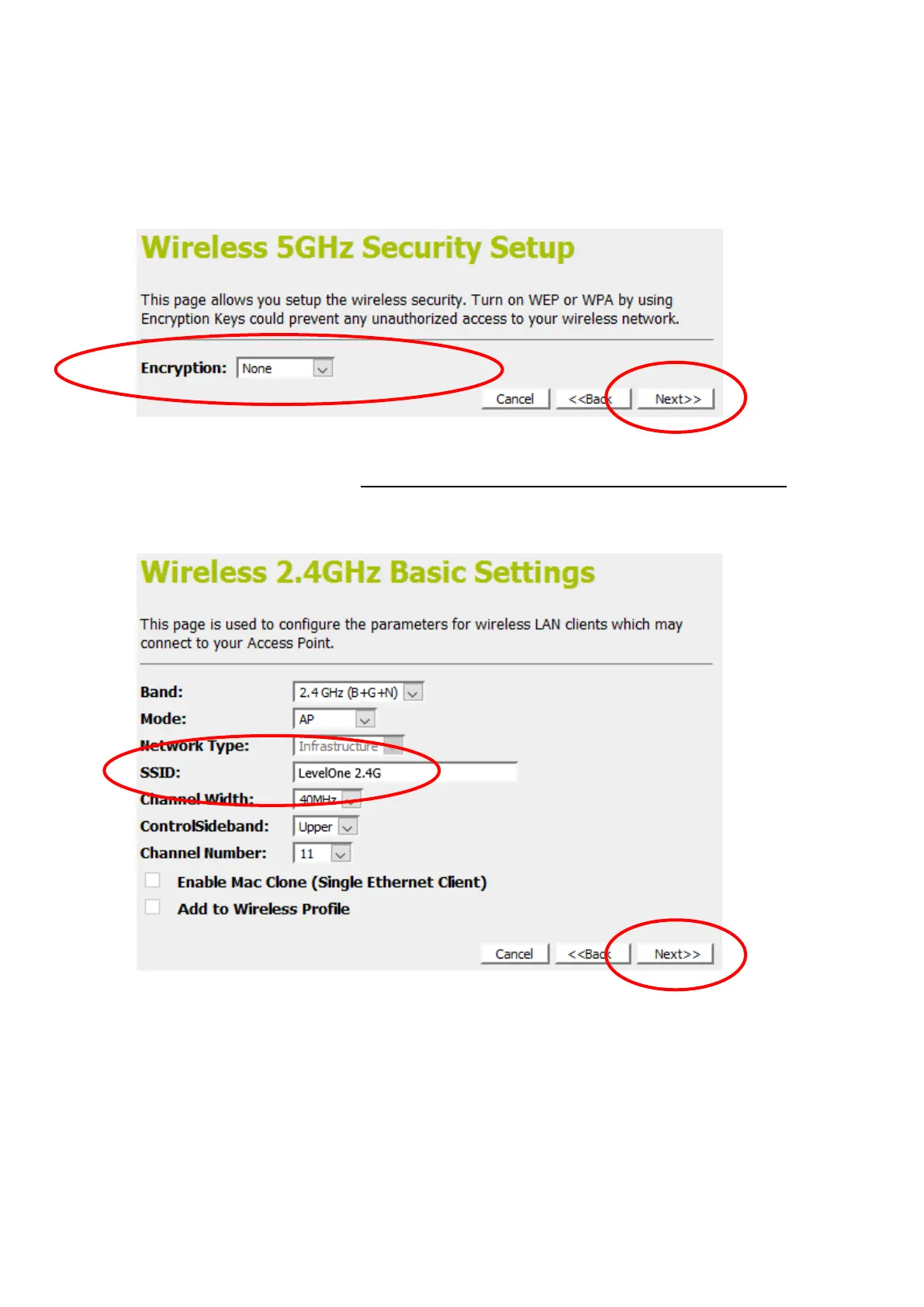
8. From the Encryption list, choose the Encryption type and
enter related parameters if necessary, as None / WEP /
WPA2(AES) and WPA Mixed Mode (the default settings
Security Mode = None). For example, the Encryption you
choose is None.
9. Click on Next.
Wireless Configuration - 2.4GHz
10. Enter SSID.
11. Click on Next.
12. From the Encryption list, choose the Encryption type and
enter related parameters if necessary, as None / WEP /
WPA2(AES) and WPA Mixed Mode (the default settings
Security Mode = None). For example, the Encryption you
choose is None.
13. Click on Finished.















 To Next Page