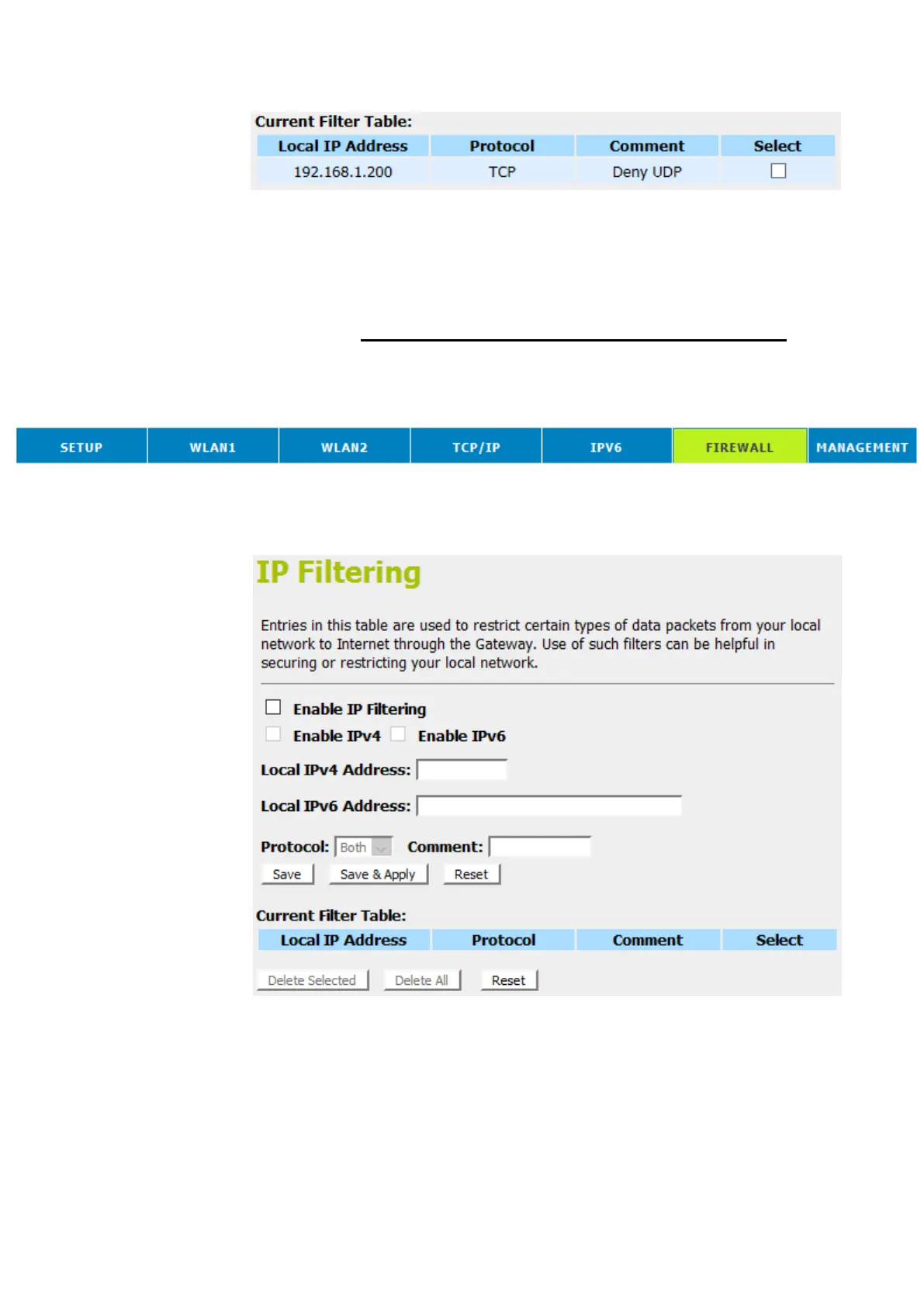
Now The Local IP Address for example 10.0.0.102 that listed in
the Current Filter Table cannot visit any application that use
TCP protocol for example web site due to the Protocol TCP has
been blocked by the IP Filtering rule that created.
IP filtering for UDP with specified IP
Please follow example below to deny the UDP protocol for
specified IP.
1. From the head menu, click on Firewall.
2. From the left-hand menu, click on IP Filtering. The following
page is displayed:















 To Next Page