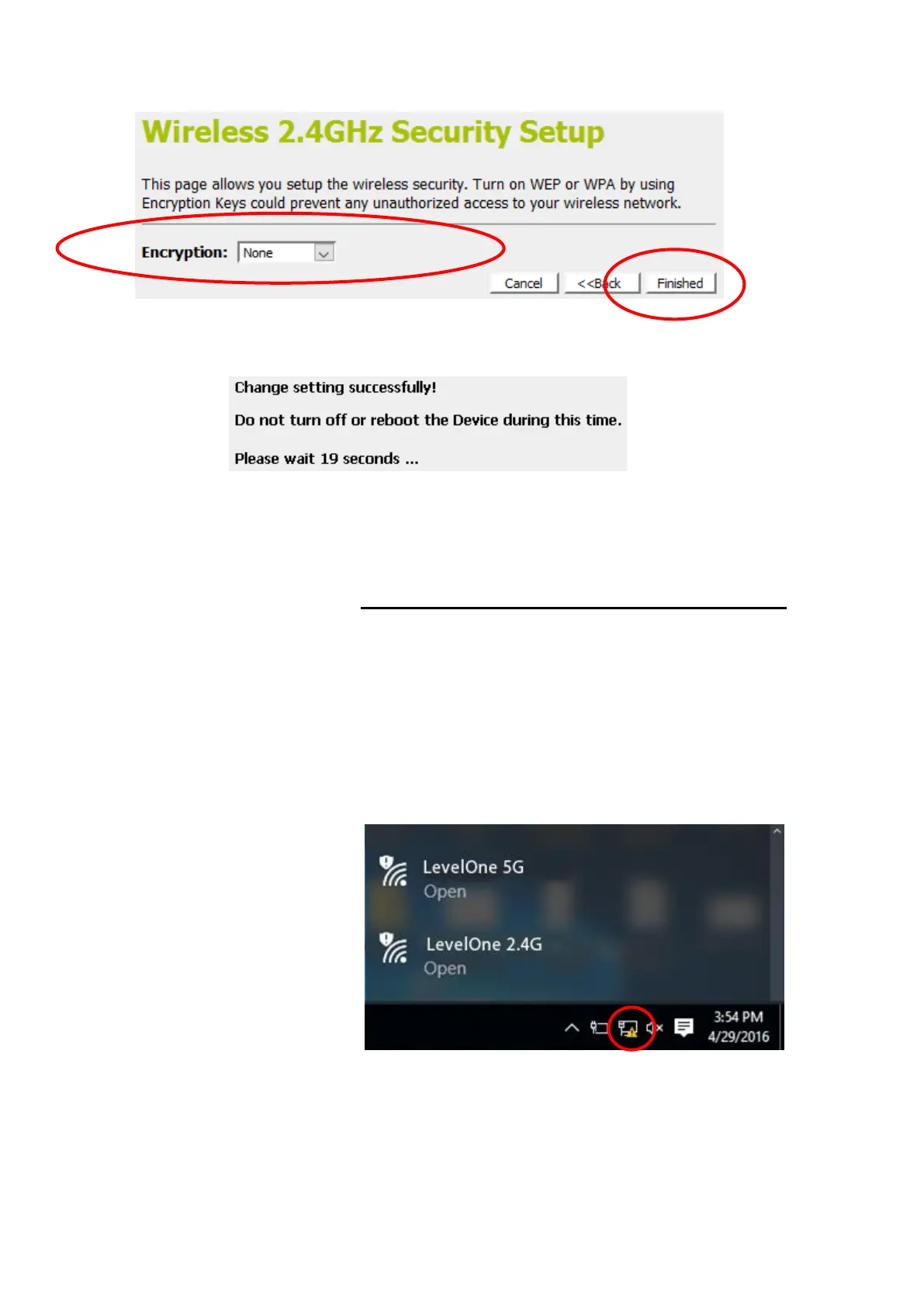
14. Change setting successfully! Do not turn off or reboot the
Device during this time. Please wait 20 seconds ...
15. Now, the WGR-8031 has been configured completely, and
suitable for Wireless and Internet Connections.
Wireless Connection
For easy installation it is saved to keep the settings. You can
later change the wireless settings via the wireless configuration
menu.
16. Double click on the wireless icon on your computer and
search for the wireless network that you enter SSID name.
17. Click on the wireless network that you enter SSID name
(the default settings, Wireless Network = Enable, Default
Channel = Auto, SSID = LevelOne 5G for 5GHz and
LevelOne 2.4G for 2.4GHz which could be found on the
bottom side of the device) to connect.
18. If the wireless network isn’t encrypted, click on "Connect " to
connect.















 To Next Page