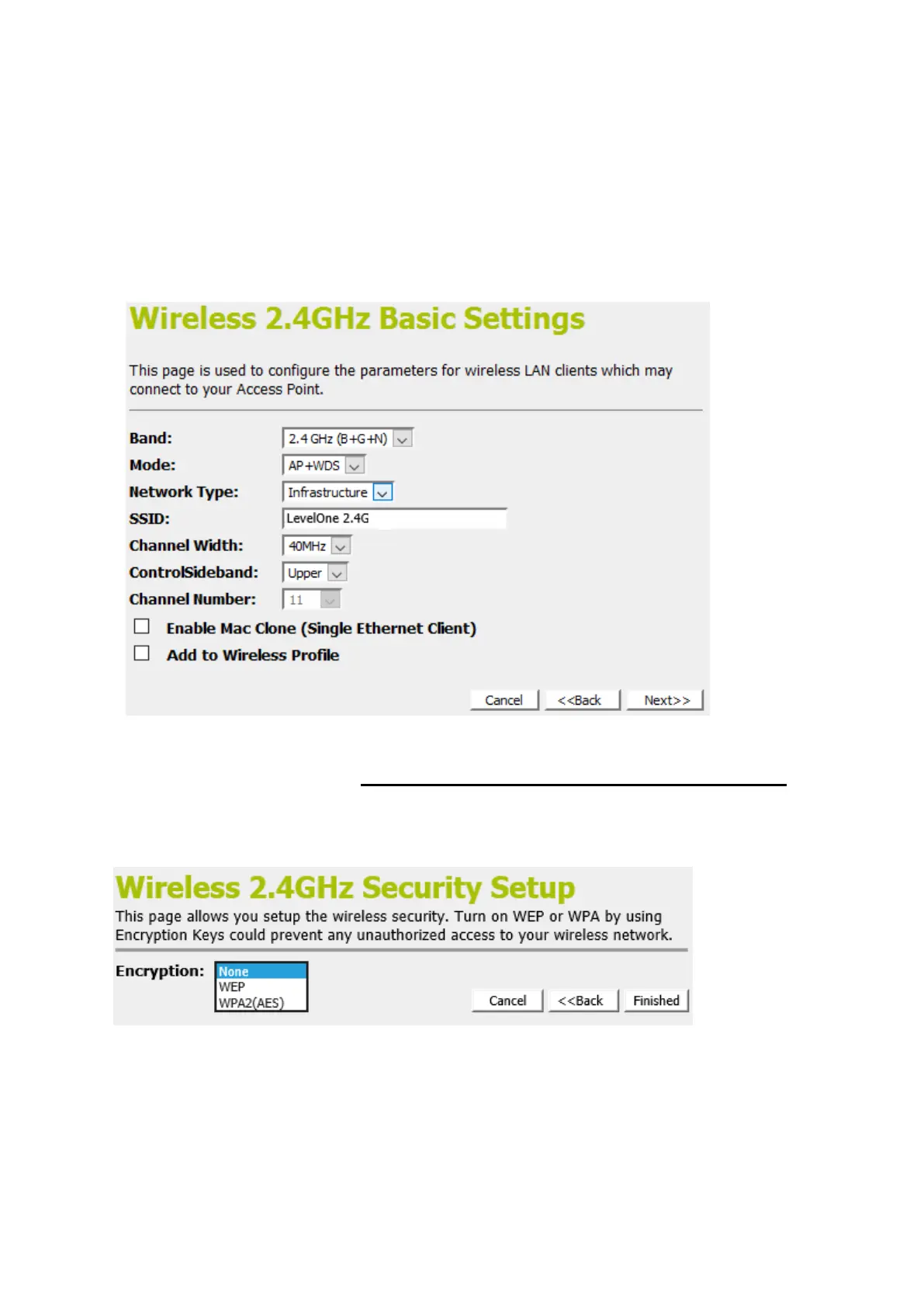
2. From the Mode drop-down list, select AP+WDS setting.
3. Enter SSID for example AP_2.4G.
4. From the Channel Width drop-down list, select a Channel
Width.
5. From the ControlSideband drop-down list, select a
ControlSideband.
6. From the Channel Number drop-down list, select a Channel
Number.
7. Click Next>>.
Wireless 2.4GHz Security Setup
This page allows you setup the wireless security. Turn on WEP
or WPA by using Encryption Keys could prevent any
unauthorized access to your wireless network.
You can protect your wireless data from potential
eavesdroppers by encrypting wireless data transmissions. An
eavesdropper might set up a compatible wireless adapter within
range of your device and attempt to access your network. Data
encryption is the translation of data into a form that cannot be
easily understood by unauthorized users.















 To Next Page