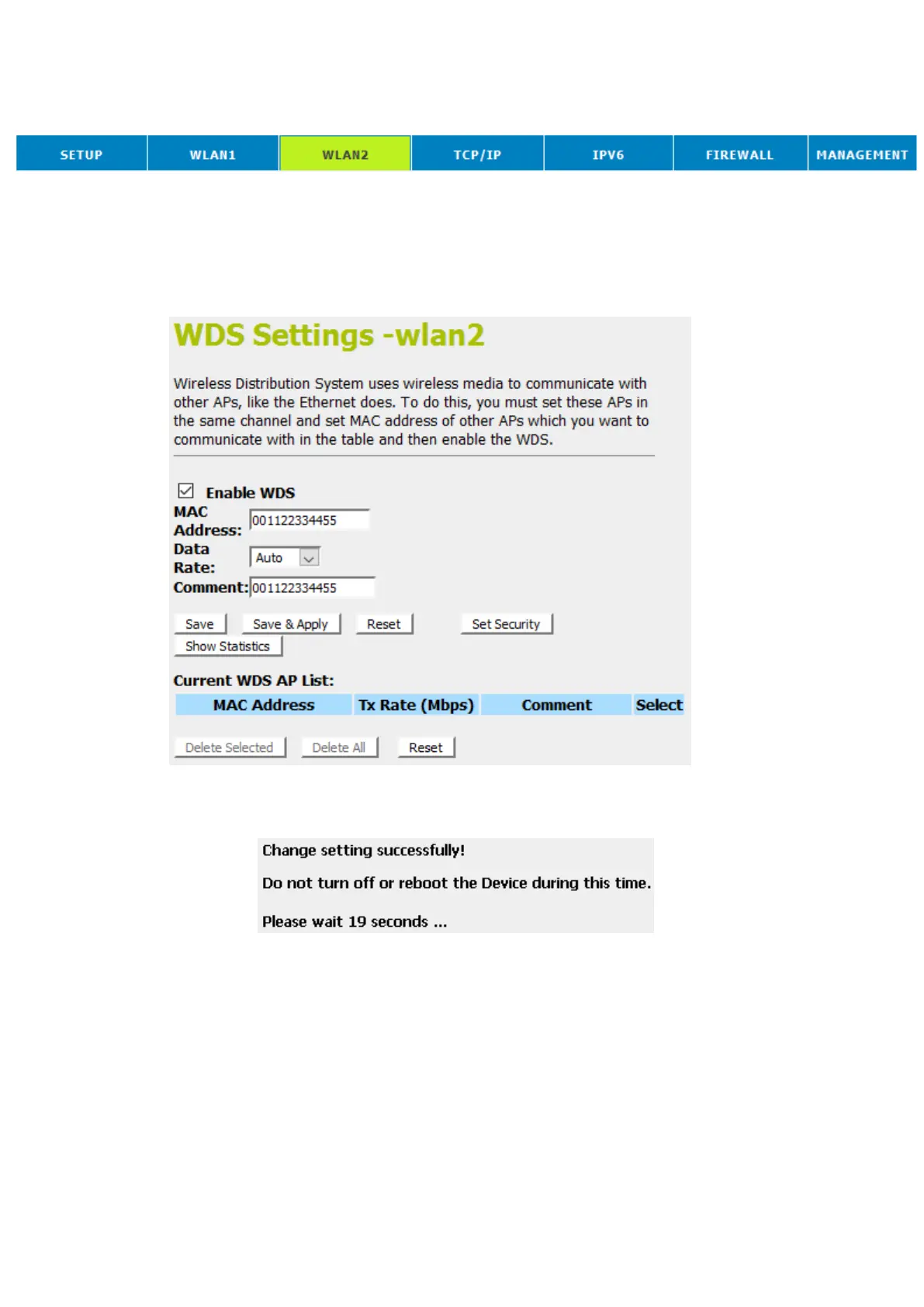
15. From the head menu, click on Wlan2.
16. From the left-hand menu, click on WDS settings.
17. Check on the option Enable WDS.
18. Enter the MAC Address.
19. Enter the Comment.
20. Click the Save & Apply.
21. Change setting successfully! Please wait 20 seconds….















 To Next Page