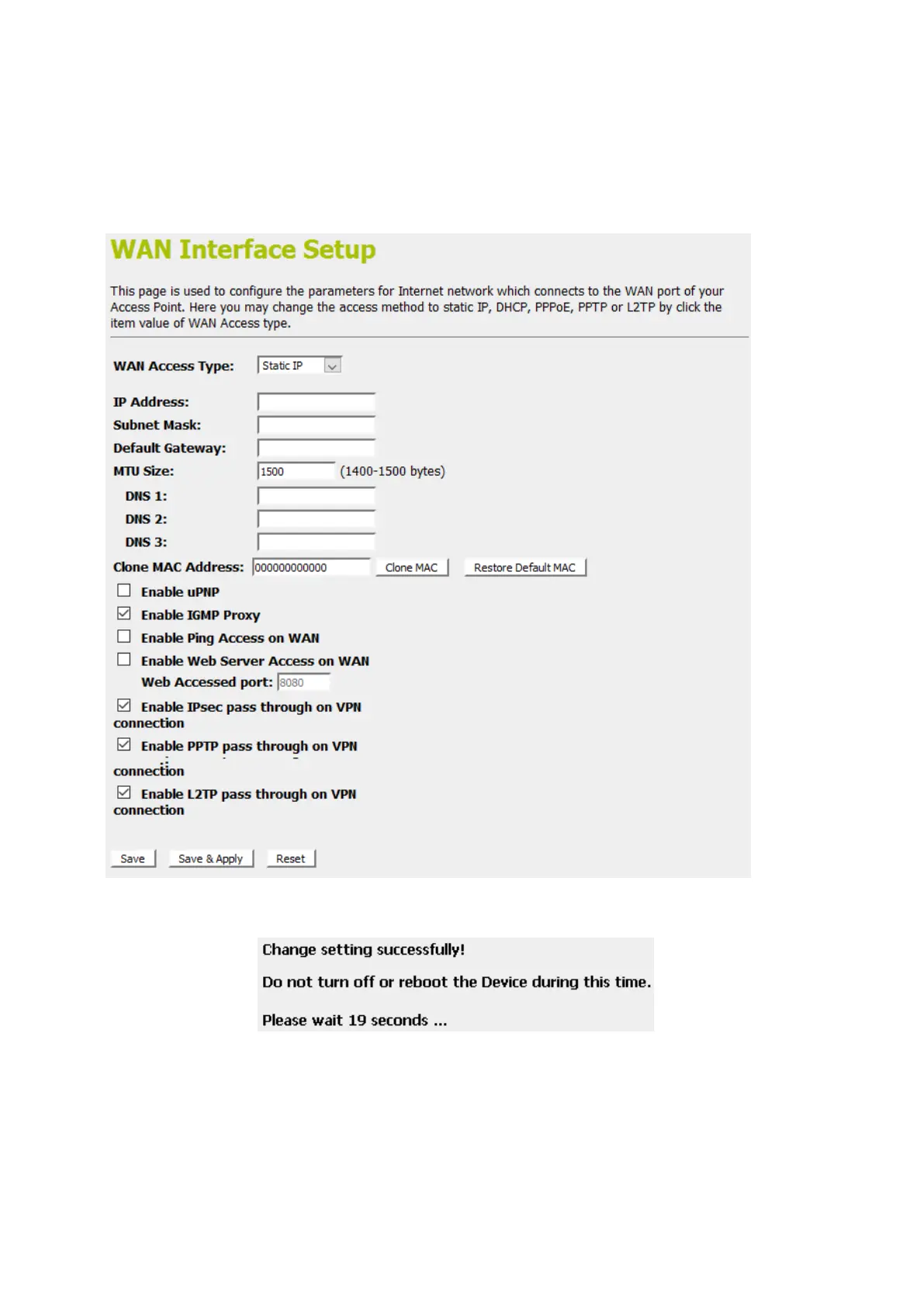
3. From the WAN Access Type drop-down list, select Static IP
setting.
4. Enter WAN IP Address, WAN Subnet Mask, Default
Gateway and DNS which was given by Telecom or by your
Internet Service Provider (ISP).
5. Click Save & Apply.
6. Change setting successfully! Please wait 20 seconds….















 To Next Page