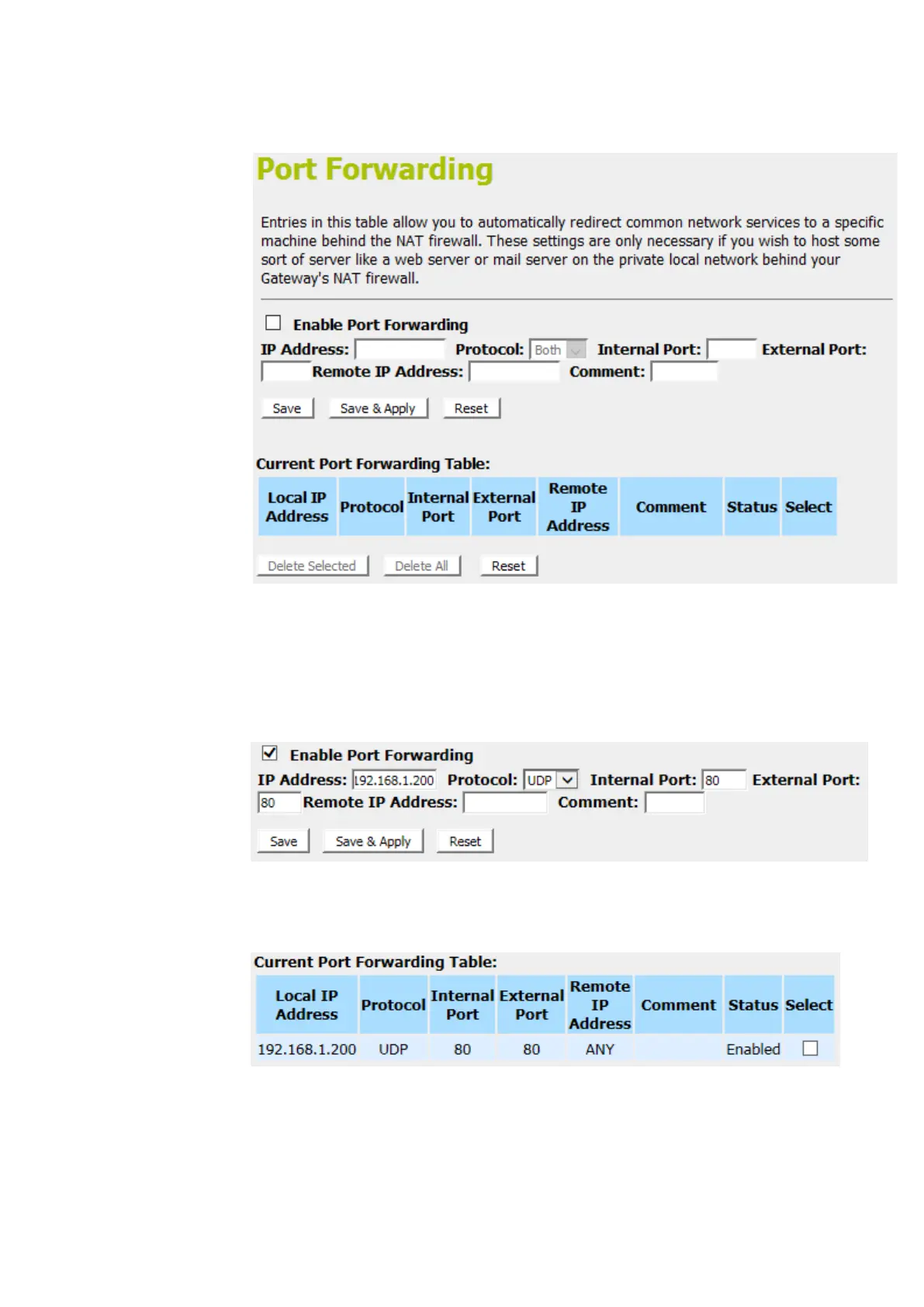
2. From the left-hand menu, click on Port Forwarding. The
following page is displayed:
3. Check the option Enable Port Forwarding to enable the
Enable Port Forwarding.
4. Enter the IP Address that the port you want to be forwarded
in IP Address field.
5. From the Protocol drop-down list, select UDP setting.
6. Enter any comment in Comment field.
7. Click Save & Apply.
8. Now the IP Address and port range that you created has
been added and listed in the Current Filter Table.
9. Now the port range of the IP Address in the Current Filter
Table can be access from Internet by UDP protocol.















 To Next Page