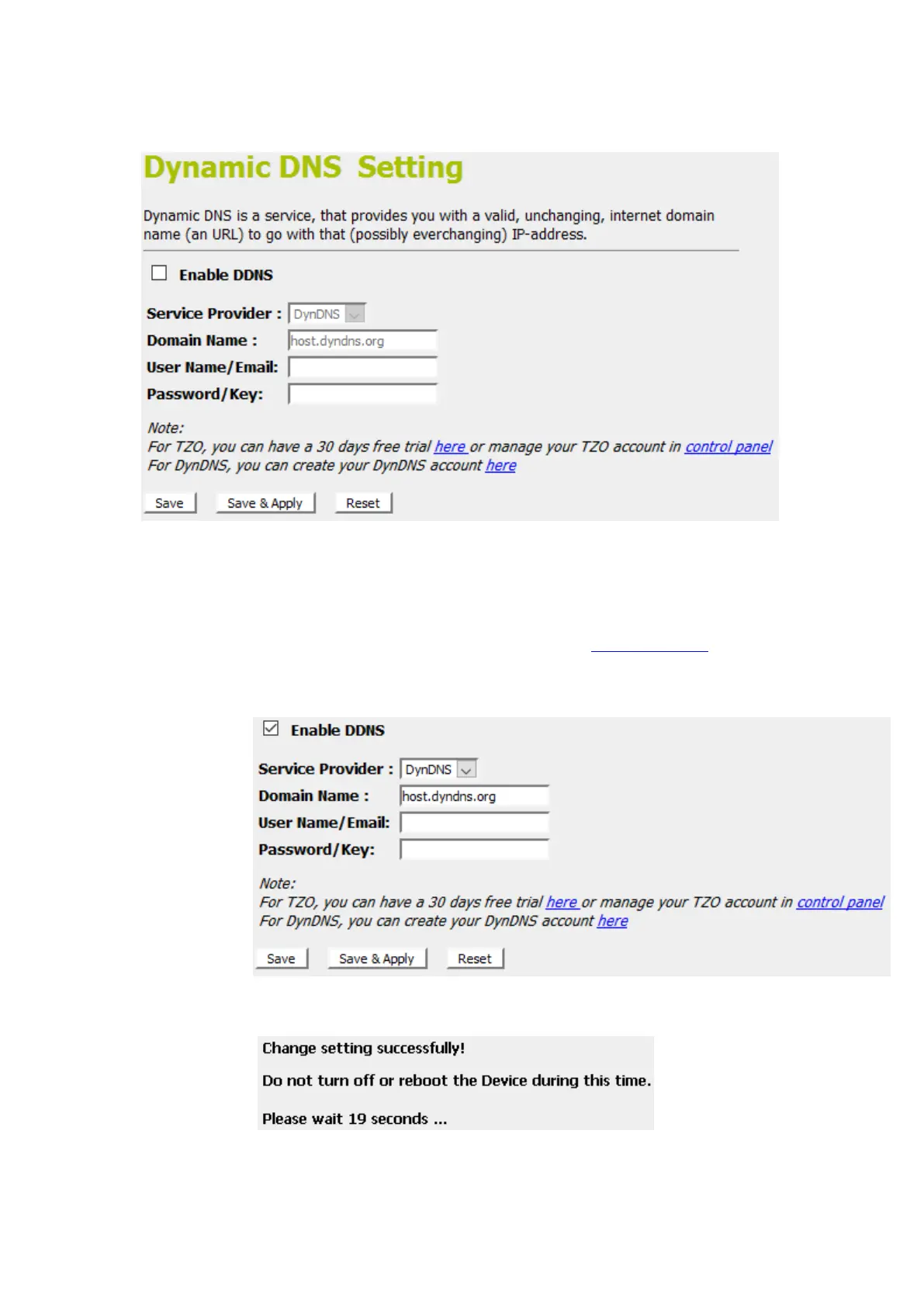
2. From the left-hand menu, click on DDNS. The following
page is displayed:
3. Click on Enable DDNS
4. Select the DynDNS from the Service Provider drop-down
list.
5. Type your own unique User Name, Password and Domain
Name which you applied from www.dyndns.com in the
relevant boxes. They can be any combination of letters or
numbers with a maximum of 20 characters.
6. Click Save & Apply.
7. Change setting successfully! Please wait 20 seconds….















 To Next Page