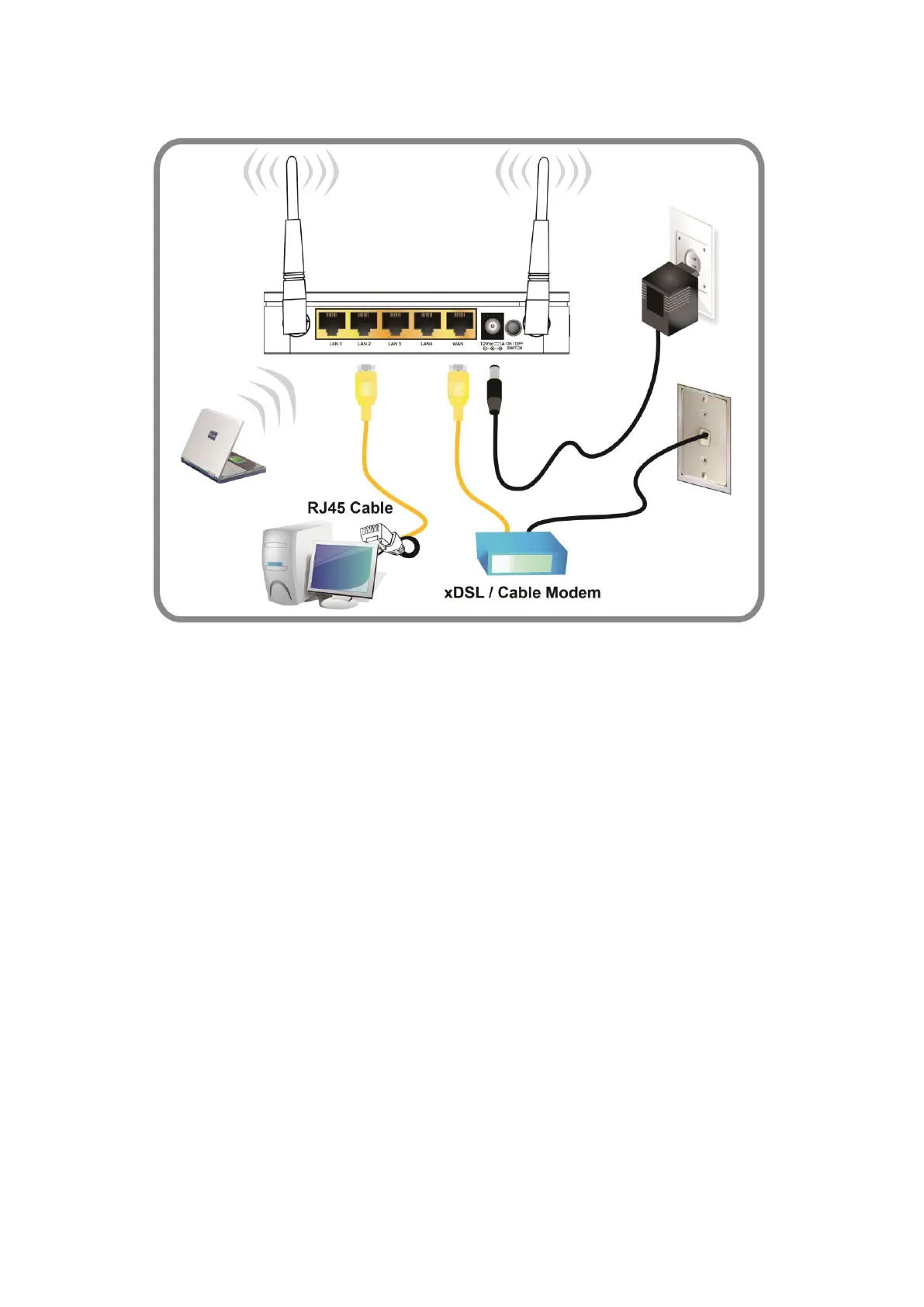
Figure 4: Overview of Hardware Connections
Step 1. Connect the Ethernet cable to WAN Port
Connect the RJ45 Ethernet cable from your xDSL/Cable
Modem's Ethernet port to Router's WAN Port.
Step 2. Connect the Ethernet cable to LAN Port
Connect the supplied RJ45 Ethernet cable from your PC's
Ethernet port to any of the 4 Router's LAN Ports.
Step 3. Attach the power connector
Connect the power adapter to the power inlet “POWER” of
the Router and turn the power switch “ON/OFF SWITCH” of
your Router on.
* Actual ANTENNA may vary depending on model















 To Next Page