5.0 Product Management
5.0 Product Management
TheLoadriteWeighingSystemcanbeusedtotrackmultipleproducts.Eachproductisassociatedwitha
productnumber,productname,ShortTotal,LongTotalandbucketcounter.
5.1 Customizable data fields
The
Customizable
DataFields
functionality is only available if selected at installation.
For information on configuring data fields, refer to the Loadrite Insight Configuration Manual.
YourIndicatorhaseightcustomizabledatafieldsthatareusedtorecordinformationagainsteachweighttohelp
trackandmonitorweighingdata.Forexample,datafieldsmaybeconfiguredtorecordacustomer,truck
typetruckIDorticketnumber,againsttheweightdata.ThedatacanthenbetransferredtoInsightviaaWi-Fi
network,storedinaLoadriteDataModuleand/orprintedalongwiththeweightdata.
5.1.1 Select a data field
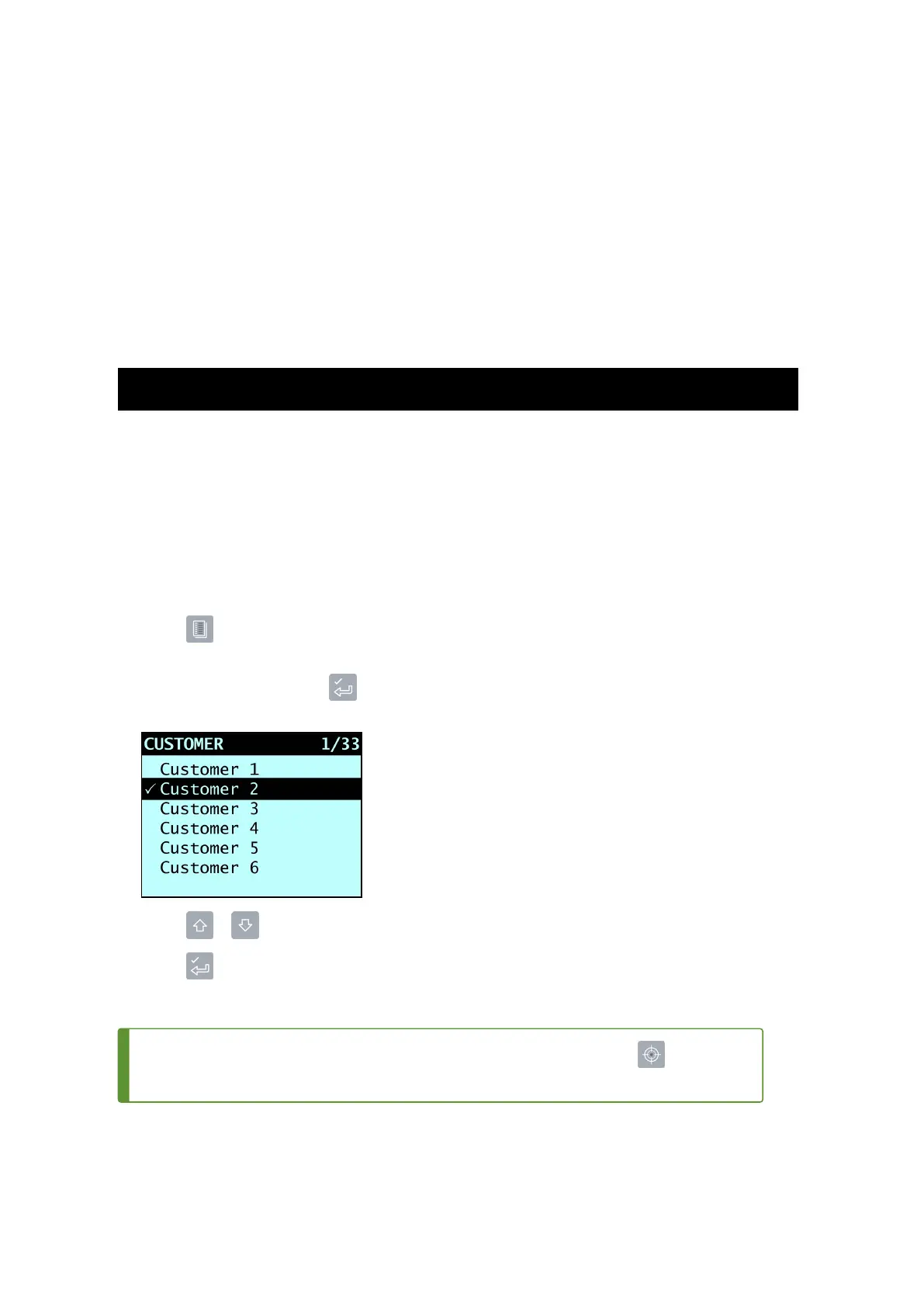
Datafieldvaluescanbeselectedbeforestartinganewload.ThefollowingexampleassumesthatData 1has
beenconfiguredtoholdcustomernamesandshowshowtoselectacustomernametorecordagainstthe
weighingdata.
1.
Press .
The
DataMenu
willdisplay.
2.
SelectCustomer,thenpress .
The
Customer
screenwilldisplay.
3.
Press or toscrollupordownthelistuntilthecorrectCustomerisselected.
4.
Press .
TheCustomerwillberecordedagainstallloadsuntiladifferentCustomerisselected.Theselected
CustomerwilldisplayundertheShort Totalonthe
Total
screen.
TIP – A
Control
reportcanbecreatedfortheselecteddatafieldvaluebypressing .
Formoreinformation,see"Print Special Report"onpage61.
Loadrite L2180 loader scales | 33



 To Next Page