6.0 Operation Modes
6.1 Target Weighing mode
TargetWeighing
mode is only available if enabled at installation.
TargetWeighing
modeprovidesasimplewaytoloadatrucktoapredefinedtargetweightusingaseriesof
bucketloads.Itistypicallyusedwhenloadingatrucktoitsoptimumpayload.
Beforeloading,enteratargetweightvalue.Eachtimeabucketloadisadded,thetargetvalueisreducedbythat
amount.
n
ForusingTarget Weighingwithmultiplevehicleunits(suchastruckandtrailer),see"Using Split Weighing
mode within Target Weighing mode"onpage52.
6.1.1 How do I enter Target Weighing mode and
input a target?
1.
Press toclearthepreviousshorttotal.
2.
Press .
3. WhentheTarget?messageisdisplayed,usethekeypadtoenterthenewtargetamount.
4.
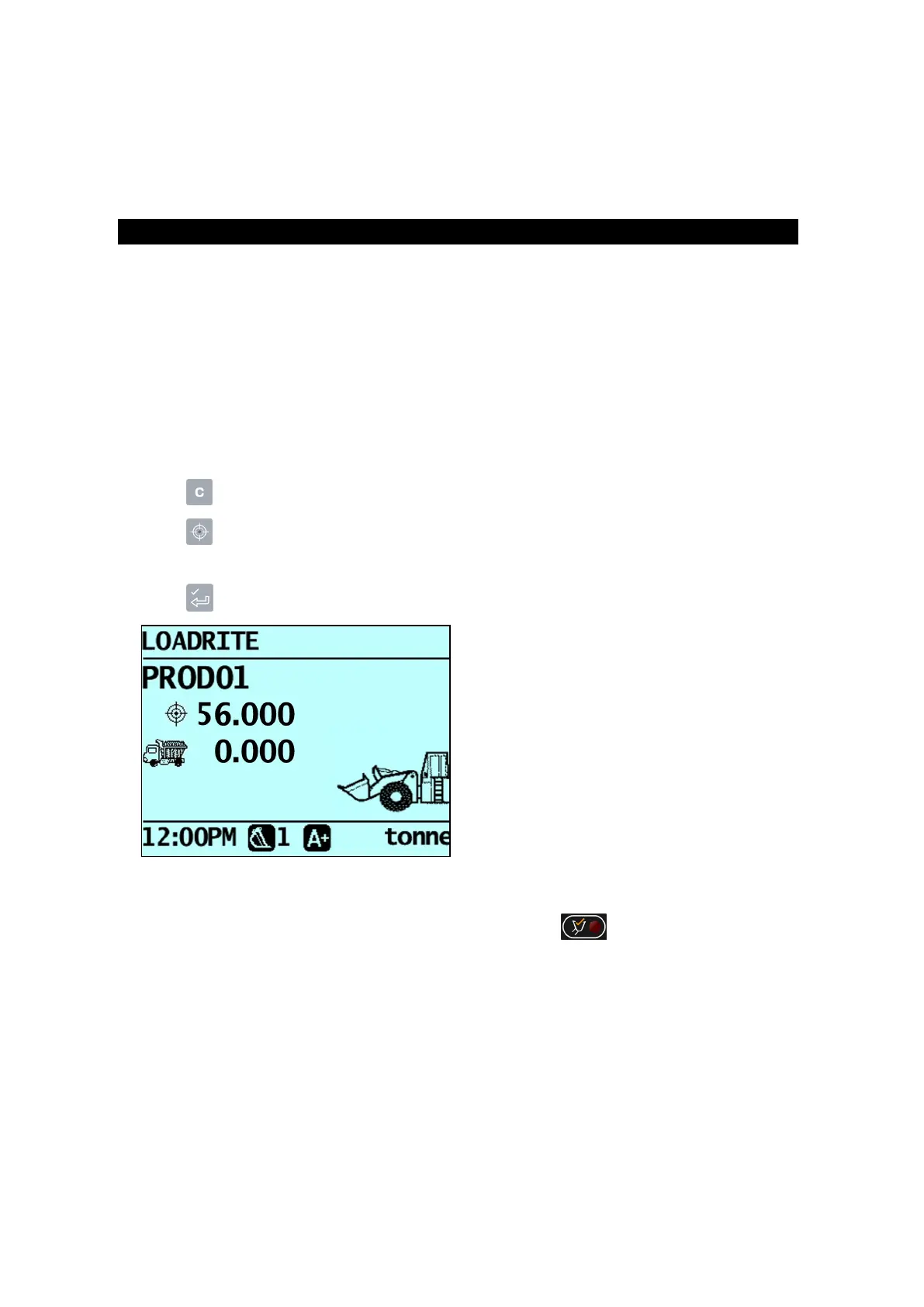
Press .TheTarget Updatedmessagewilldisplaybriefly,thenthe
Target
screenwillbedisplayed.
5. RaiseabucketloadofproductthroughtheTriggerPointusingconstantenginerevs.
TheWeighing messagewilldisplay.
6.
Whenthebucketloadhasbeenweighed,theIndicatorwillbeep,the (Trigger light)willilluminate,
andtheLive Weightscreenwilldisplaythefollowing:
n
thetargetweight,
n
thecurrentbucketload,
n
thenewtargetweight,ifthebucketloadisaddedtothetruck.
Loadrite L2180 loader scales | 40



 To Next Page