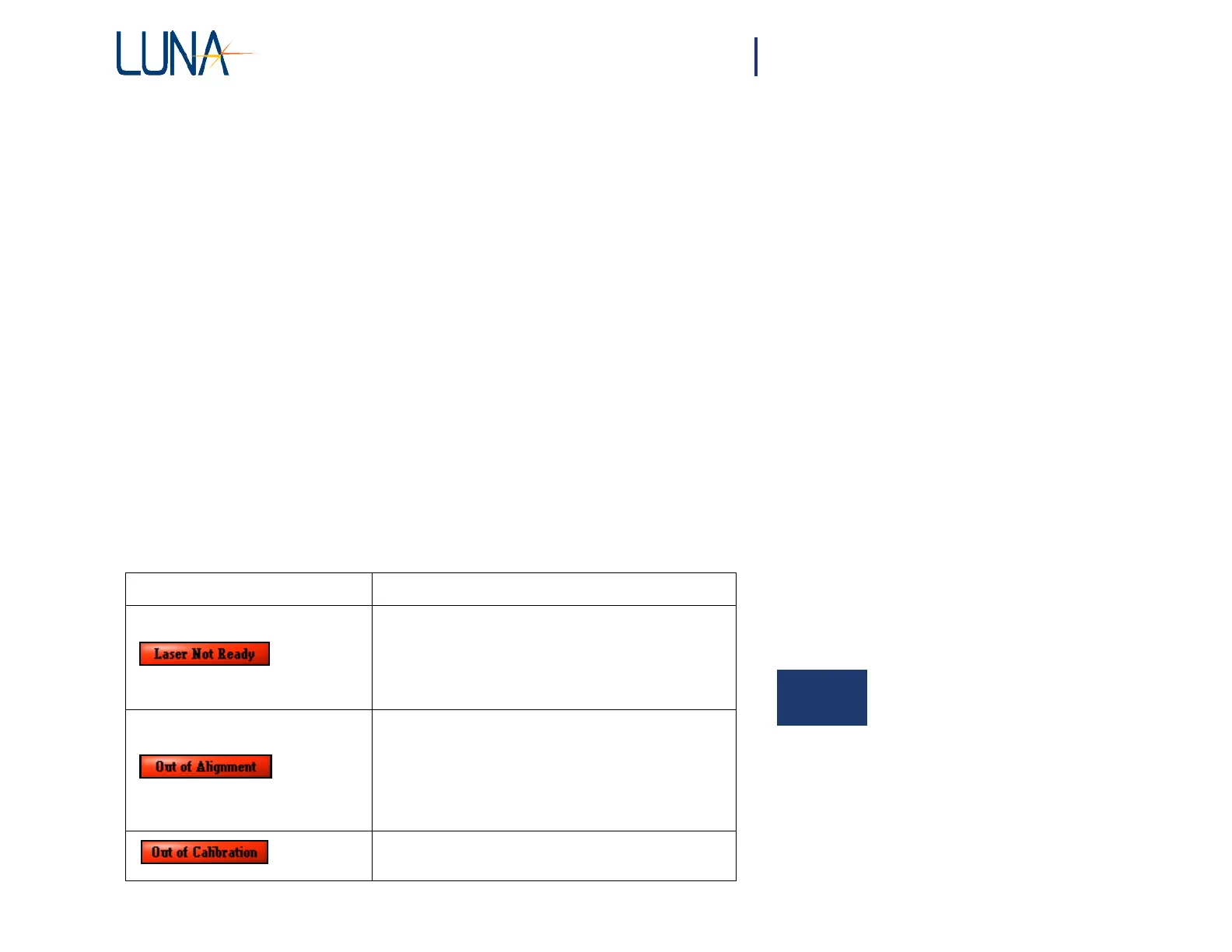
Error Message Solution(s)
This indicator will be displayed if the laser is not ready
to perform a measurement.
If this indicator does not go off within several minutes of
turning on the instrument, please see “Instrument drifts
out of calibration” on page 208.
Realign, then recalibrate. For instructions, see “Aligning
the OBR Optics” on page 32, and “Calibrating the
System” on page 33.
Measurements may still be performed if this indicator is
displayed on the screen, but the data may not meet the
documented specifications.
Recalibrate. For instructions, see “Calibrating the
System” on page 33.
Chapter 10
Troubleshooting
This chapter describes how to troubleshoot OBR hardware and software errors. The
first section describes what to do when the various Status Bar Messages appear.
General Troubleshooting contains procedures for problems that occur without
accompanying error messages. Error Message Troubleshooting explains error
messages which appear in dialog boxes. The next two sections are organized roughly
in the order in which a user would operate the equipment and software.
If you have problems or error messages not listed here, or if the solutions provided
here do not resolve a problem, please contact Luna Technologies toll free at 1-866-
LUNAOVA (1-866-586-2682) or by e-mail at support@lunatechnologies.com.
System Status Bar Messages
Please note that status bar messages are not “fatal” error messages. Rather they
advise the user of the status of the instrument.
10



 To Next Page