18 Chapter 3
Software Guide
Window Features
3
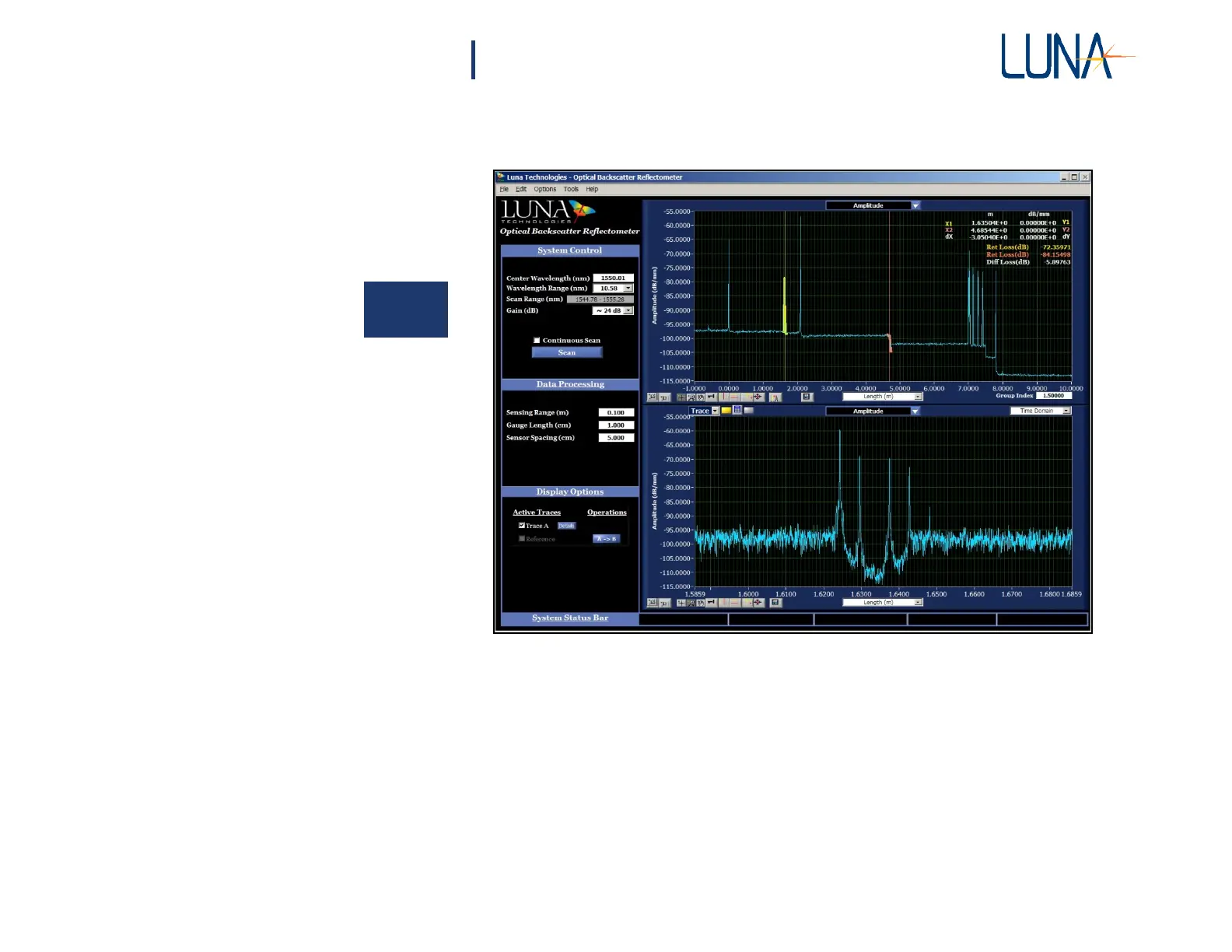
Figure 3-1. OBR control software main window, with data loaded. Note that the
upper vertical cursors are on, so loss calculations are shown in the upper graph.
The sensing features and shift reference displayed in the Data Processing and
Display Options areas are not available on all OBR units. The number of
traces available also depends on OBR configuration.
The main window is composed of 6 functional areas:
1 The System Control area contains buttons to control the OBR
instrument and set test
parameters.
2 The Data Processing area allows the user to enter the desired the spatial
resolution and Integration Width. When Options > Sensing is enabled



 To Next Page