88 Chapter 6
LightPath Analysis Software Guide
Click OK to accept the new configuration. The current trace will be reprocessed.
No changes will be seen at this time, however, because the trace is being compared
to itself.
Editing Feature-Specific Tolerances
The main advantage of using a Reference Trace instead of General Tolerance
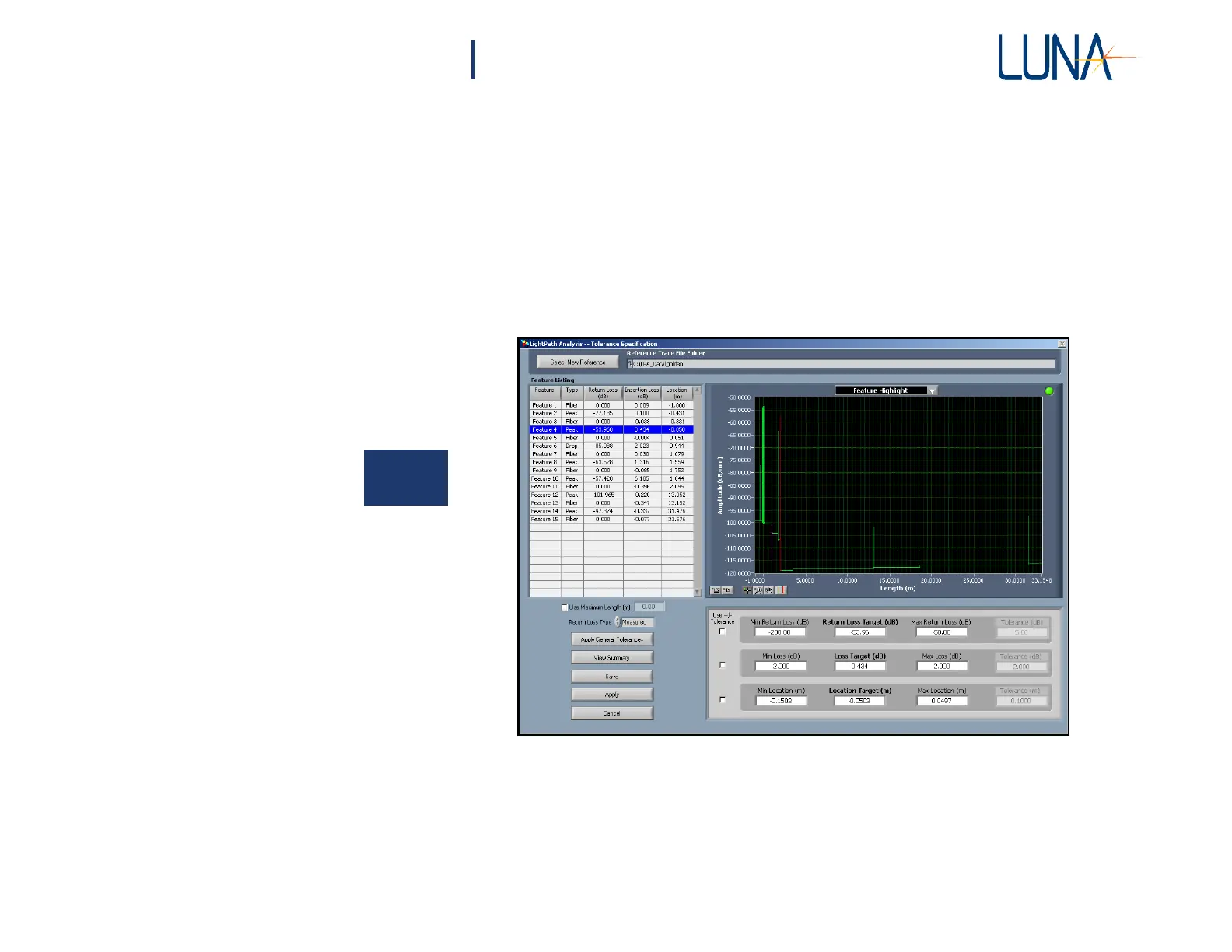
values is that each individual feature can have its own tolerance range. To assign
these values, select Setup >
Feature-Specific Tolerance
from the main menu, which
opens the Tolerance Specification window (Figure 6-8).
6
Figure 6-8. Selecting Setup > Feature-Specific Tolerance from the main menu
calls up the Tolerance Specification window above.
This window shows a detailed view of each of the segments found in the Reference
Trace. The Feature Listing grid shows the actual Return Loss, Loss (i.e. insertion
loss) and Location for each feature. These Target values are also shown in the area



 To Next Page