Optical Backscatter Reflectometer 4600 61
User Guide
5 When data is loaded into local memory (by selecting File > Load Data
File or by scanning) or moved within local memory (by clicking an
Operations button), it is automatically displayed in the upper graph
window.
Trace Details
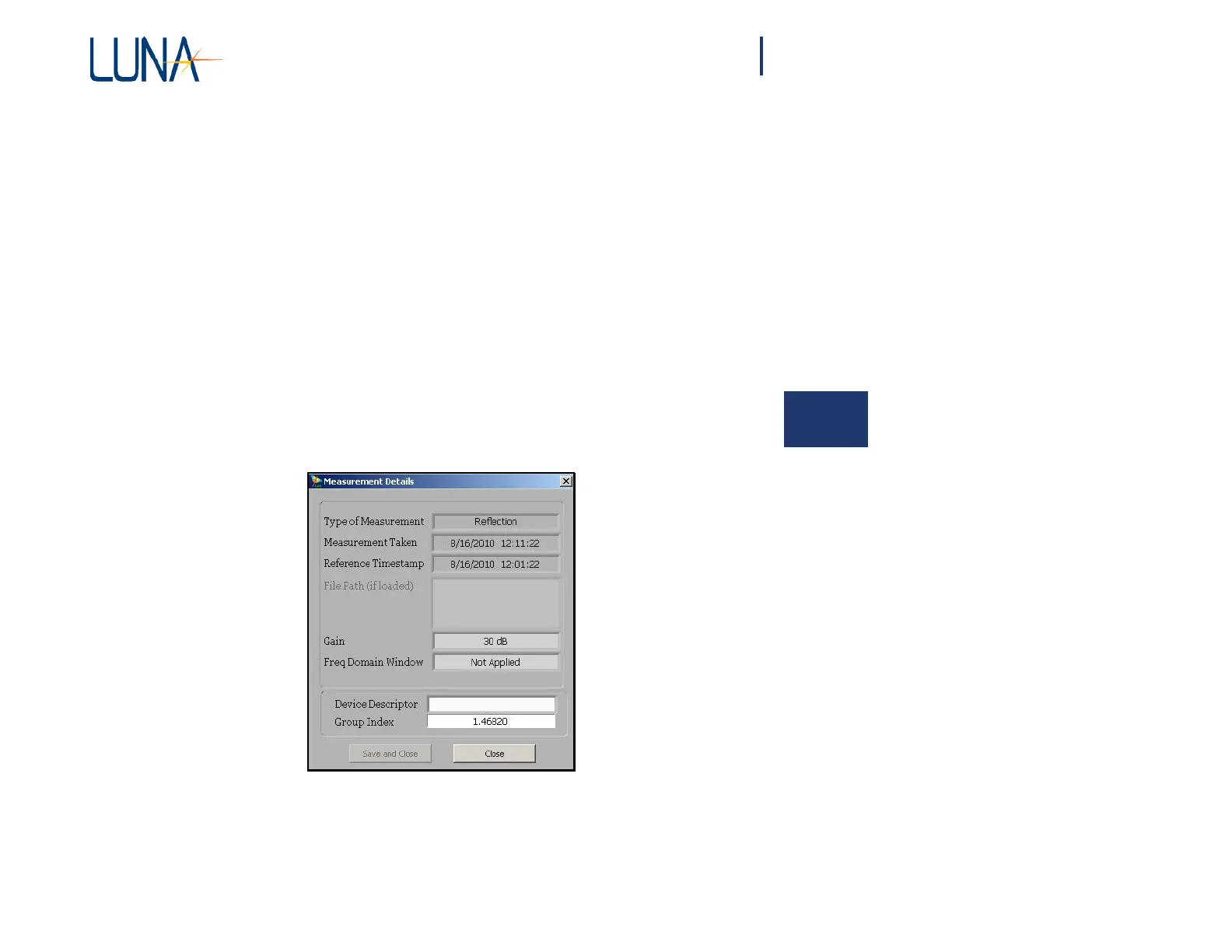
Clicking a Details button in the Data Management area calls up the Measurement
Details window shown in Figure 5-2. This window lists the type of measurement,
the scan date, the reference date, the Gain setting, and whether the Frequency
Domain Window was applied to the data. If the file has been loaded from the hard
drive rather than scanned into Trace A, the file path will be listed. The user may
type in a
one-line
Device
Descriptor.
The user may also use this
dialog
box to change
the group index of one trace at a time. The Save and Close button is only available
after new data has been entered into the Device Descriptor field or the Group Index
field and after moving the cursor to a new location in the Measurement Details
window.
Figure 5-2. Measurement Details window.
The user can also use the Group Index field in the lower right corner of the upper
graph when the X-axis displays length, but this effects all of the data loaded into
Traces A through E. (See “Adjusting Group Index” on page 75.)



 To Next Page