Optical Backscatter Reflectometer 4600 35
User Guide
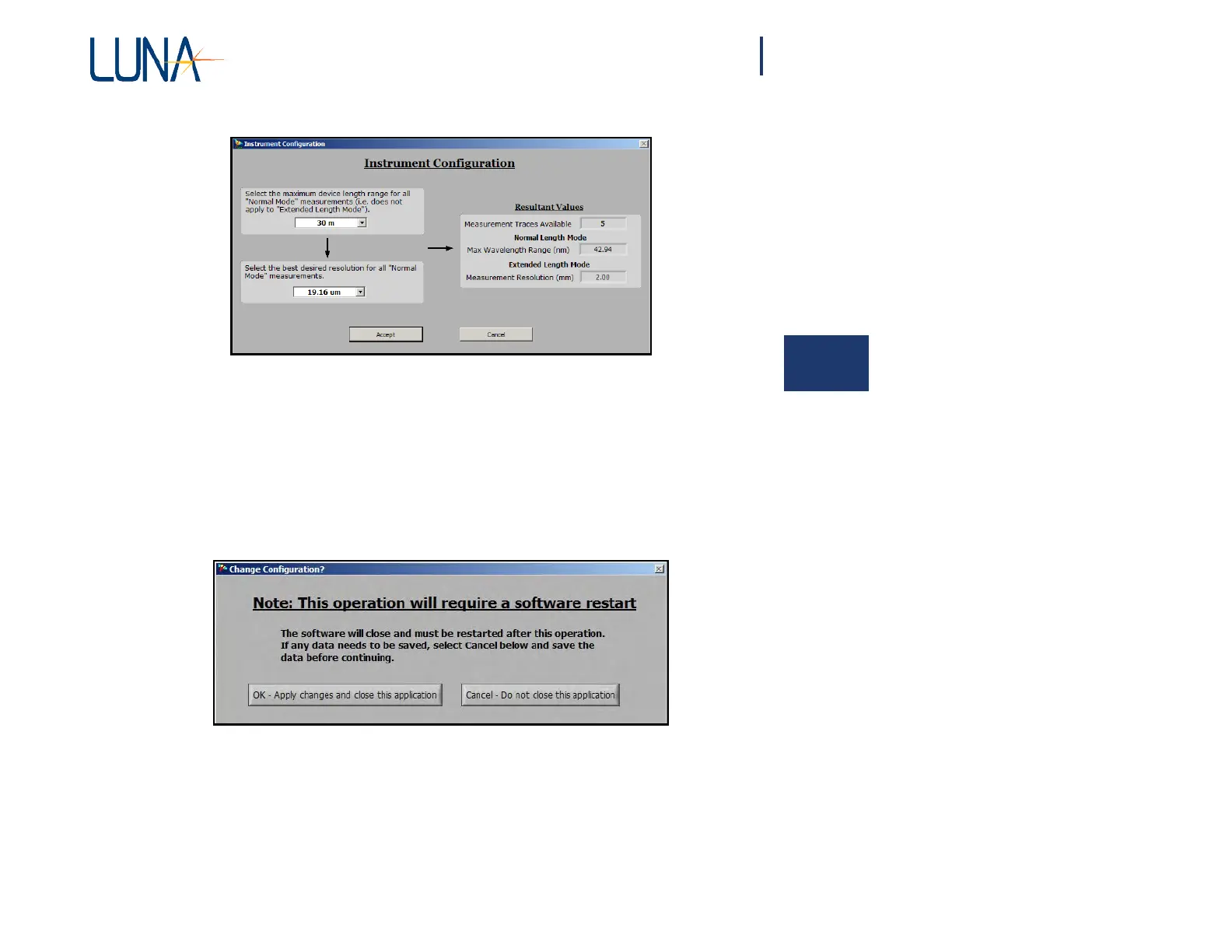
Figure 4-2. The Instrument Configuration dialog box allows the user to set the
4
maximum device length and resolution, and shows the resultant wavelength
range and number of traces available.
Changing the desired resolution in the lower left pull-down menu (Figure 4-2) may
require a software restart, depending on how much the settings change.
However,
a
dialog box (Figure 4-3) will appear allowing the user to continue and close the
software, or to cancel the resolution change.
Figure 4-3. This dialog box appears if a change in resolution requires a software
restart. The user can opt to continue (OK) or Cancel the resolution change.
Calibrating the System
The OBR system must be calibrated prior to performing measurements. The OBR
calibration removes the effects of the measurement network to ensure that the
measured data represent only the device under test.



 To Next Page