Optical Backscatter Reflectometer 4600 45
User Guide
performed in both the Single Scan and Continuous Scan modes, at default or user-
set scanning speeds.
To perform a single spot-scan measurement
1 If desired, select Options > Fast Scanning > Set Fast Scan Rate to
set the scanning rate.
2 A regular scan must be completed prior to performing a spot scan.
Follow the instructions under “To perform a single-scan measurement”
on page 41.
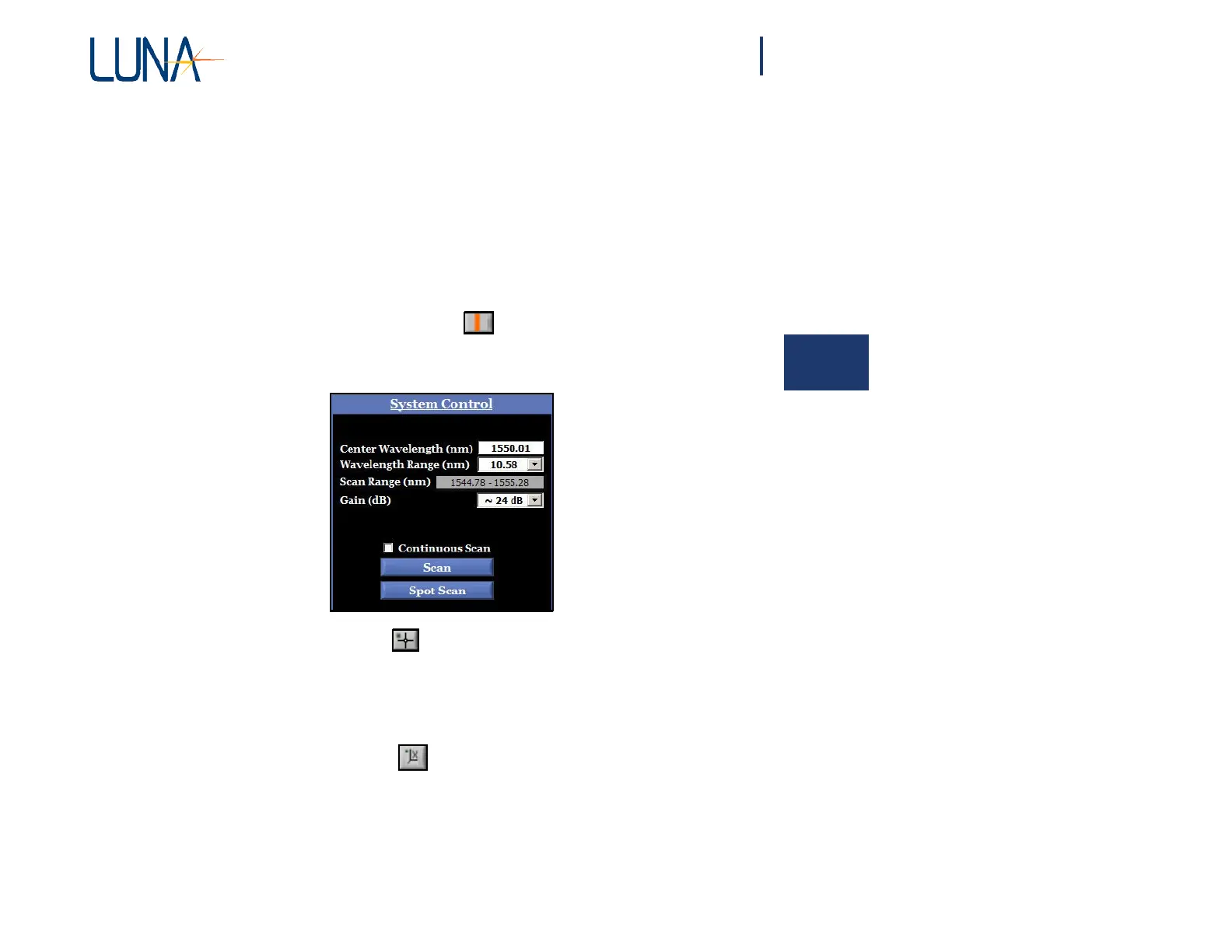
3 Click the Spot Scan Cursor button: . Note that a Spot Scan button
will now appear in the System Control area, as shown below.
4 Select the cross-hair tool , then click and drag the broad, orange
Spot Scan Cursor to a region of interest in the data for a spot scan,
and release the cursor.
5 Click the Spot Scan button in the System Control area. The
resulting
Spot Scan will be displayed in Trace A in the upper graph
area.
6 Click the X-axis scale tool to display the full range of the data
set.



 To Next Page