Optical Backscatter Reflectometer 4600 83
User Guide
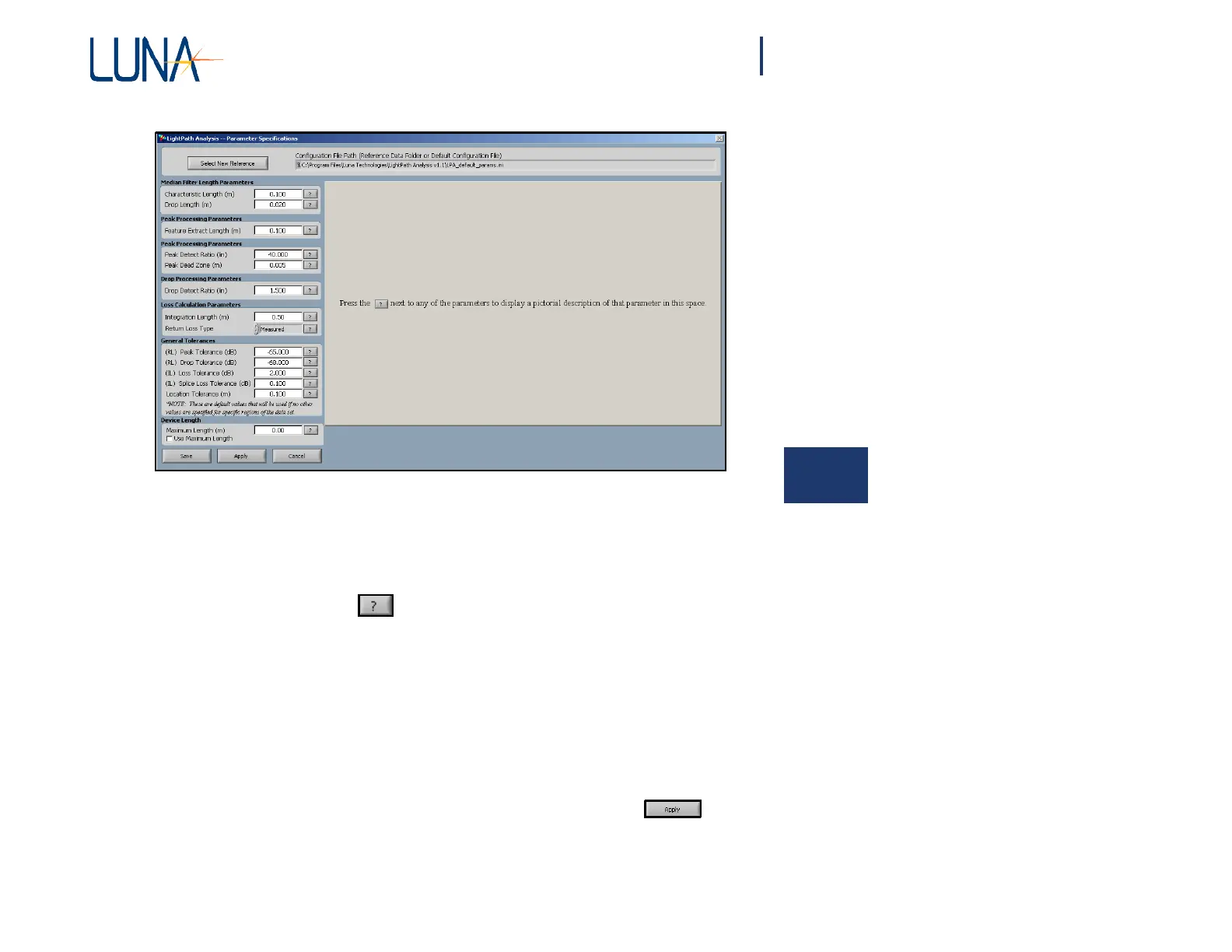
Figure 6-4. In the Parameter Specifications window, the user can adjust the
6
parameters and general tolerances used by the Parameter Configuration File
or the Reference Trace to separate and to pass or fail features.
The name of the current Parameter Configuration File is shown in the
Configuration File Path box at the top of the window.
Press the question button next to any parameter or tolerance setting to display
a graphic explaining the how each value affects the processing. The data processing
parameters
are discussed in more detail under
“Description
of
Processing
Parameters
and Tolerances” on page 97.
In the Peak Processing Parameters section on the left, change the value of the
Feature Extract Length (m) from 0.100 to 0.050. This will cause the algorithm to
generate features with smaller widths, and should cause the two peaks at 2.0 meters
to generate two features instead of being combined into a single peak in the lower
graph. (For further explanation, see “Feature Extract Length (m)” on page 100.)
To see how this change affected the lower graph, press the Apply button
at the bottom of the window. The current trace will be reprocessed with the new
Feature Extract Length, and any new traces that are scanned or loaded will be
compared to the new value. However, if a new reference or parameter configuration



 To Next Page