214658 103 Revision A
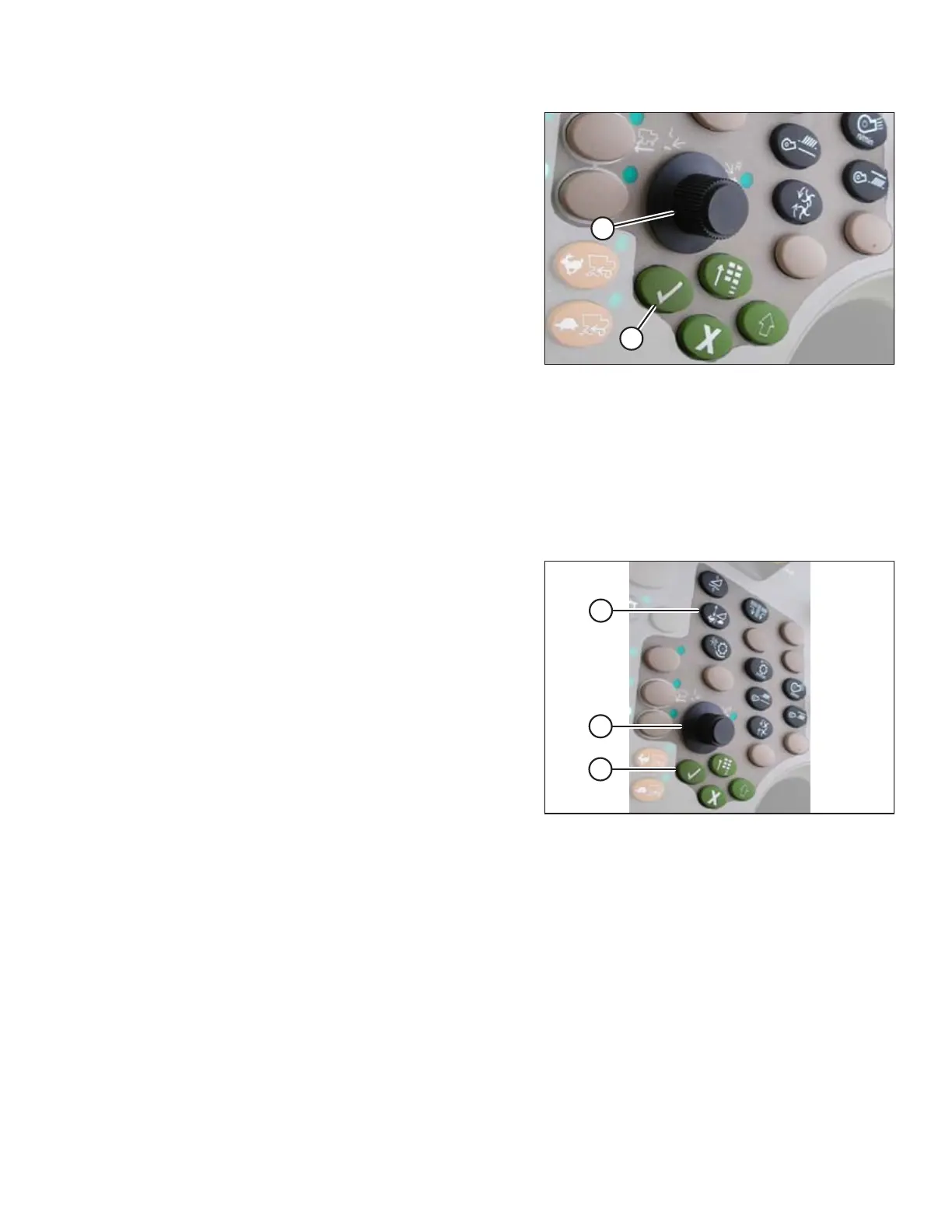
Figure 6.59: John Deere Combine Control
Console
A - Scroll Knob B - Check Mark Button
Setting Sensitivity of Auto Header Height Control (John Deere 70 Series)
NOTE:
Changes may have been made to combine controls or display since this document was published. Refer to
combine operator’s manual for updates.
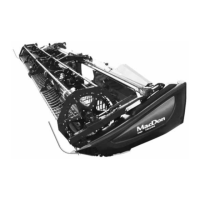
Figure 6.60: John Deere Combine Control
Console
1. Press button (A) twice and current sensitivity setting will
appear on combine display (the lower the reading, the
lower the sensitivity).
2. Use scroll knob (B) to adjust sensitivity setting. The
adjustment will be saved automatically.
NOTE:
If page remains idle for a short period of time, it will
automatically return to previous page. Pressing check
mark button (C) also will return combine display to
previous page.
PREDELIVERY INSPECTION


 To Next Page