214658 25 Revision A
3.6 Setting Fixed Wheels to Field/Working Position
Headers can be ordered with either fixed wheels or caster wheels. For instructions about positioning caster wheels
in field/working position, refer to 3.7 Setting Caster Wheels to Field/Working Position, page 26.
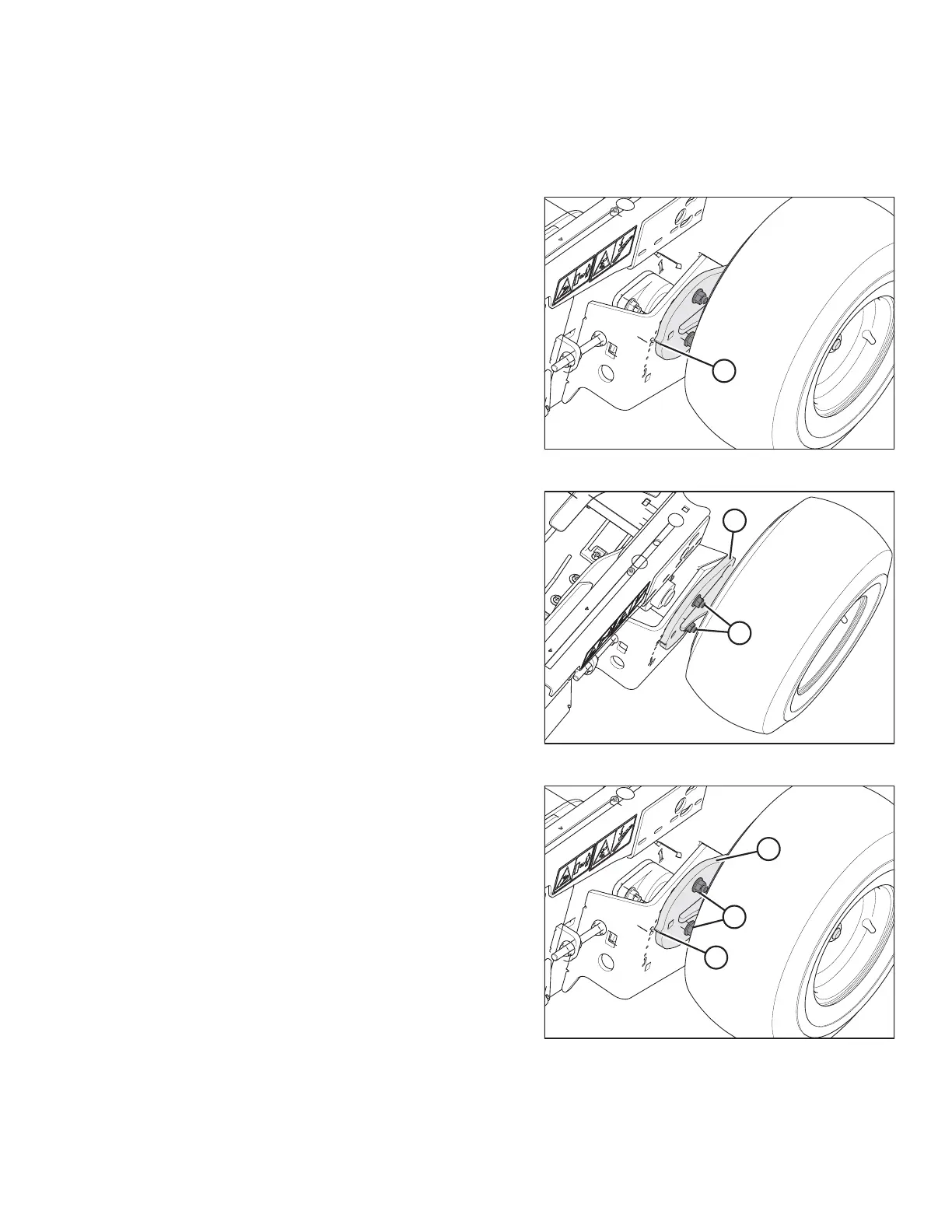
Figure 3.24: Working Position
Wheels must be in working position (with cog lined up with
position 2 [A] on header frame) prior to setting the header
on the ground.
Figure 3.25: Right Side Header Wheel
1. Loosen nuts (A) until wheel mounting plate (B) can
be rotated.
Figure 3.26: Right Side Header Wheel
2. Rotate wheel mounting plate (B) and wheel
approximately 180 degrees until cog (C) lines up with
the number 2 on frame.
3. Tighten nuts (A).
UNLOADING THE HEADER



 To Next Page