214658 50 Revision A
4.4.2 Installing Flighting Extensions
Follow these steps to install the long flighting extensions required for a 1 m (40 in.) feeder house:
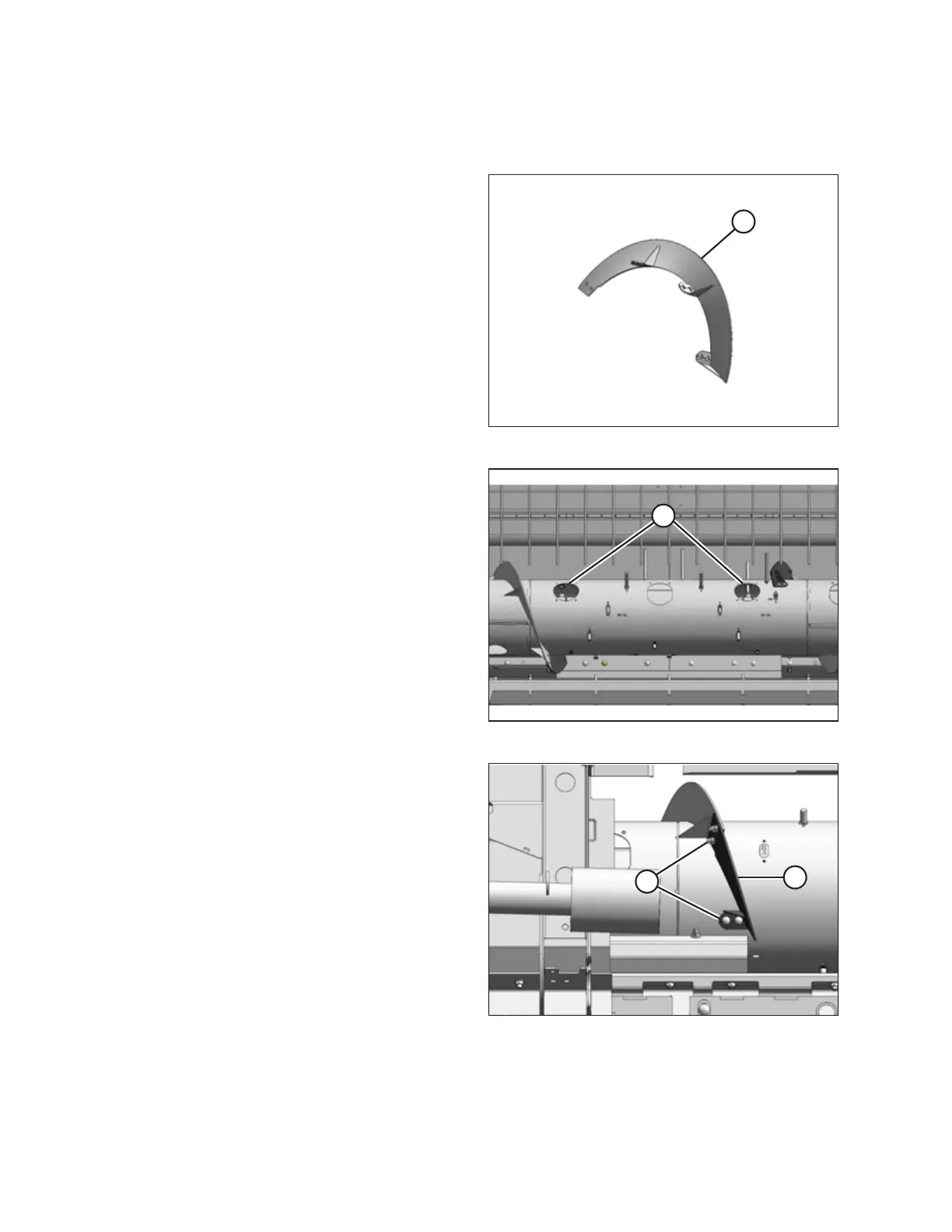
Figure 4.45: Left Extension – Right Opposite
1. Remove the two flighting extensions (A) that are
strapped to the auger.
Figure 4.46: Access Holes in Auger
2. Remove two access covers (A), one on each side of the
center.
Figure 4.47: Short Flighting Extension
3. Remove hardware (A) securing existing left and right
auger flighting extensions (B) and remove extensions.
Retain hardware.
RECONFIGURING HEADERS



 To Next Page