214658 22 Revision A
3.4 Attaching Fixed Wheels
Headers can be ordered with either fixed wheels or caster wheels. For instructions about attaching caster wheels,
refer to 3.5 Attaching Caster Wheels, page 23.
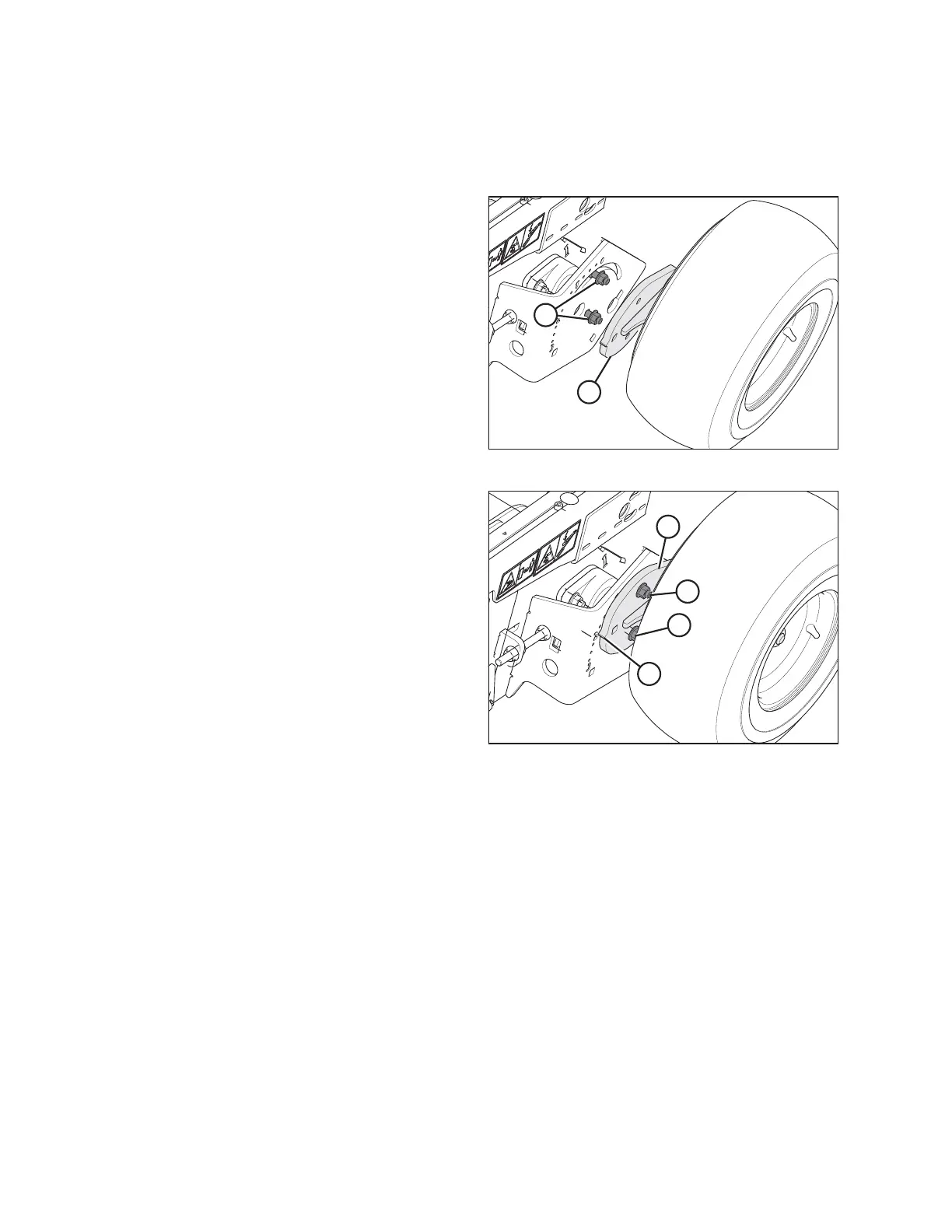
Figure 3.17: Wheel Assembly (Right Side)
1. Retrieve wheel assemblies (A) and bag of hardware
from crate.
2. Adjust header to approximately working height.
3. Remove bolts and lock nuts (B) from the header frame.
Figure 3.18: Attaching Wheel
4. Position the spindle plate (A) against the frame with
cog (B) pointing aft.
5. Line up the lower hole in spindle plate with the center
hole in frame and install bolt (C) from the inboard side
of frame.
6. Secure with nut, but do not tighten.
7. Swivel the wheel assembly so that the second bolt (D)
can be installed through the slot in the frame and into
spindle plate (A). Secure with nut.
8. Position the wheel assembly with cog (B) lined up with
the number 2 on the frame.
9. Tighten both nuts.
10. Repeat for the other wheel assembly.
UNLOADING THE HEADER



 To Next Page