214658 77 Revision A
Adjusting Header Height Sensor Voltage Range (Left Side)
DANGER
To avoid bodily injury or death from unexpected startup of machine, always stop engine and remove key
from ignition before leaving operator’s seat for any reason.
1. Lower header to ground, shut down combine, and remove key from ignition.
2. Open left endshield. Refer to 3.3.1 Opening Left Endshield, page 20.
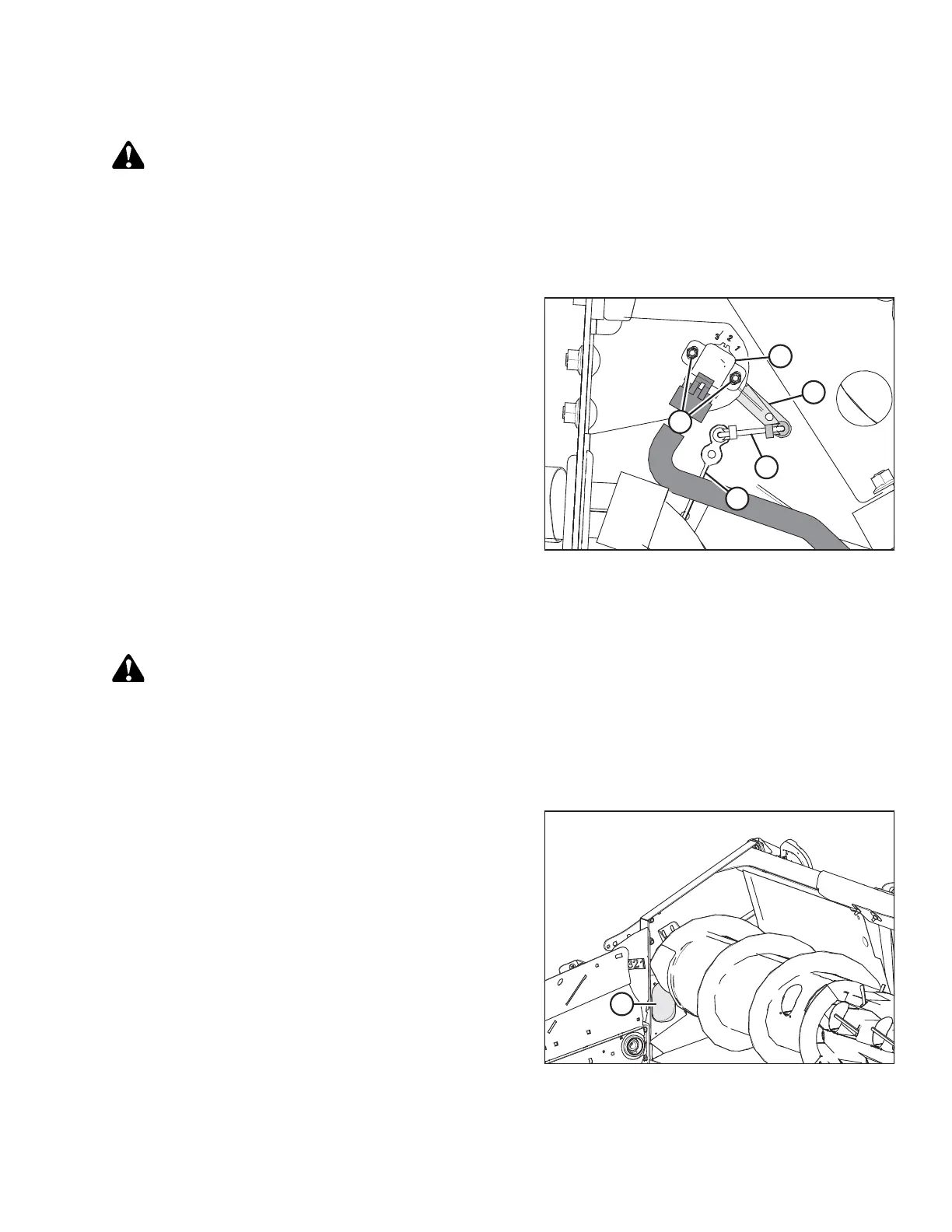
Figure 6.6: Header Height Sensor Assembly –
Left Side
3. Loosen nuts (A).
4. Rotate control (B) until desired voltage range is
achieved. Refer to 6.1.2 Height Sensor Output Voltage
Range – Combine Requirements, page 74.
NOTE:
If voltage range is too large or too small, you may need
to relocate linkage rod (C) to a different hole in sensor
control arm (D). If that doesn’t work, relocate linkage
rod (C) to a different hole in sensor control arm (E).
5. Close left endshield. Refer to 3.3.2 Closing Left
Endshield, page 20.
Adjusting Header Height Sensor Voltage Range (Right Side)
DANGER
To avoid bodily injury or death from unexpected startup of machine, always stop engine and remove key
from ignition before leaving operator’s seat for any reason.
1. Raise hold-down and engage lift cylinder safety props.
2. Lower header to ground, shut down combine, and remove key from ignition.
Figure 6.7: Right Access Panel
3. Locate access panel (A) on inside of right end frame.
PREDELIVERY INSPECTION



 To Next Page