214658 105 Revision A
Adjusting Manual Header Raise/Lower Rate (John Deere 70 Series)
NOTE:
Changes may have been made to combine controls or display since this document was published. Refer to
combine operator’s manual for updates.
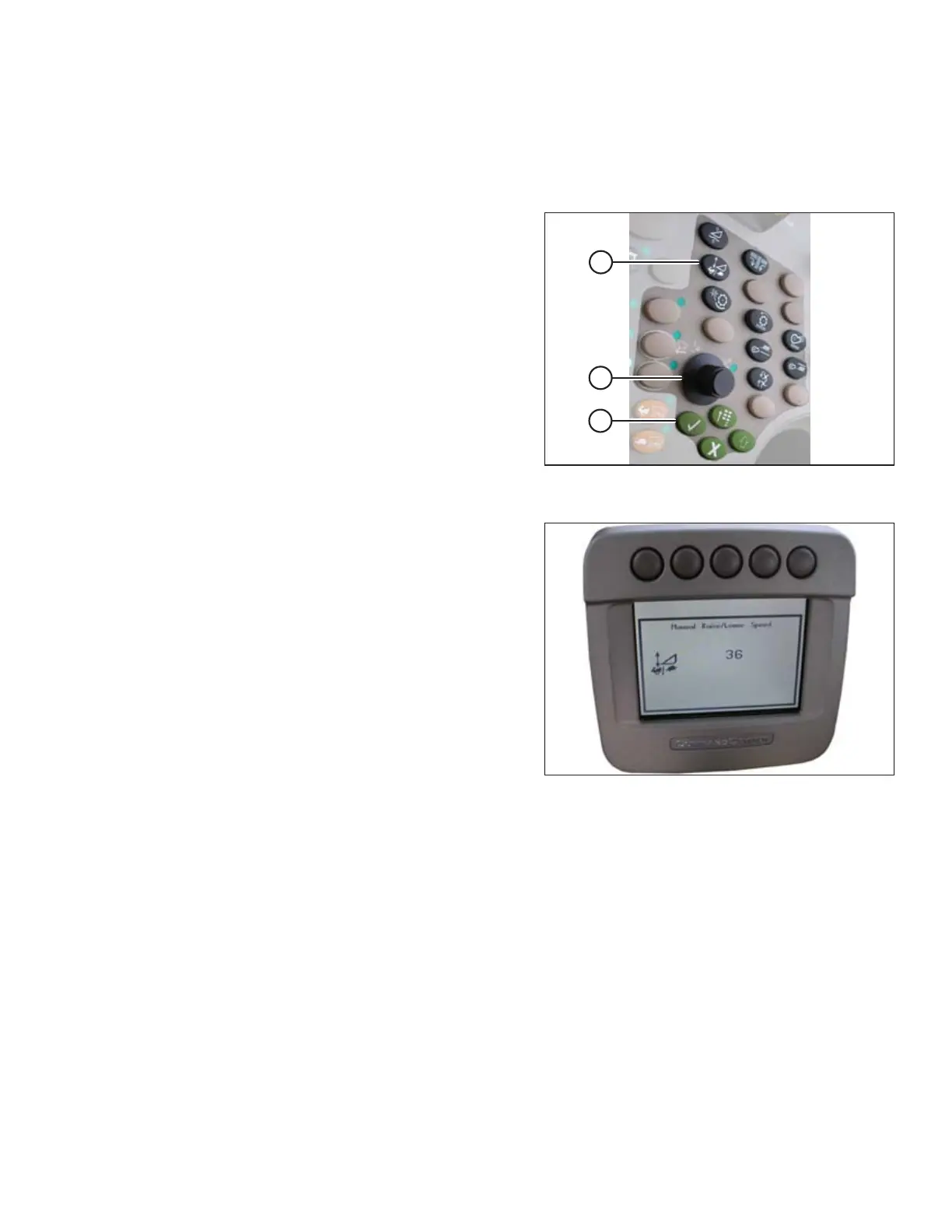
Figure 6.62: John Deere Combine Control
Console
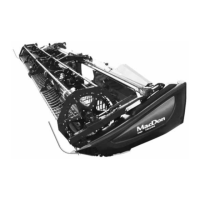
1. Press button (A) and current raise/lower rate setting will
appear on monitor (the lower reading, slower rate).
2. Use scroll knob (B) to adjust rate. The adjustment will
be saved automatically.
NOTE:
If page remains idle for a short period of time, it will
automatically return to previous page. Pressing check
mark button (C) will also return monitor to
previous page.
Figure 6.63: John Deere Combine Display
NOTE:
The numbers depicted on displays in these illustrations
are for reference purposes only; they are not intended to
represent specific settings for your equipment.
PREDELIVERY INSPECTION


 To Next Page