214658 29 Revision A
3.10 Repositioning Driveline Storage Bracket
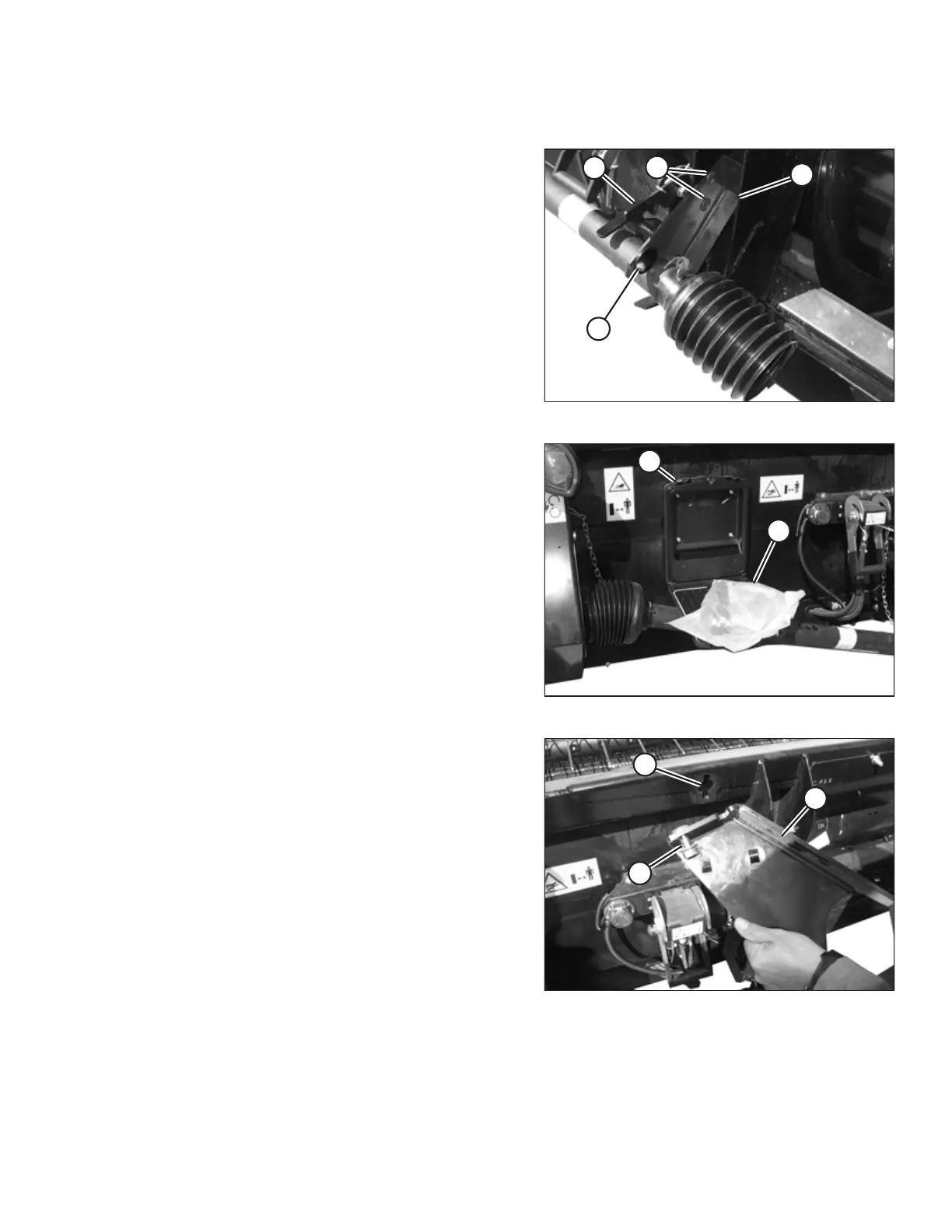
Figure 3.33: Driveline Bracket
1. Remove shipping wire securing driveline to header.
2. Rotate locking disc (A) and remove driveline from
bracket (B).
3. Remove the two bolts (C) securing bracket (B) to the
header leg and remove the bracket.
4. For Case and New Holland combines, reinstall bolts (C)
to secure locking mechanism (D). For all other
combines, retain hardware.
Figure 3.34: Hardware Bag
5. For Case and New Holland combines, retrieve two
M12 x 35 carriage bolts and locking nuts from hardware
bag (B) in manual case (A).
Figure 3.35: Driveline Bracket
6. Loosely install one carriage bolt (A) and locking nut in
bracket (B) and the other bolt and nut in slot (C) in
header frame.
UNLOADING THE HEADER



 To Next Page