214658 121 Revision A
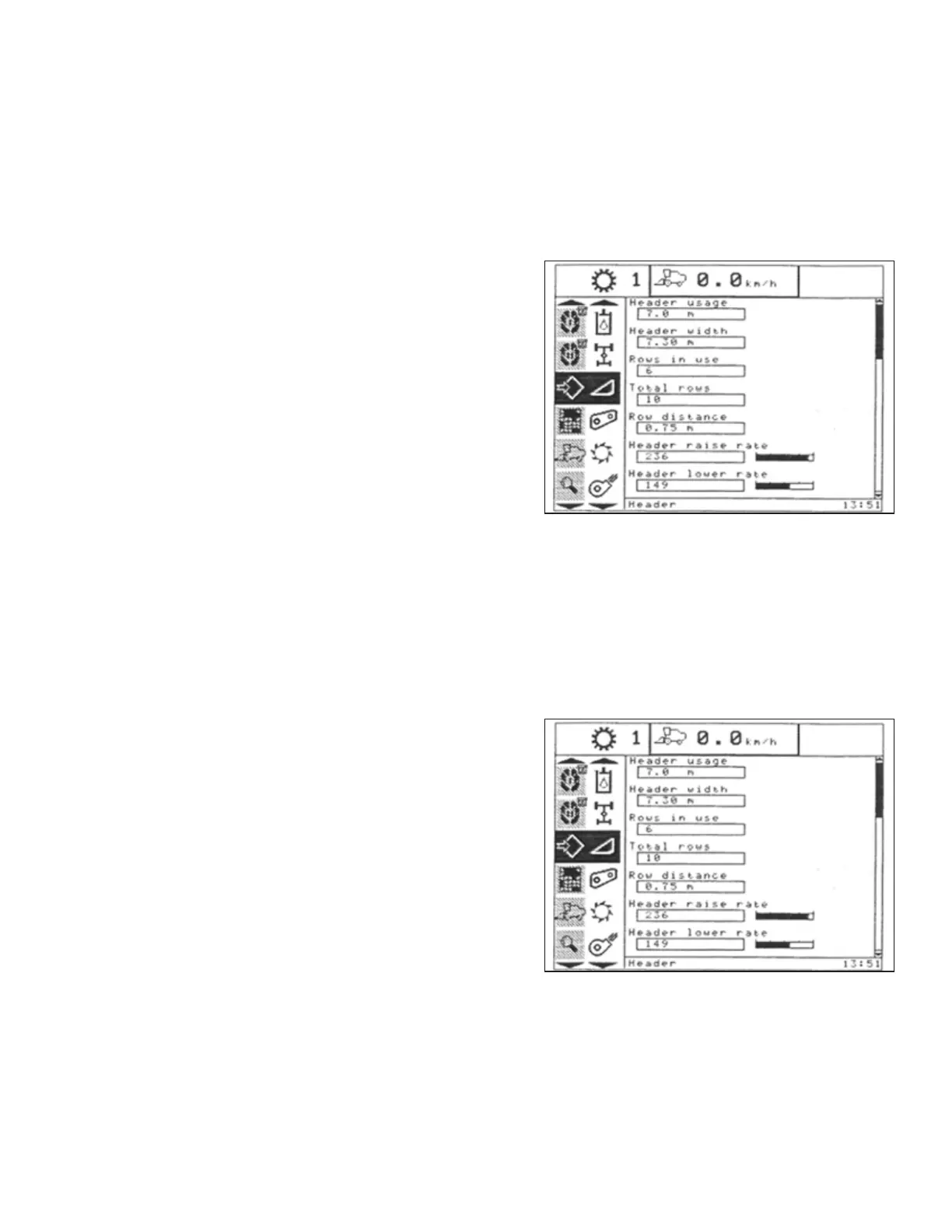
Adjusting Header Raise Rate (New Holland CR/CX Series)
If necessary, header raise rate (the first speed on HEADER HEIGHT rocker switch of multifunctional handle) can be
adjusted.
NOTE:
Changes may have been made to the combine controls or display since this document was published. Refer to
combine operator’s manual for updates.
Figure 6.96: New Holland Combine Display
1. Select HEADER RAISE RATE on combine display.
2. Use + or – buttons to change setting.
3. Press ENTER to save new setting.
NOTE:
The raise rate can be changed from 32 to 236 in
increments of 34. The factory setting is 100.
Setting Header Lower Rate to 50 (New Holland CR/CX Series)
The header lower rate can be adjusted using the automatic header height control (AHHC) button or second speed
on the multifunction handle’s header height rocker switch.
NOTE:
Changes may have been made to the combine controls or display since this document was published. Refer to
combine operator’s manual for updates.
Figure 6.97: New Holland Combine Display
1. Select HEADER LOWER RATE on combine display.
2. Use + or – buttons to change setting to 50.
3. Press ENTER to save new setting.
NOTE:
The lower rate can be changed from 2 to 247 in
increments of 7. It is factory-set to 100.
PREDELIVERY INSPECTION



 To Next Page