214658 139 Revision A
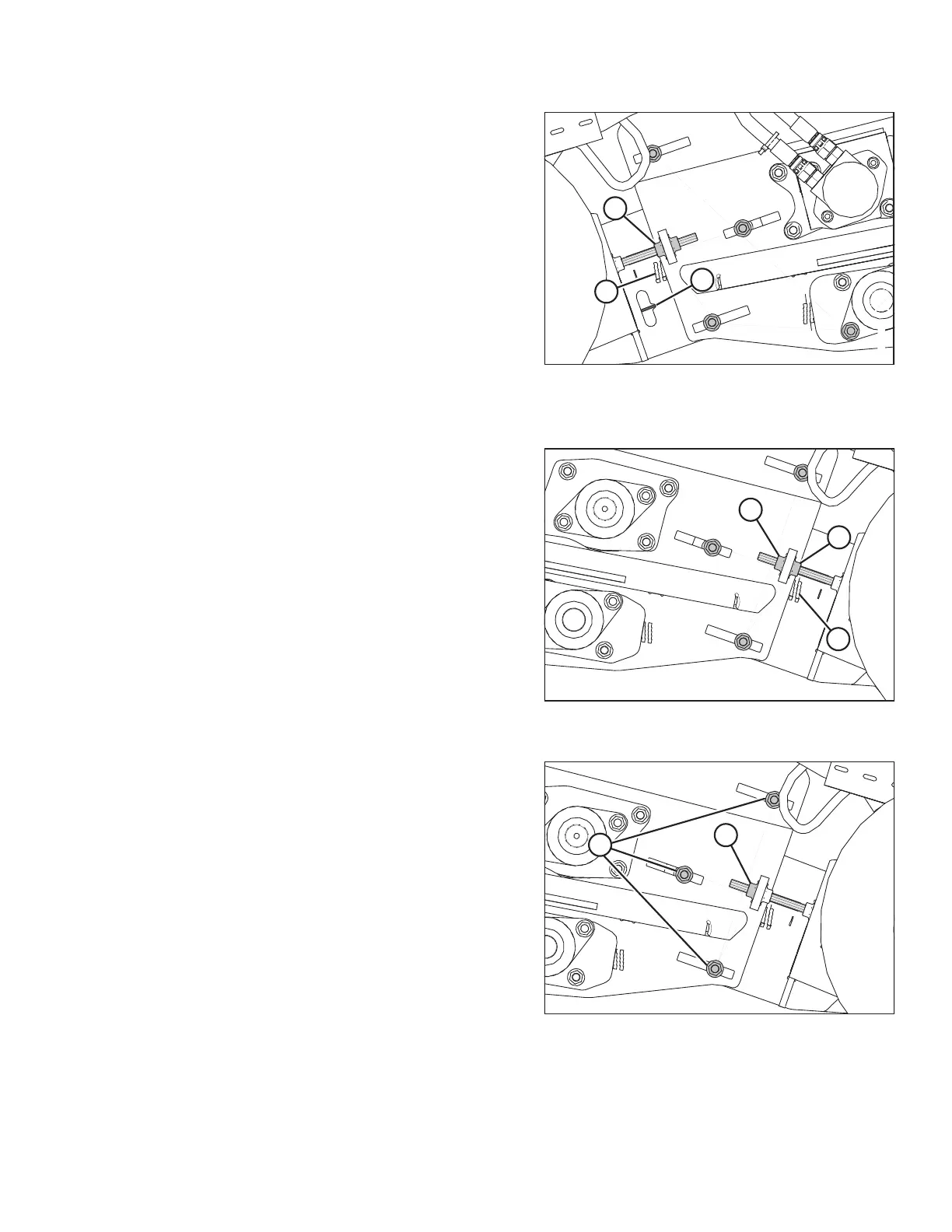
Figure 6.131: Left Side Front Deck Shown –
Right Side Opposite
3. Turn adjuster nut (A) to set the draper tension. Proper
tension is achieved when the draper lines up with
indicator notch (B).
IMPORTANT:
Do NOT tighten draper above the indicator notch (B).
Drapers only need to be tight enough to prevent
slippage.
Overtightening drapers may result in the following:
• Joining bolts pulling out of draper
• Damage to the rollers or bearings
• Twisting and wrinkling of drapers
NOTE:
Note the position of the stepped position indicator
gauge (C).
Figure 6.132: Right Side Stepped Position
Indicator Gauge
4. Loosen jam nut (A) on the right side of the header, and
turn adjuster nut (B) until the position of stepped
position indicator gauge (C) is identical to the left side.
Figure 6.133: Front Deck Adjuster
5. Tighten three clamp bolts (A) and jam nut (B) on both
sides of the header.
PREDELIVERY INSPECTION



 To Next Page