214658 83 Revision A
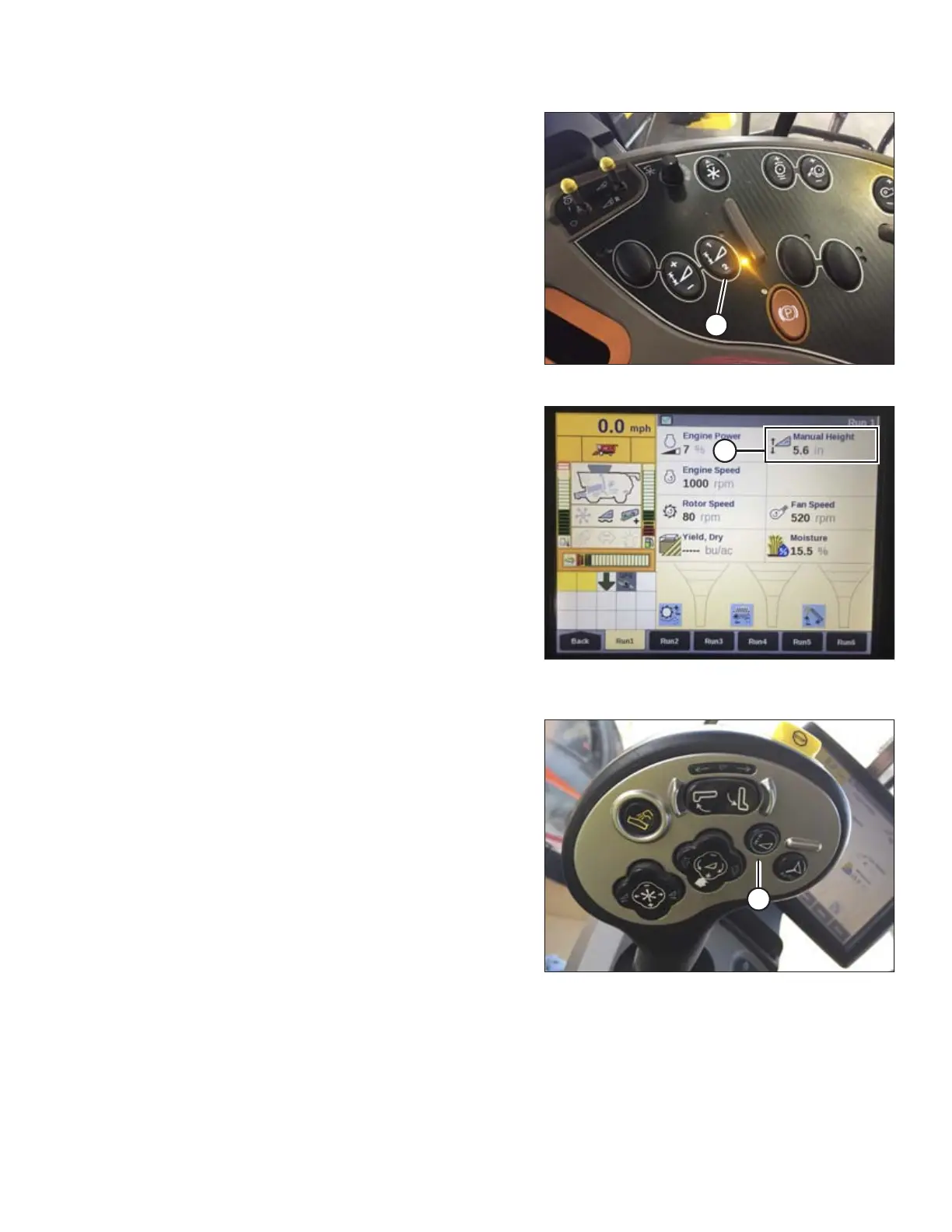
Figure 6.21: Case Combine Console
4. Manually raise or lower header to a second desired
cutting height.
5. Press 2 on button (A). A yellow light next to the button
will illuminate.
Figure 6.22: Case Combine Display –
Run 1 Page
Up and down arrows should now appear in the
MANUAL HEIGHT box (A) on the RUN 1 page on the
combine display. This indicates that the auto header
height control (AHHC) is functioning.
Figure 6.23: Case Combine Joystick
6. To enable the presets, activate AHHC button (A) to
place the header on the ground. To enable the first
preset, tap the button once. To enable the second
preset, tap the button twice.
To lift the header to maximum working height, hold the
SHIFT button on the back of the ground speed lever
(GSL) while tapping AHHC button (A).
PREDELIVERY INSPECTION



 To Next Page