214658 86 Revision A
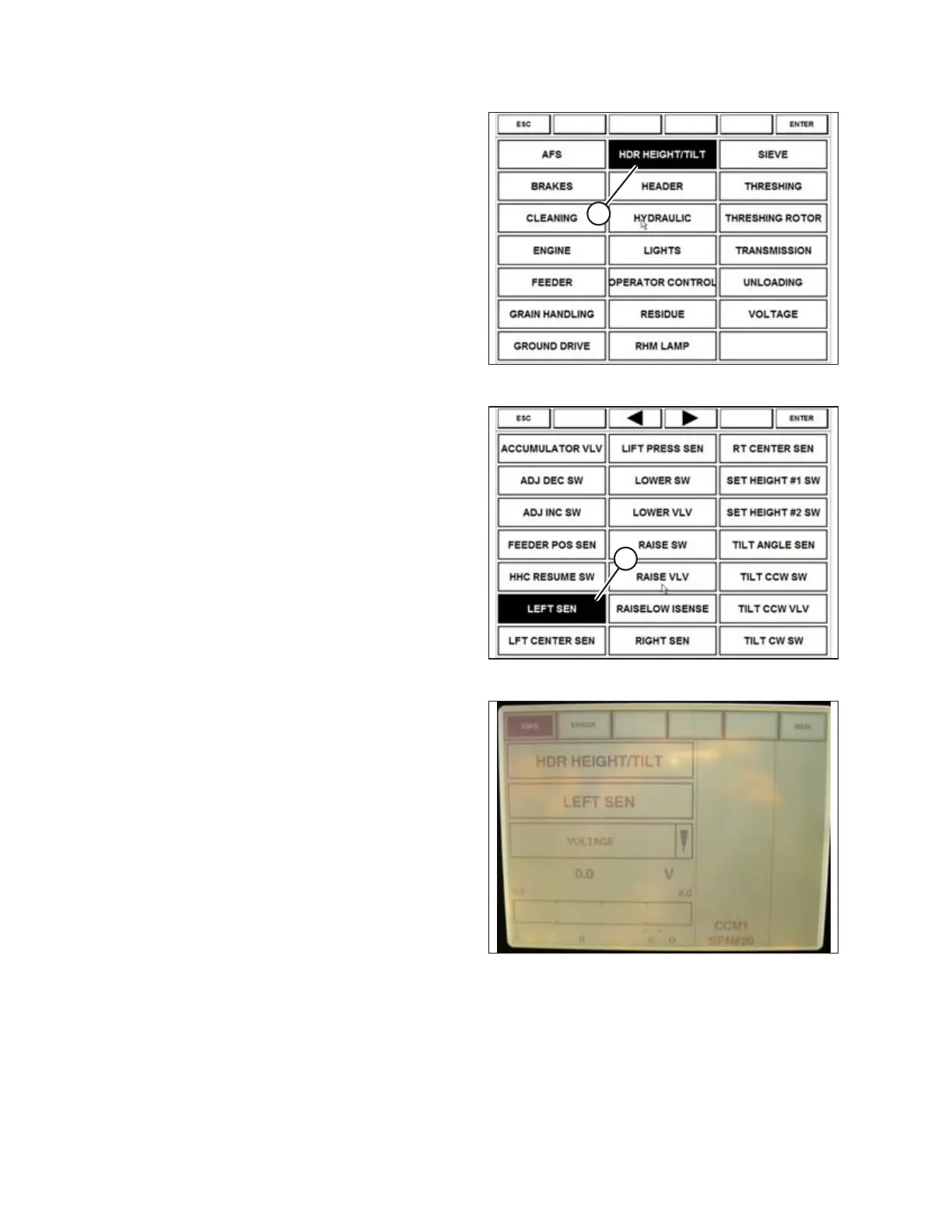
Figure 6.28: Case 8010 Combine Display
4. Select HDR HEIGHT/TILT (A). The SENSOR page
displays.
Figure 6.29: Case 8010 Combine Display
5. Select LEFT SEN (A). The exact voltage is displayed.
Raise and lower header to see full range of voltage
readings.
Figure 6.30: Case 8010 Combine Display
6. If sensor voltage is not within low and high limits shown
in 6.1.2 Height Sensor Output Voltage Range –
Combine Requirements, page 74, or if range between
low and high limits is insufficient, you need to make
adjustments. For instructions, refer to Adjusting Header
Height Sensor Voltage Range (Left Side), page 77 and
Adjusting Header Height Sensor Voltage Range (Right
Side), page 77.
PREDELIVERY INSPECTION



 To Next Page