Verify that the battery does not move after securing the battery. If it moves, secure it again.
[1] REMOVAL
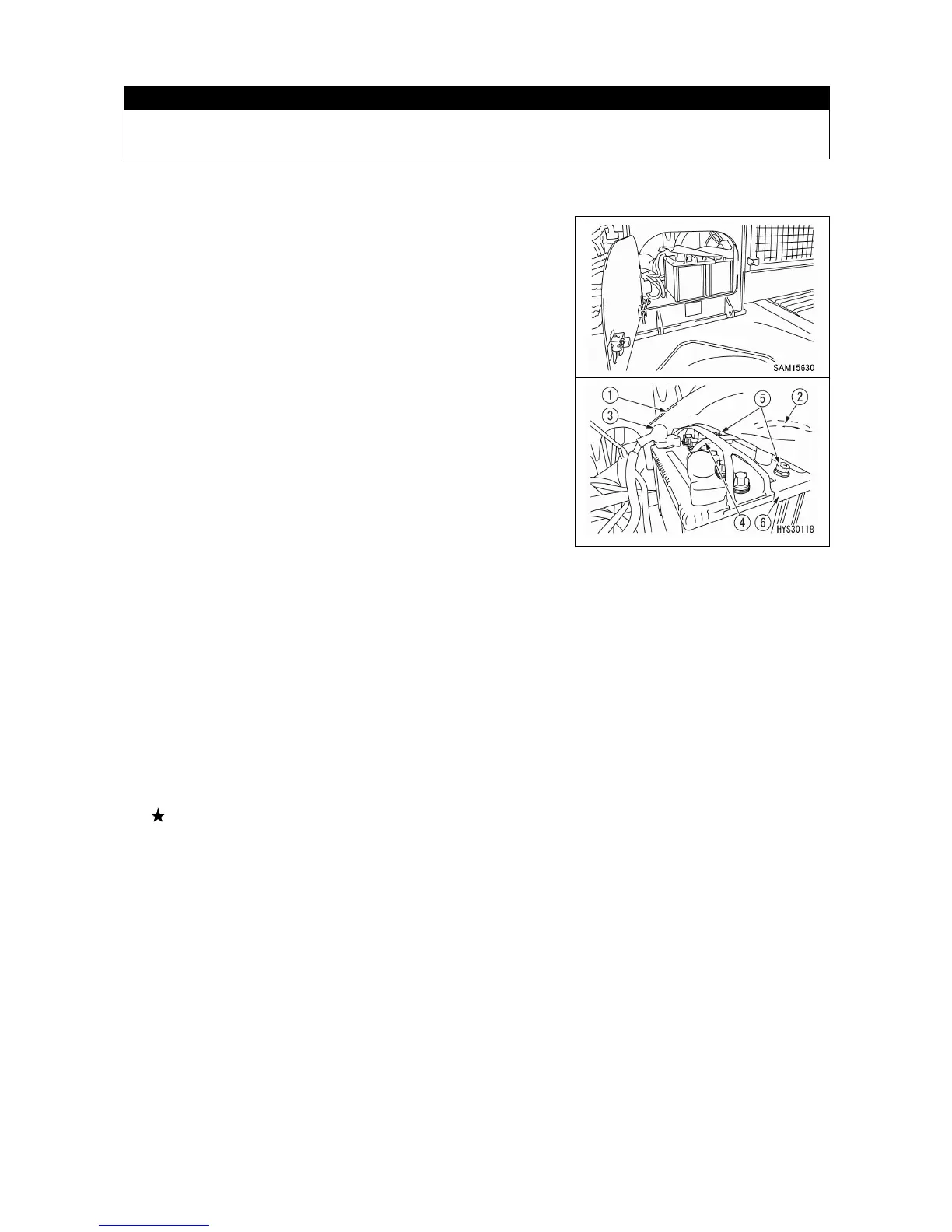
1. Open the battery room door and turn up the vinyl cover
installed on the battery.
2. First, remove the cable (2) on the (-) terminal side (ground
side) of the right-hand battery.
3. Remove the cable (3) on the (+) terminal side of the left-
hand battery.
4. Remove the connection cable (4).
5. Remove the mounting bolt (5) at two locations and remove the mounting bracket (6) and vinyl
cover (1).
6. Take the battery outside of the machine body.
[2] INSTALLATION
1. Set the battery in place.
2. Set the mounting bracket (6) and vinyl cover (1) on the battery and securely tighten the mounting
bolt (5).
Tightening torque of bolt (5): 9.8 - 19.6 N•m (1 - 2 kgf•m)
3. Install the cable (3) on the (+) terminal side of the left-hand battery.
4. Connect the connection cable (4) from the (+) terminal side.
5. Install the cable (2) on the (-) terminal side (ground side) of the right-hand battery.



 To Next Page