- 40 -
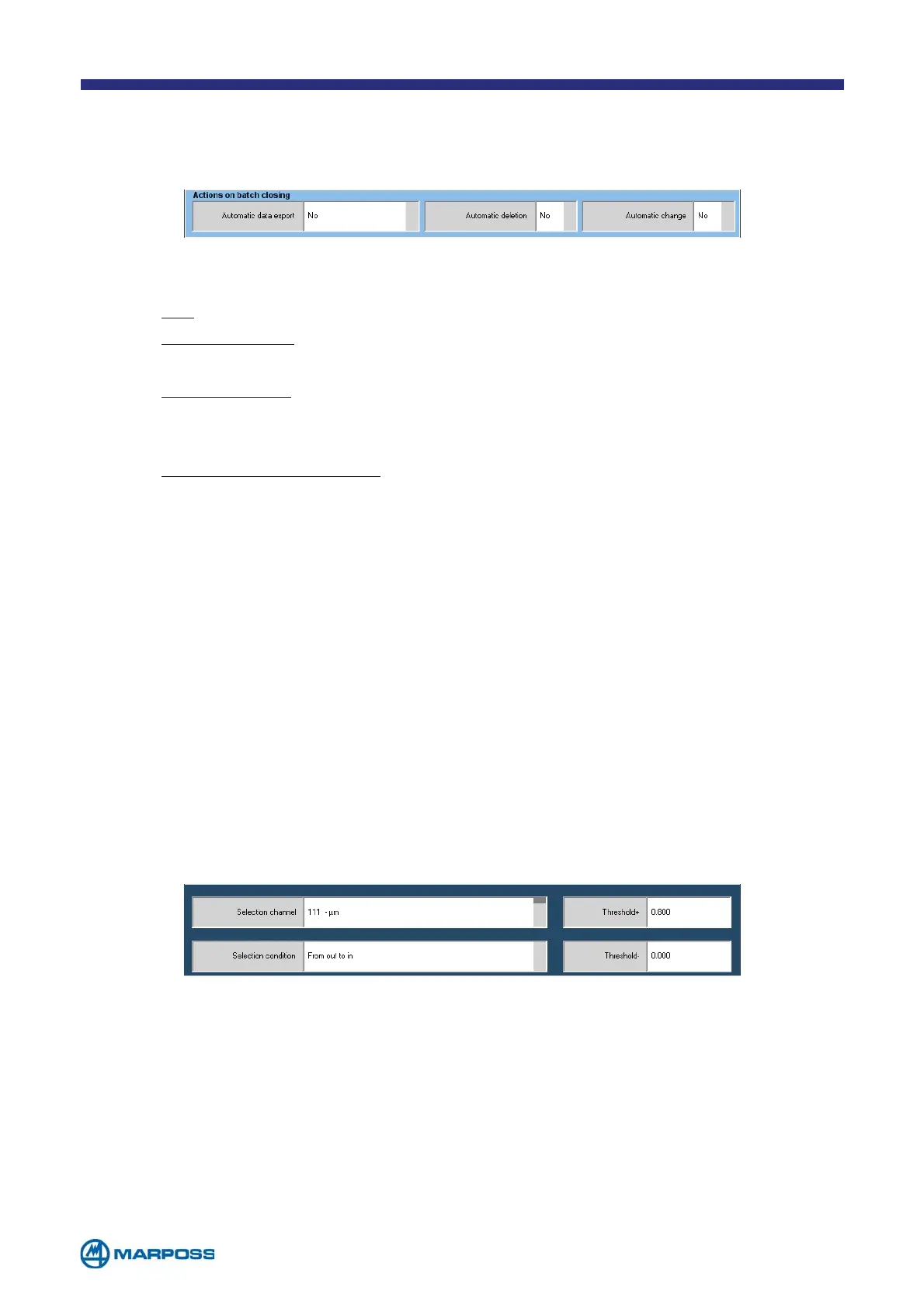
• SELECTION CHANNEL: use this parameter to select the TRANSDUCER that triggers
the change. Each transducer may only be used to select a single B
ATCH; a mes-
sage appears next to the T
RANSDUCER name, indicating whether it is free or alre-
ady used for another selection.
• T
HRESHOLD ±: TRANSDUCER measurement field thresholds that are used to ena-
ble the selection.
• S
ELECTION CONDITION: this parameter defines the condition at which the selec-
tion is enabled: either as the value moves into (F
ROM OUT TO IN), or out of (FROM IN
TO OUT) the range defined by the thresholds.
• AUTOMATIC DATA EXPORT: the function allows choosing which data has to be
exported on batch closing, the options are:
• N
O: no automatic export.
• O
NLY MEASURES: the software generates a file containing all the batch mea-
surement values and export it to the preselected path (see paragraph 6.6).
• O
NLY STATISTICS: the system creates and exports a file (.csv Microsoft Excel®
compatible format, .
DFQ Q-Das compatible format) containing the statisti-
cal data from the most significant.
• M
EASURES AND STATISTICS: the software creates and exports both types of
file: measurements in the programmed format and statistics in the Excel®
compatible text format and .
DFQ Q-Das compatible format.
• A
UTOMATIC DELETION: if this parameter is set to YES, the system deletes the BATCH
closed.
• A
UTOMATIC CHANGE: when it is enabled the software creates a new BATCH au-
tomatically after closing the current one. The new file will inherit the current
settings, but with a different name. The system creates the name as follows:
YYYMMDDhhmmss. The A
UTOMATIC CHANGE function works only when the batch
is closed inside the measure environment, with some automatic mechanism,
like the B
ATCH DURATION, it does not work closing the batch manually by the menu.
The user can select the batch manually from the list or through I/O signal, in the
latter case the selection numbering system in the I/O I
NDEX parameter is used.
The software is also able to select the B
ATCH automatically by exploiting a transducer
generated event. The following parameters must be programmed in order to define
the automatic batch change event:
In the “A
CTIONS ON BATCH CLOSING” panel it is possible to select the operation to be
performed when closing a batch, as described below (these parameters may be
preset using the A
CTIONS ON BATCH CLOSING menu, see para. 6.7).



 To Next Page