- 39 -
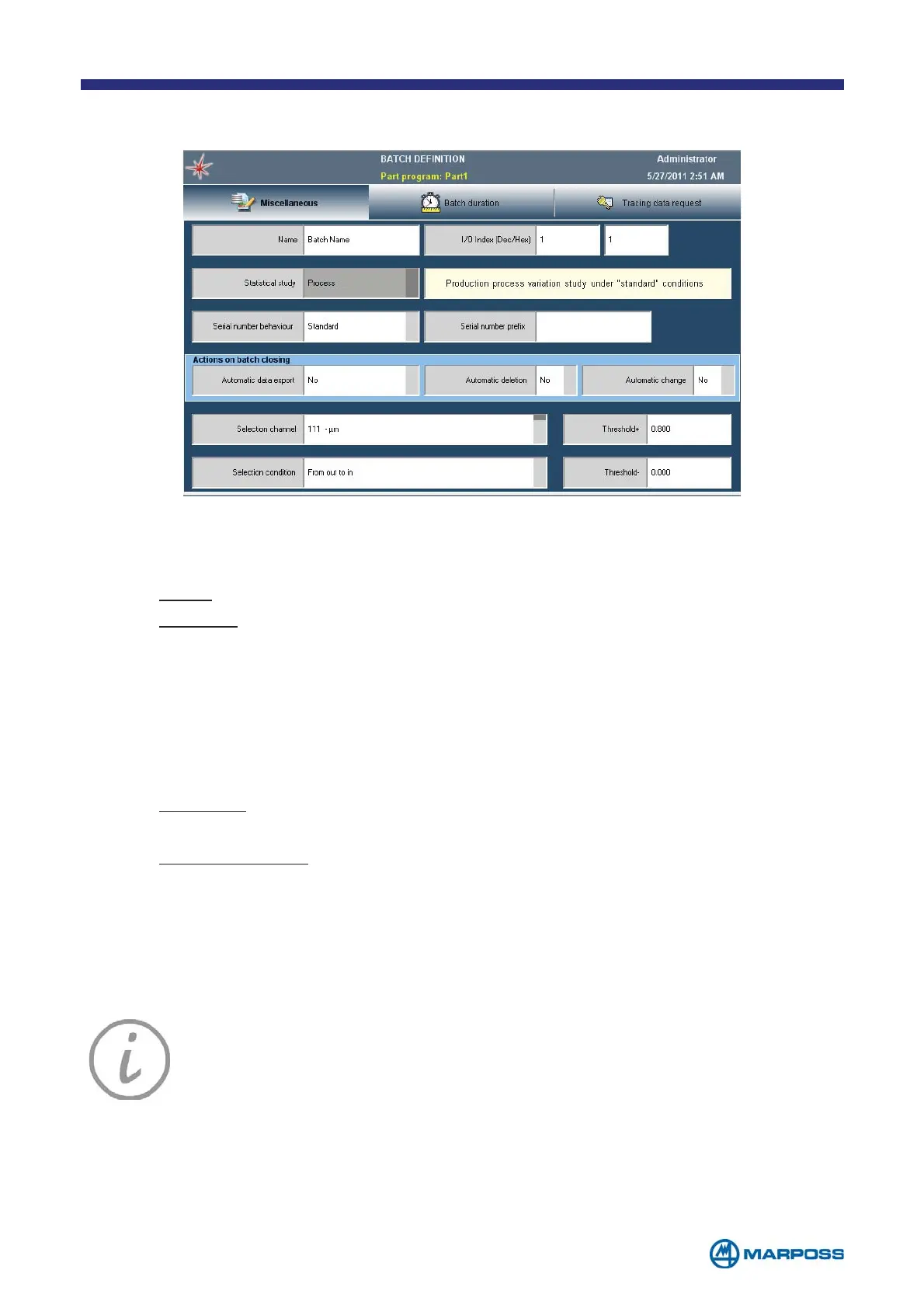
4.1 Miscellaneous TAB
NOTE: The SERIAL NUMBER BEHAVIOUR and SERIAL NUMBER PREFIX parameters may
be viewed in the Tab only if at least one traceability key has been set up.
• NAME: field to define a production BATCH name.
• S
TATISTICAL STUDY: to indicate if a statistical study on the data is required and
select the type.
• N
ONE: Only the part counters are saved in the batch.
• P
ROCESS: Each individual acquisition is stored.
• I/O I
NDEX (DEC/HEX): The I/O index function allows to automatically switch
B
ATCH, and relevant part program associated, through a digital input sent by
an external logic (PLC) or manually by a push button/rotary switch. The I/O
reference number of each batch can be entered either in decimal (Dec), or in a
hexadecimal form (Hex).
• S
ERIAL NUMBER BEHAVIOUR:
• S
TANDARD: the operator may enter the serial number normally via the
keyboard by managing the keys.
• A
UTOINCREMENTAL: the serial number corresponds to the measurement
number, it is formed by 5 figures (e.g. 00001, 00002, etc.) and it is
incremented automatically each time a measurement is carried out.
• S
ERIAL NUMBER PREFIX: if the previous field is set to “AUTOINCREMENT” it is possible
to define an alphanumerical prefix; for example, if the letter “A” is inserted in this
field, the serial number becomes A-00001, A-00002 etc.
NOTE: The B
ATCH name may not contain characters that Window does
not accept as part of file names (E.g. / \ : * ? “<>| ø...). If any of these
characters is used, the system will allocate the P
ART PROGRAM a string
containing the exportation date and time (YYYYMMDDhhmmss) during
the B
ATCH export phase.



 To Next Page