- 97 -
Network Connection Merlin Windows CE 5.0 – PC desktop
Windows 7
This document shows how to connect in a network a PC desktop (operating sy-
stem Windows7) with a Merlin (operating system Windows CE 5.0)
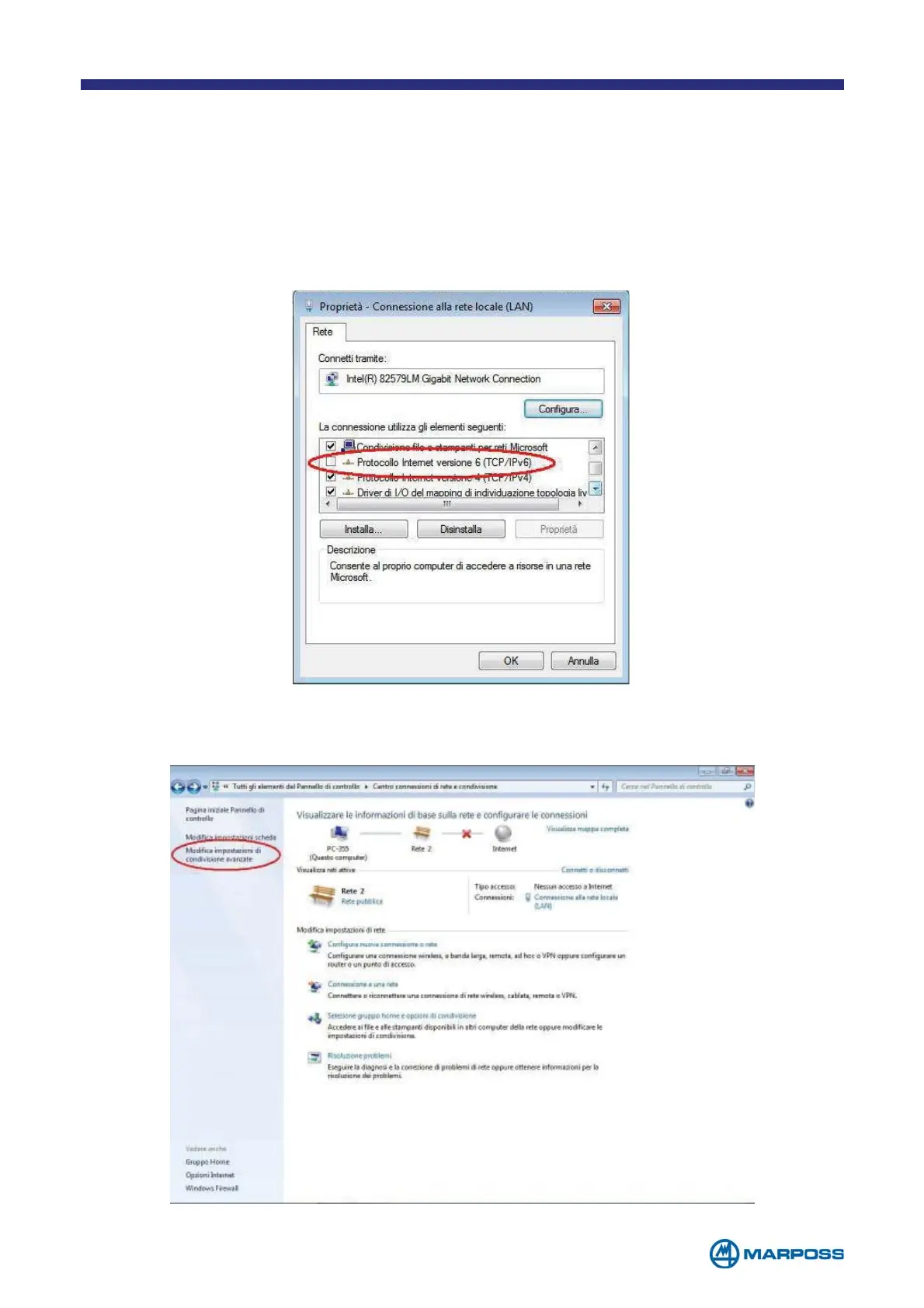
Shows the settings of the network board inside the PC then disabling the option
“Internet Protocol version 6 (TCP/IPv6). See the picture 1 below.
Picture 1
Entering on the “Control Panel”->”Network Connection Center …” then select
“Modify advanced sharing settings” like in the picture 2 below.
Picture 2



 To Next Page