15
The warranty is in lieu of all other warranties, either expressed or implied on the part of Megger and in
no event shall Megger be liable for the consequential damages due to the breach thereof.
2.2 Assembly and Installation
The MVCT has been thoroughly tested and inspected to meet rigid specifications before being shipped.
The unit is ready for use without any need of assembly or any installation procedure. Follow the
instructions in this manual to understand the controls and operations of the unit before setting it up for
performing the tests.
The MVCT can be ordered either with or without an integrated display. If no display was ordered then
the unit may be controlled using a PC and the included software. The MVCT ordered with a display will
have an 10 inch TFT Color Display integrated into the lid – this touch panel display provides high
resolution, and features Wide Viewing Angle Technology with high luminance for reading in direct
sunlight. The control knob is located on the front panel. During manual testing this knob will adjust
values once the box location of the value to be changed is selected.
Power Over Ethernet Input Power
The integrated display gets Power Over Ethernet (PoE) of 48 Volts DC at 0.5 A from the MVCT.
CAUTION:
NOTE: The PoE power supply DC voltage is ON when the power supply is connected to a power
source. Connect the Ethernet cable to the Data & Power Out port of the PoE power supply to the
display Ethernet port prior to connecting to a power source.
2.3 Communication Ports
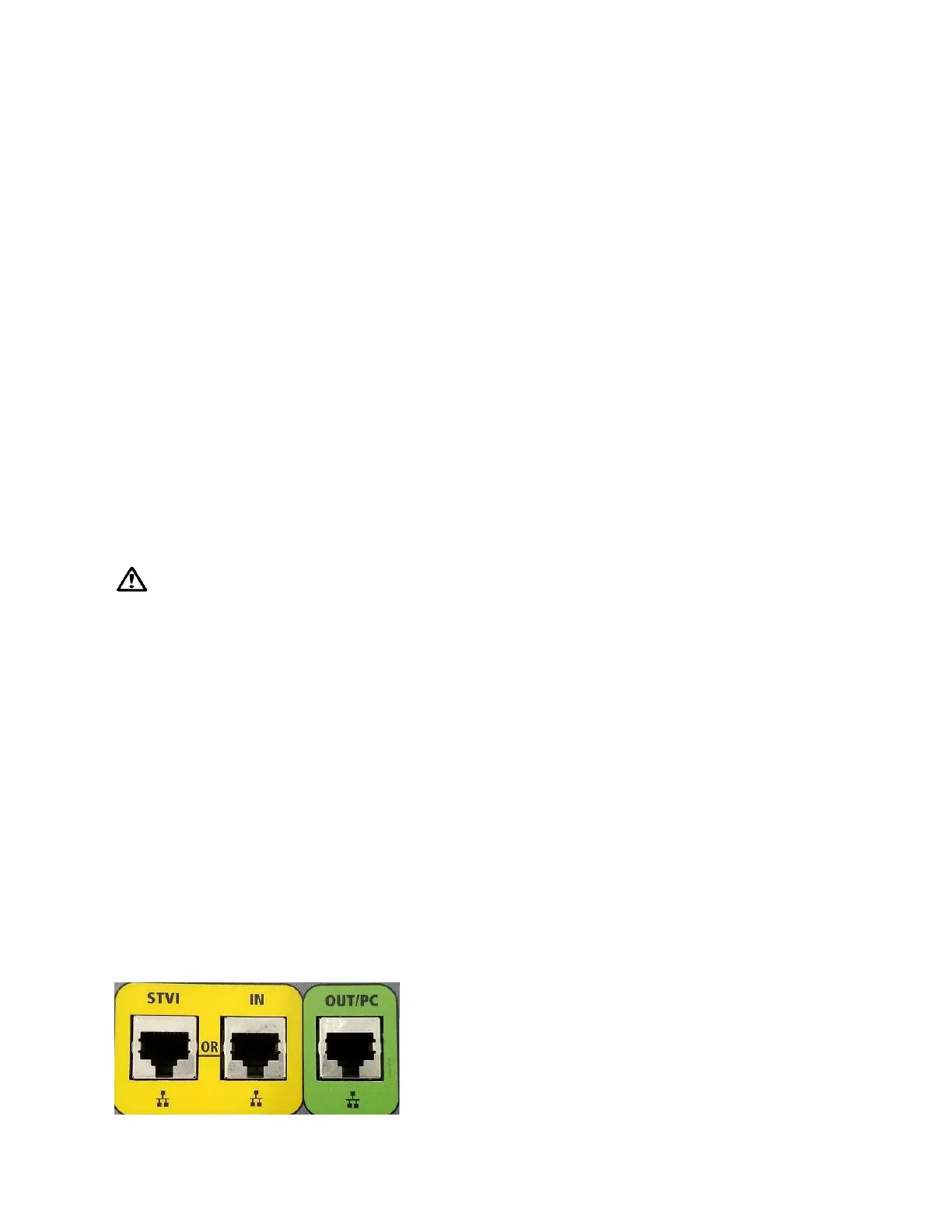
There are two types of communication ports on the MVCT, three Ethernet, and one USB ports. The
Ethernet Ports are a 10/100BaseTX port. These ports supports MDI/MDI-X auto cross over configuration,
which means both standard and “crossover” Ethernet cables
2.3.1 Ethernet Ports on MVCT
There is one Ethernet port on the MVCT for connecting the integrated display or a Megger STVI to the
unit. On the MVCT this port is labeled STVI. This port contains the PoE power supply, and will provide
power to either the display or an STVI. The IN port on the MVCT may be used to interconnect multiple
SMRT units together for synchronous multi-phase operation.. The third Ethernet port label PC is the
primary PC connection port



 To Next Page