MINI Hawk High Performance Imager User’s Manual 8-5
Symbol Quality
Report Tab
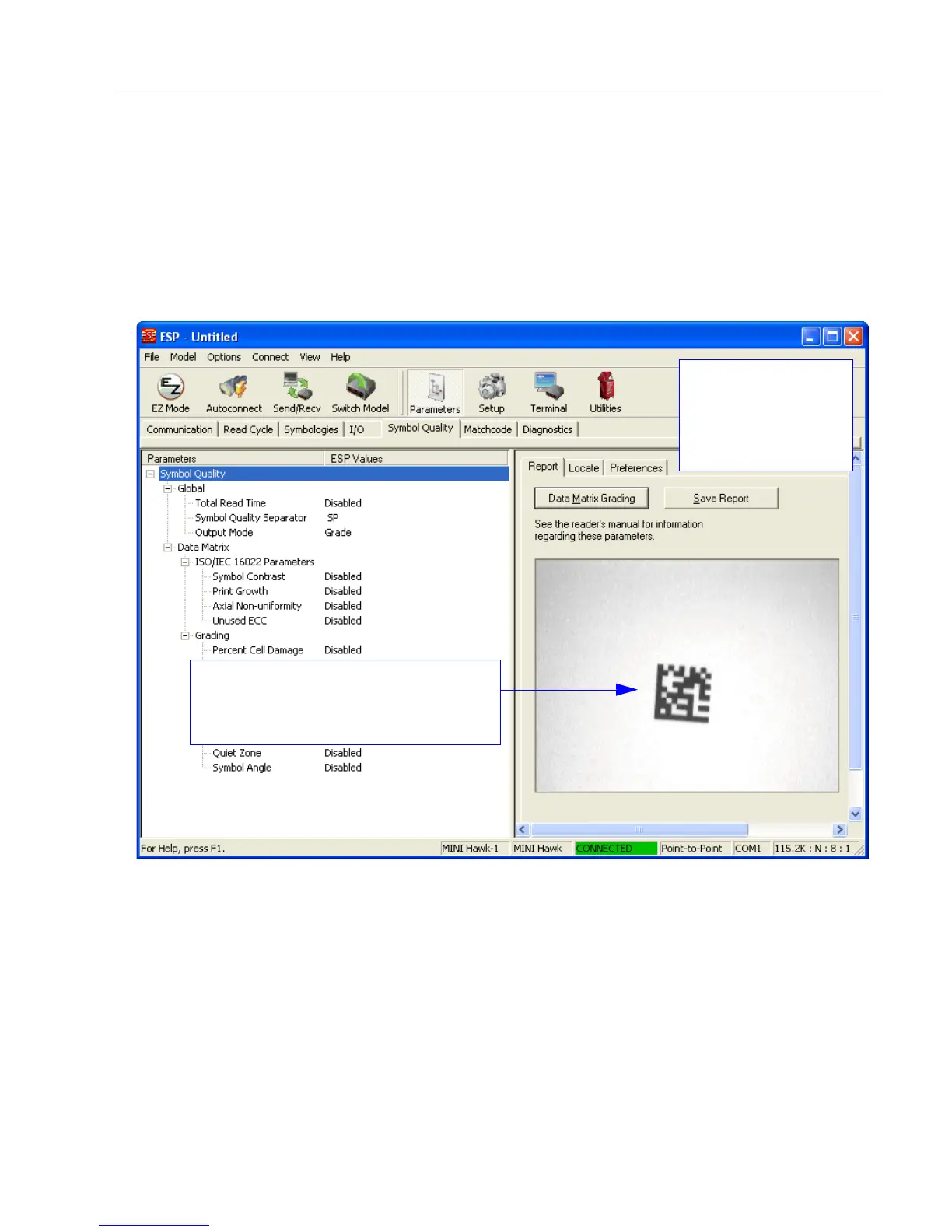
The Report tab allows the user to initiate Data Matrix Grading and to generate and save
grading reports.
To save the report as a PDF file, an HTML file, a CSV file, or an RTF file, click the Save
Report button.
Reports appear in the viewing area underneath the Data Matrix Grading and Save
Report buttons.
The imager’s field of view is shown here.
When grading is completed, the initial
report is also shown in this viewing area.
The Symbol Quality
interface is divided
into three sections:
Report, Locate, and
Preferences.



 To Next Page