2-12 MINI Hawk High Performance Imager User’s Manual
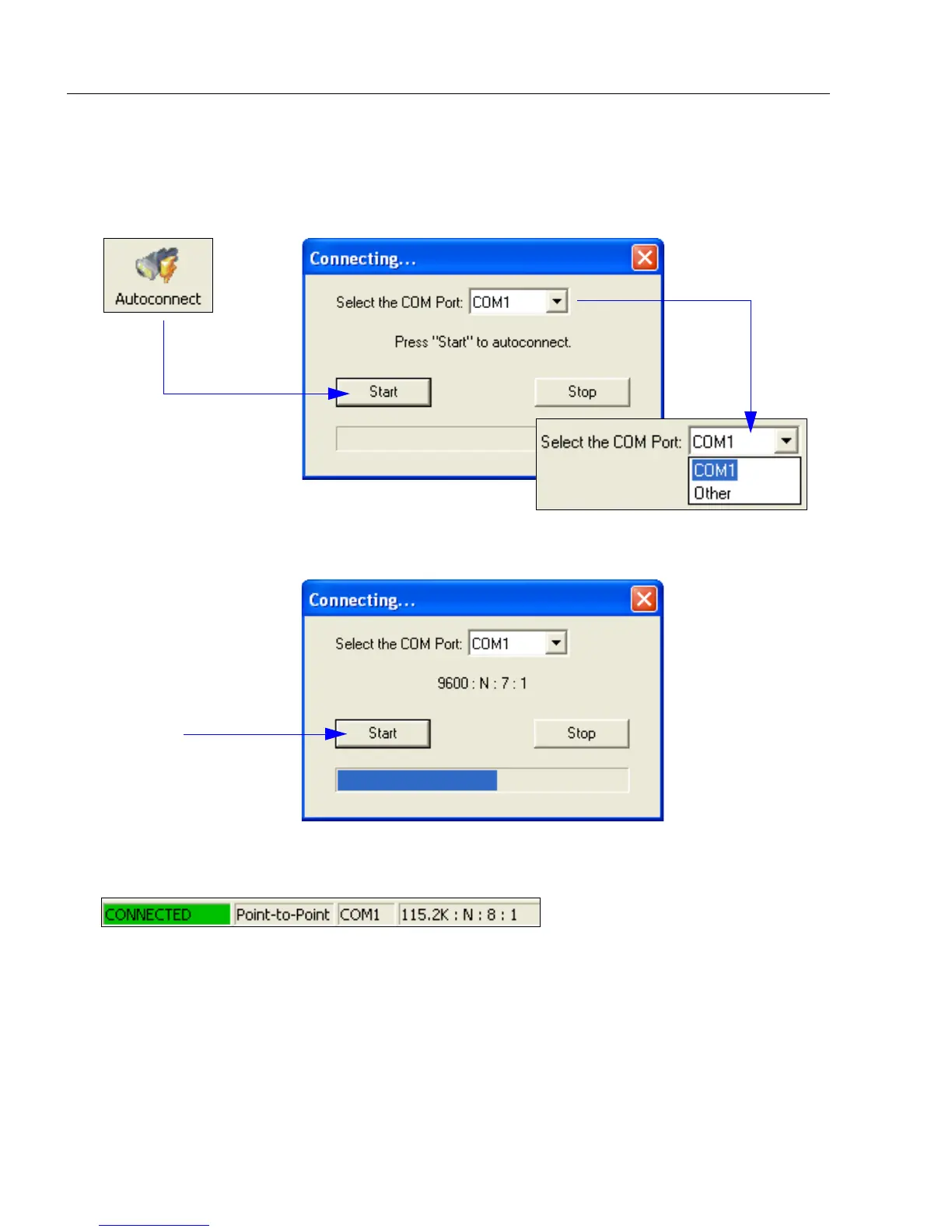
Autoconnect
Autoconnect
•
If your RS-232 connection attempt fails, you can use
Autoconnect
to establish a connection
between the imager and the host.
• If your communications port is not the default COM1, use the dropdown menu to change
your port.
When you are connected, you will see the green connection indicator in the status bar at
the bottom right of your screen:
Important: If you are using a USB model, you must connect the device to the host
computer before powering-on. Otherwise the unit will not be recognized as a USB
device.
• Once you have
chosen the correct
port, click Start to
connect.



 To Next Page