MINI Hawk High Performance Imager User’s Manual A-27
Appendices
Appendix I — USB-to-Serial Virtual COM Port Driver
(For use with Windows
®
Vista (32-bit), XP (32-bit), and 2000 Operating Systems)
Microscan’s USB-to-Serial Virtual COM Port Driver allows you to send serial data using a
USB MINI Hawk. The driver is available at www.microscan.com or on the Microscan
Tools CD.
Installing the USB-to-Serial Virtual COM Port Driver
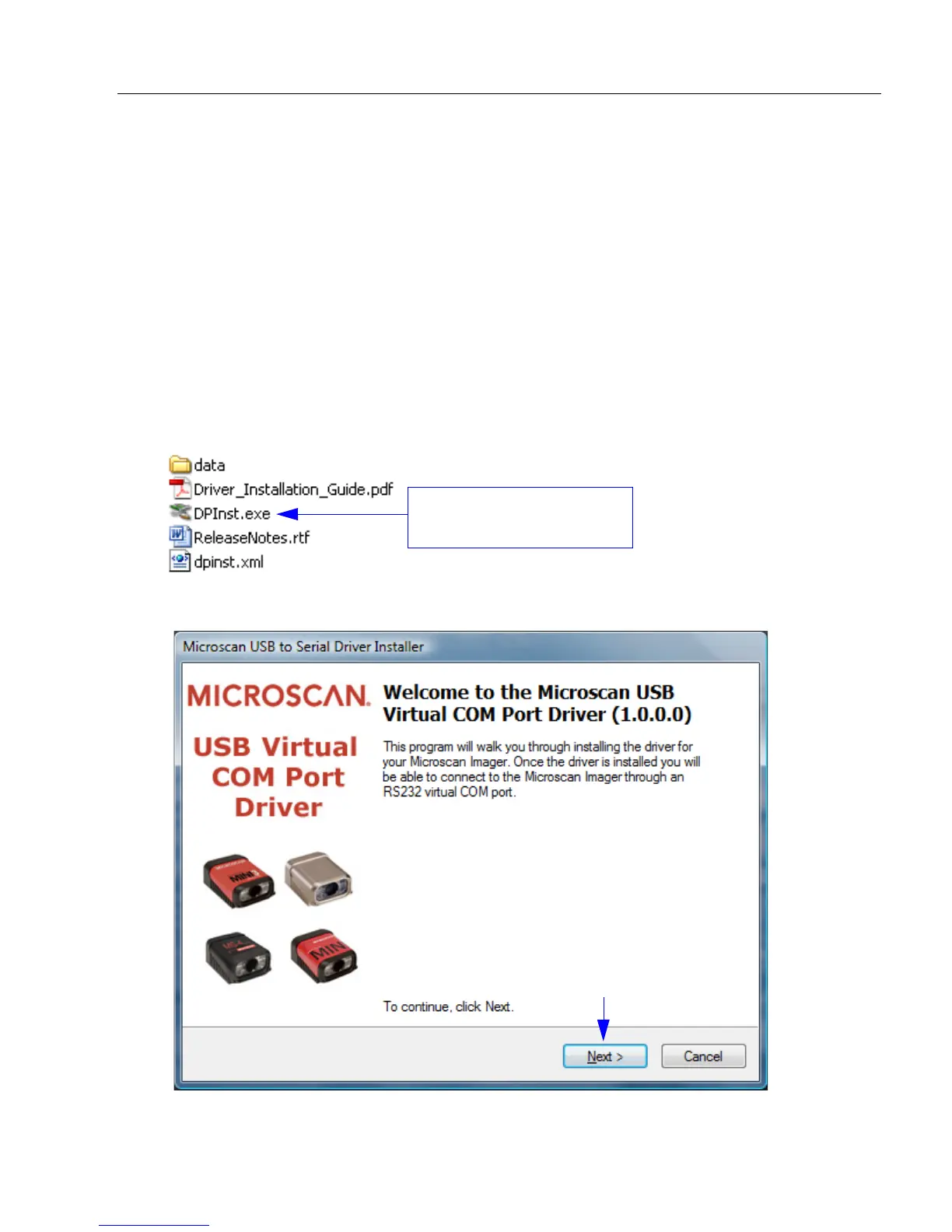
1. Download the driver files from the Microscan website or Microscan Tools CD.
If the driver files are in a .zip file, extract them to a folder of your choice before running
the installer.
2. Double-click on DPInst.exe to launch the Microscan USB-to-Serial Virtual COM Port
Driver Installer.
3. Click Next on the driver installer’s welcome screen.
Select DPInst.exe to launch
the driver installer.



 To Next Page